
Appliances / Keel Core
Keel CoreDebian 13
Keel release 19.0-13 · image debian-13-keel-core_19.0-13_amd64.tar.zst
This is the core appliance of Keel Linux: the base system every other Keel appliance is layered on, compatible with TurnKey Linux appliances. It is a fork of turnkeylinux-apps/core with its full history; upstream is kept as the remote upstream and this repository tracks its master. The recipe (Makefile, plan/main, conf.d, overlay) builds the same image as upstream, as checked by the M0 gate of the project, and the project's own changes are kept small and reviewable on top of it.
Install
LXC template, for Proxmox VE
debian-13-keel-core_19.0-13_amd64.tar.zst
sha256 e32029debdf15a852084a08f24d8187dd526bd3ceebc3cc1e6512a1bf7fb4401
With the Keel index
keel-pve gets the signed index of the Keel templates and checks the template against it. The Templates dialog of the Proxmox web interface does not show Keel templates. Install keel-pve from the Keel archive, suite trixie-testing, as its README says. Then run these commands on the Proxmox node:
keel-pve update
keel-pve download local keel-core
With the file
- Download the template, its
.sha512and its.sha512.asc. - Check the signature. Then check the digest.
- Copy the template to
/var/lib/vz/template/cache/on the Proxmox node.
curl -fLO https://mirror.keellinux.org/images/debian-13-keel-core_19.0-13_amd64.tar.zst -O https://mirror.keellinux.org/images/debian-13-keel-core_19.0-13_amd64.tar.zst.sha512 -O https://mirror.keellinux.org/images/debian-13-keel-core_19.0-13_amd64.tar.zst.sha512.asc
curl -fLO https://archive.keellinux.org/keel-images-keyring.asc
sqv --keyring keel-images-keyring.asc debian-13-keel-core_19.0-13_amd64.tar.zst.sha512.asc debian-13-keel-core_19.0-13_amd64.tar.zst.sha512
sha512sum -c debian-13-keel-core_19.0-13_amd64.tar.zst.sha512
cp debian-13-keel-core_19.0-13_amd64.tar.zst /var/lib/vz/template/cache/
If sqv prints E71DB9C3CA6AC18075395CC3ED3A709C4F3E2F3C, the signature is good. It also prints "Missing key" for the main key of the project. This is expected.
Make the container
pct create 200 local:vztmpl/debian-13-keel-core_19.0-13_amd64.tar.zst --hostname core \
  --unprivileged 1 --features nesting=1 \
  --net0 name=eth0,bridge=vmbr0,ip6=auto
Start the container and log in on its console as root. The first boot asks its questions there.
ISO, for a virtual or a real machine
debian-13-keel-core_19.0-13_amd64.iso
sha256 0094fe13f41961599bdd030ccd115c30f7cb22e9802d528c8f51b45c02f724ed
curl -fLO https://mirror.keellinux.org/images/debian-13-keel-core_19.0-13_amd64.iso -O https://mirror.keellinux.org/images/debian-13-keel-core_19.0-13_amd64.iso.sha512 -O https://mirror.keellinux.org/images/debian-13-keel-core_19.0-13_amd64.iso.sha512.asc
curl -fLO https://archive.keellinux.org/keel-images-keyring.asc
sqv --keyring keel-images-keyring.asc debian-13-keel-core_19.0-13_amd64.iso.sha512.asc debian-13-keel-core_19.0-13_amd64.iso.sha512
sha512sum -c debian-13-keel-core_19.0-13_amd64.iso.sha512
Boot the machine from the ISO and install. The first boot of the installed system asks the same questions as the template.
The first boot
The questions of the first boot, of all the modes and roles. A node asks only those of its mode and role (the guides below show each one):
- Root Password password
- Installation mode
- System Notifications
- Role of this node
- Invite a node
- Join a mesh
No password is copied between nodes: only the invite lines (decision 0076).
Services and ports
| Service | Port | Open to |
|---|---|---|
| sshd | 22/tcp | public |
| webmin | 12321/tcp | public |
| postfix | 25/tcp | loopback |
Screenshots
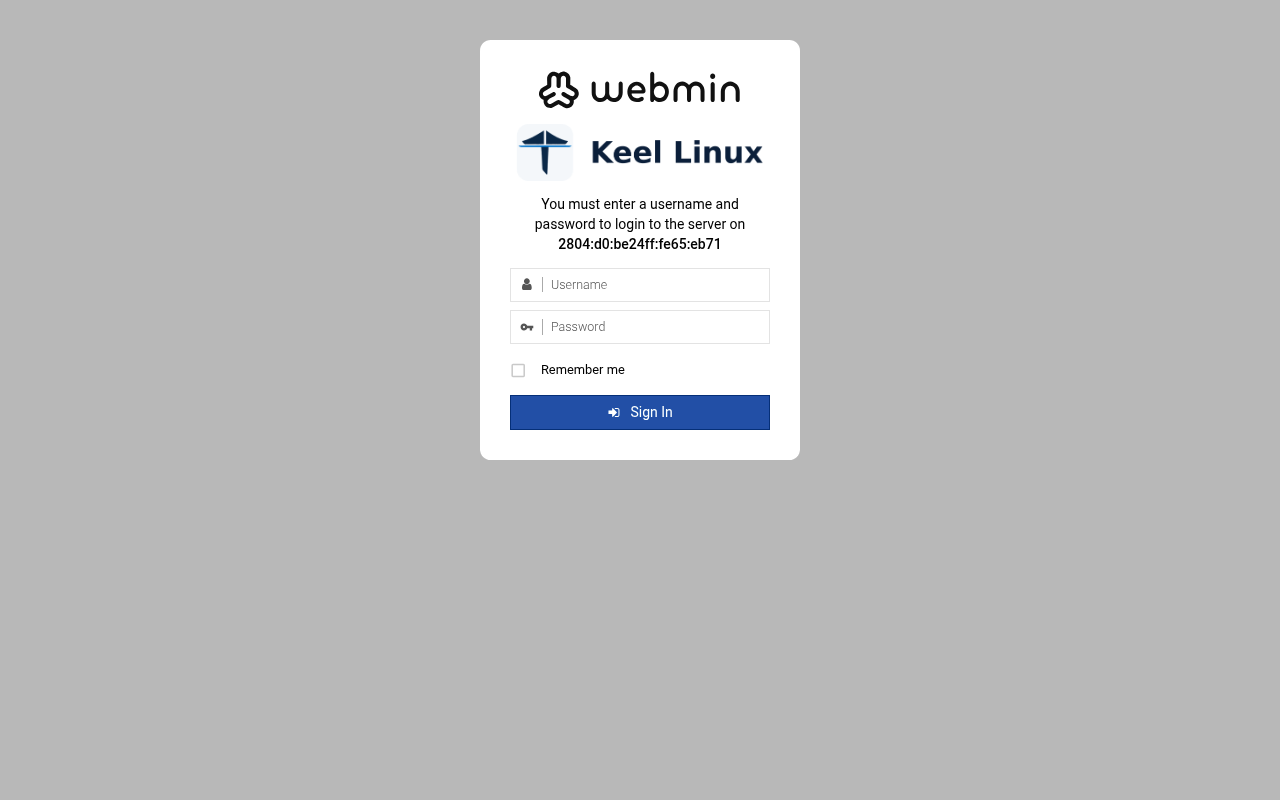
user root, the root secret
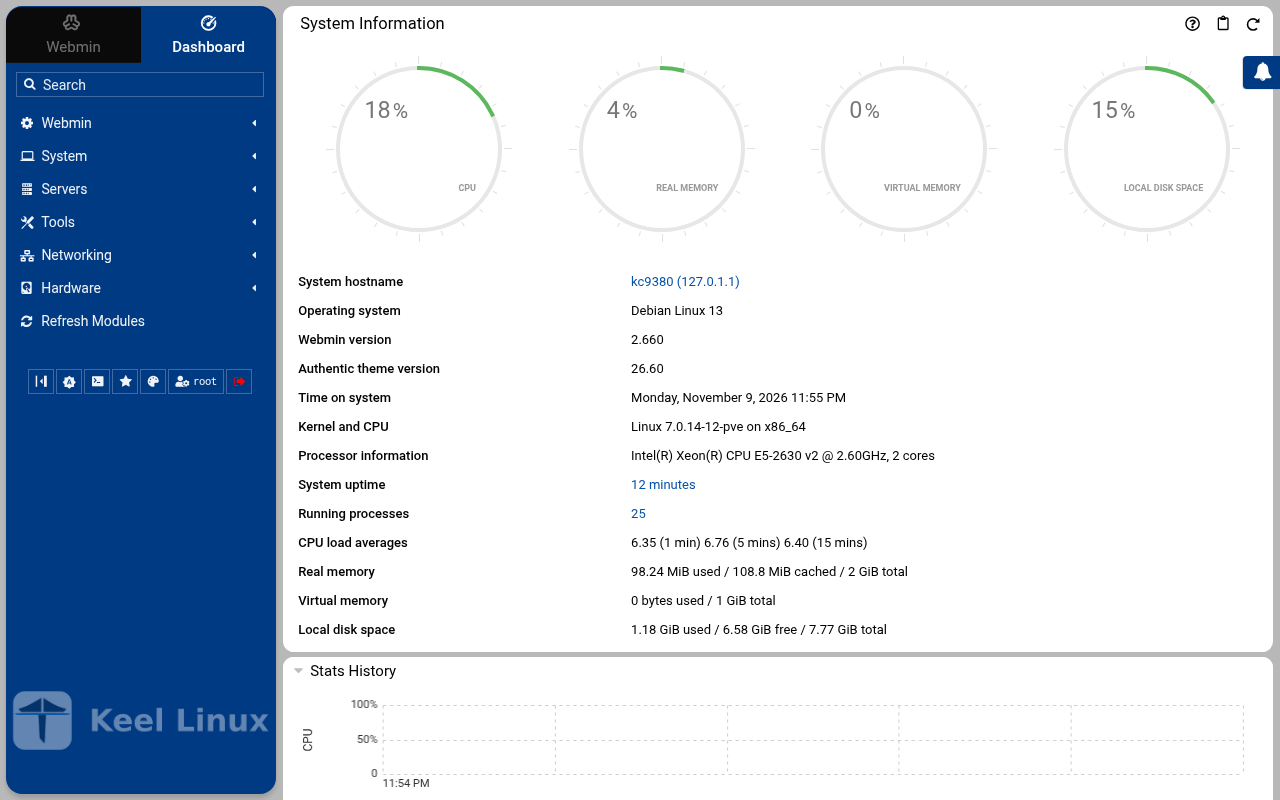
after the login: the page the login opened
Installation modes
Each column is one machine. Each row is one screen, in the order the machine showed it, with what the operator typed or chose. A secret is named, never shown.
Simple: one node
the LXC template, answered on the console (br1)
- 1
root password
the screen, as text
Connected to tty 1
Type <Ctrl+a q> to exit the console, <Ctrl+a Ctrl+a> to enter Ctrl+a itself
press Enter within 5 s to answer first-boot questions
Keel Linux Configuration Console KC9380 appliance services                                                    < Quit >           Webmin:     https://[2804:710:d0:5:be24:11ff:fe65:eb71]:12321SSH/SFTP:   root@2804:710:d0:5:be24:11ff:fe65:eb71 (port 22) Keel Linux Configuration Console KC9380 appliance services                                  < Quit >         Webmin:     https://[2804:710:d0:5:be24:11ff:fe65:eb71]:12321SSH/SFTP:   root@2804:710:d0:5:be24:11ff:fe65:eb71 (port 22)
Debian GNU/Linux 13 kc9380 tty1
kc9380 login: root
Password:
Keel Linux core 19.0-trixie-amd64
IPv6 SSH:  root@2804:710:d0:5:be24:11ff:fe65:eb71
Welcome to kc9380, Keel Linux 19.0 (Debian 13/Trixie)
System information for Mon Nov 09 23:43:30 2026 (UTC+0000)
System load:  7.19             Memory usage:  9.0%
Processes:    29               Swap usage:    0.0%
Usage of /:   9.9% of 7.78GB   Networking not configured
This system is not initialized yet: run keel-init to set it up.
For Advanced commandline config run:    confconsole
For more info see: https://github.com/Keel-Linux/confconsole
Linux kc9380 7.0.14-12-pve #1 SMP PREEMPT_DYNAMIC PMX 7.0.14-12 (2026-08-11T11:05Z) x86_64
=== Keel Linux - First boot configuration
Root Password
Please enter new password for the root account.
Choose how to set this password:
Generate  A strong random password (recommended)
Manual    Type my own password
<  OK  >Generate  A strong random password (recommended)Manual    Type my own password
Keel Linux - First boot configuration
Root Password
Please enter new password for the root account.
Password Requirements
- must be at least 8 characters long
- must contain characters from at least 3 of the
following categories: uppercase, lowercase, numbers,
symbols
<  OK  >x
typed:
(the root secret) - 2
root password
the screen, as text
********
Keel Linux - First boot configuration
Root Password
Confirm password
Password Requirements
- must be at least 8 characters long
- must contain characters from at least 3 of the
following categories: uppercase, lowercase, numbers,
symbols
<  OK  >x
typed:
(the root secret) - 3
mode
the screen, as text
********
Keel Linux - First boot configuration
kc9380.pop.coop
Domain name
xxx The name this machine is reached by, with its domain,    xx for example blog.example.org. It becomes the hostname,   xx the name /etc/hosts answers for this machine, and the    xx domain a TLS certificate is requested for in             xx confconsole.xxxx Leave the field empty to keep the name the machine has.  xxxx Fully qualified domain name:x
<Apply>x
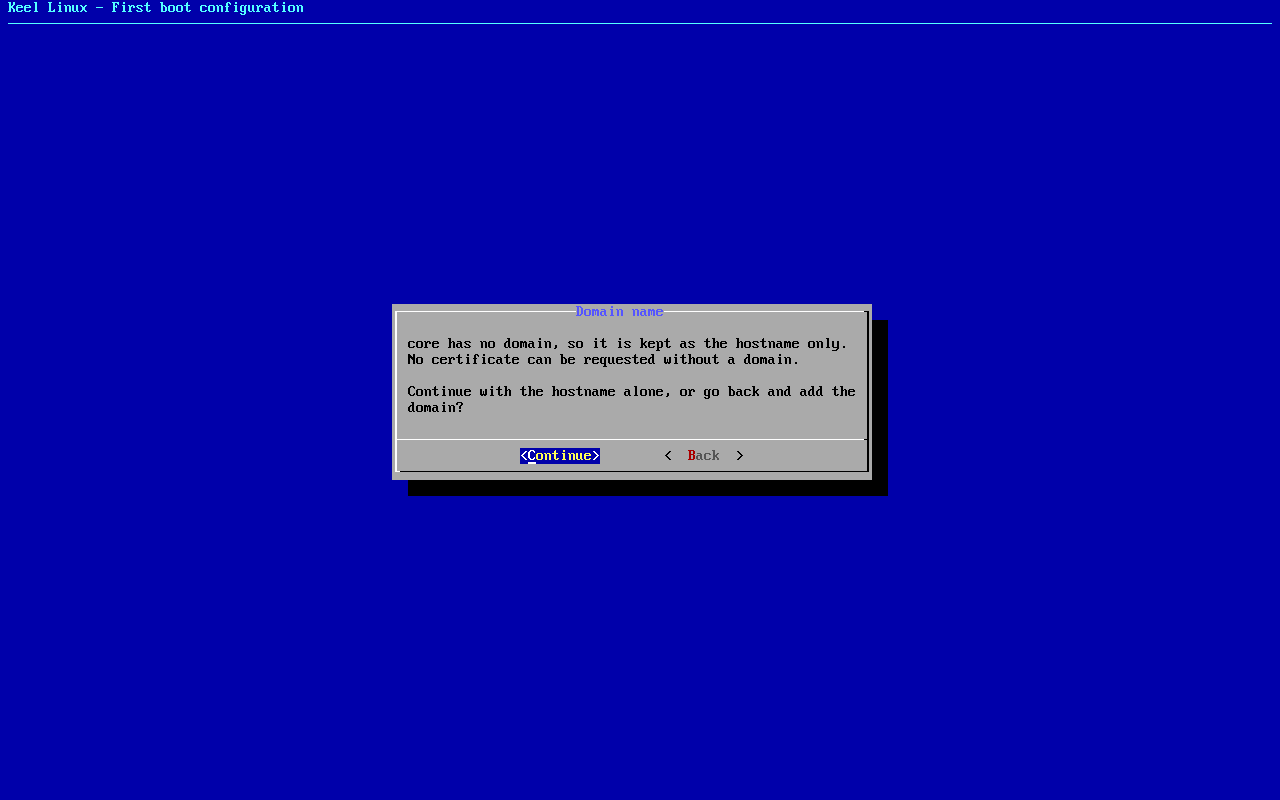
>fqdn: /etc/keel/instance.yaml already declares the name, not written
=== Keel Linux - First boot configuration
Installation mode
How this appliance is installed (decision 0028). You choose it once.
Simple: one node. Everything is on this machine, with no mesh.
Cloud simple: two nodes, a primary and a replica on a WireGuard mesh. The data follows the primary. When the
primary stops, you promote the replica by hand.
Cloud advanced: two data nodes and a witness, three sites, etcd of three. When the primary stops, the replica
takes over by itself.
Choose the same mode on every node of the set.
Simple          one node, no mesh
Cloud simple    two nodes, failover by hand
Cloud advanced  two nodes and a witness, failover by itself
<Select>
typed:
<ret> - 4
mode
the screen, as text
Keel Linux - First boot configuration
Installation mode
<  ok  >x
/etc/keel/instance.yaml: installation.mode: simple$ keel spec apply --system-only --non-interactive --skip-network --defer-certificate --spec/etc/keel/instance.yamlapply --system-only: /etc/inithooks.conf not read or writteninstance.hostname: unchanged (kc9380)instance.fqdn: unchanged (/etc/hosts maps kc9380 to kc9380.pop.coop)derived.monit: write /etc/keel/monit/keel-manifest.conf: 3 unit(s) and 3 probe(s) of core (mode 0600): doneoverlays.vip: unchanged (disabled: keel-vip.service)overlays.crowdsec: unchanged (disabled: crowdsec.service, crowdsec-firewall-bouncer.service)overlays.etcd: unchanged (disabled: etcd.service)apply --system-only: 1 change(s), 0 failedkeel apply: exit 0, the spec was applied
typed:
<ret> - 5
alert email
the screen, as text
>keelfirstboot role: no database server on this machine, so no role to record
keelfirstboot cloud: Keel Cloud is not available yet: no key is asked, and this node runs standalone. It is offered once /etc/keel/cloud-endpoint names the service.
=== Keel Linux - First boot configuration
System Notifications and Critical Security Alerts
Enable local system notifications (root@localhost) to be
forwarded to your regular inbox. Notifications include
security updates and system messages.
Email:
<Enable>        < Skip >x
typed:
admin@example.org - 6
web: webmin
typed:
user root, the root secret - 7
web: webmin-after
typed:
after the login: the page the login opened
the ISO in a virtual machine (br1)
- 1
installer-boot
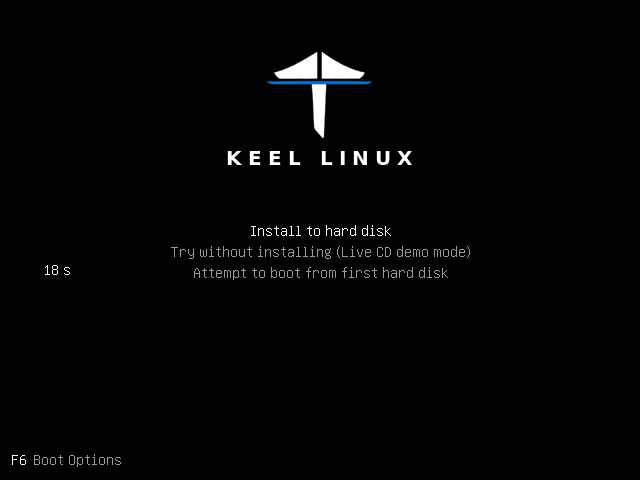
- 2
installer-boot
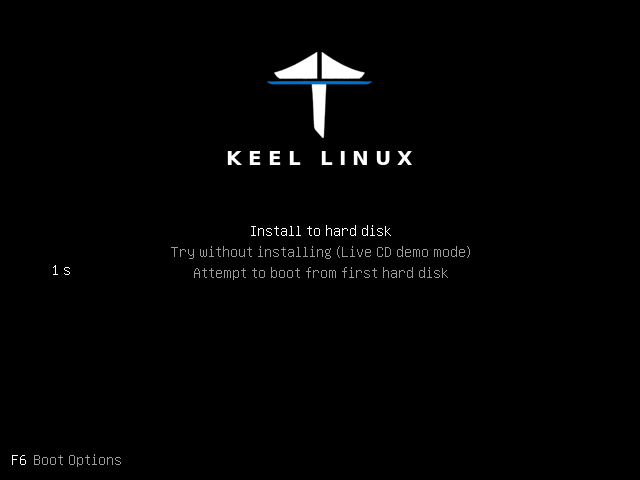
- 3
installer-boot
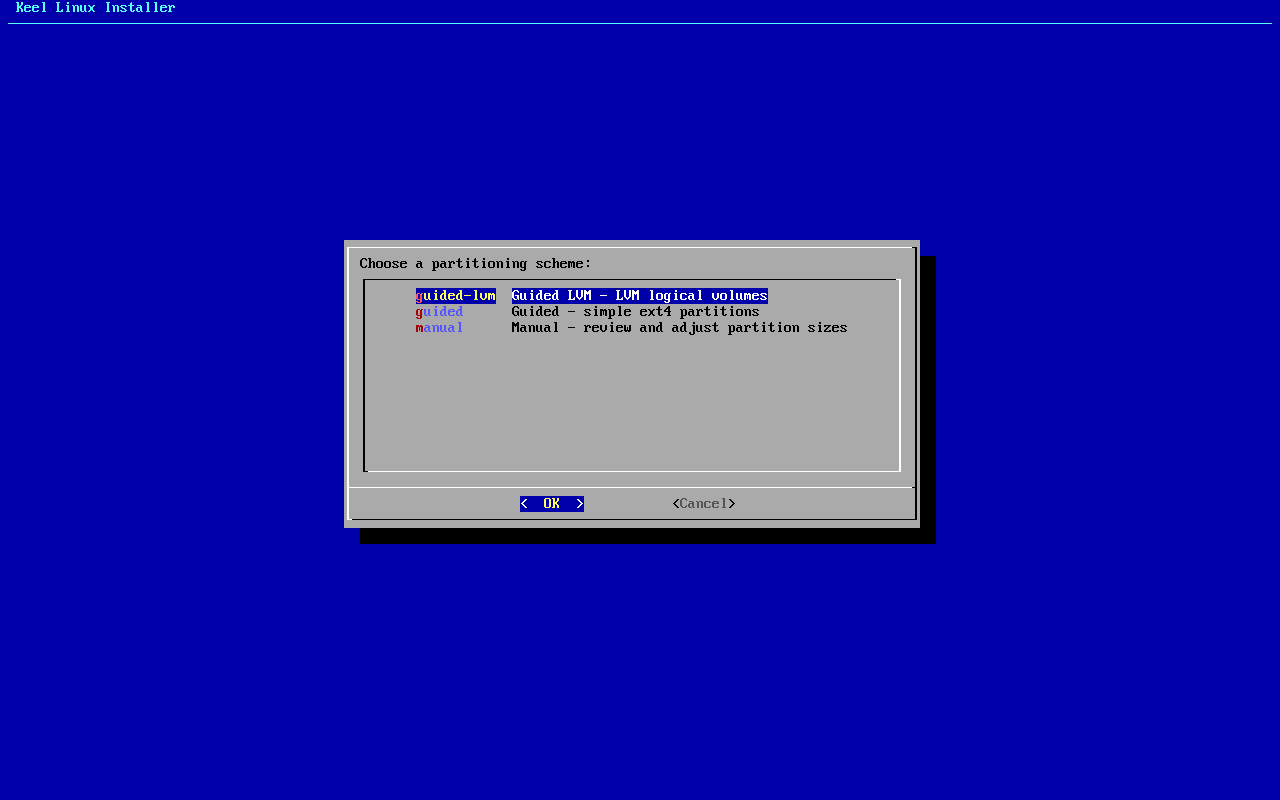
- 4
partitioning
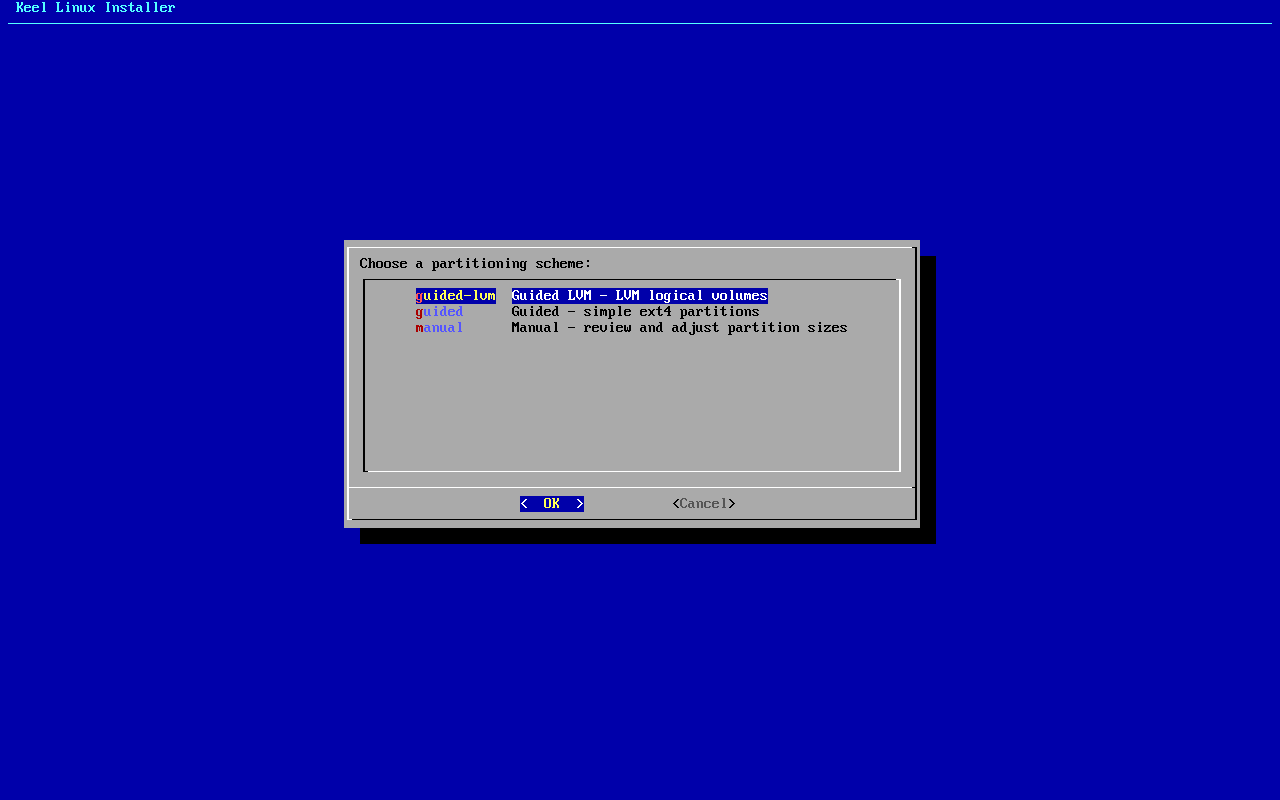
typed:
<ret> - 5
separate boot
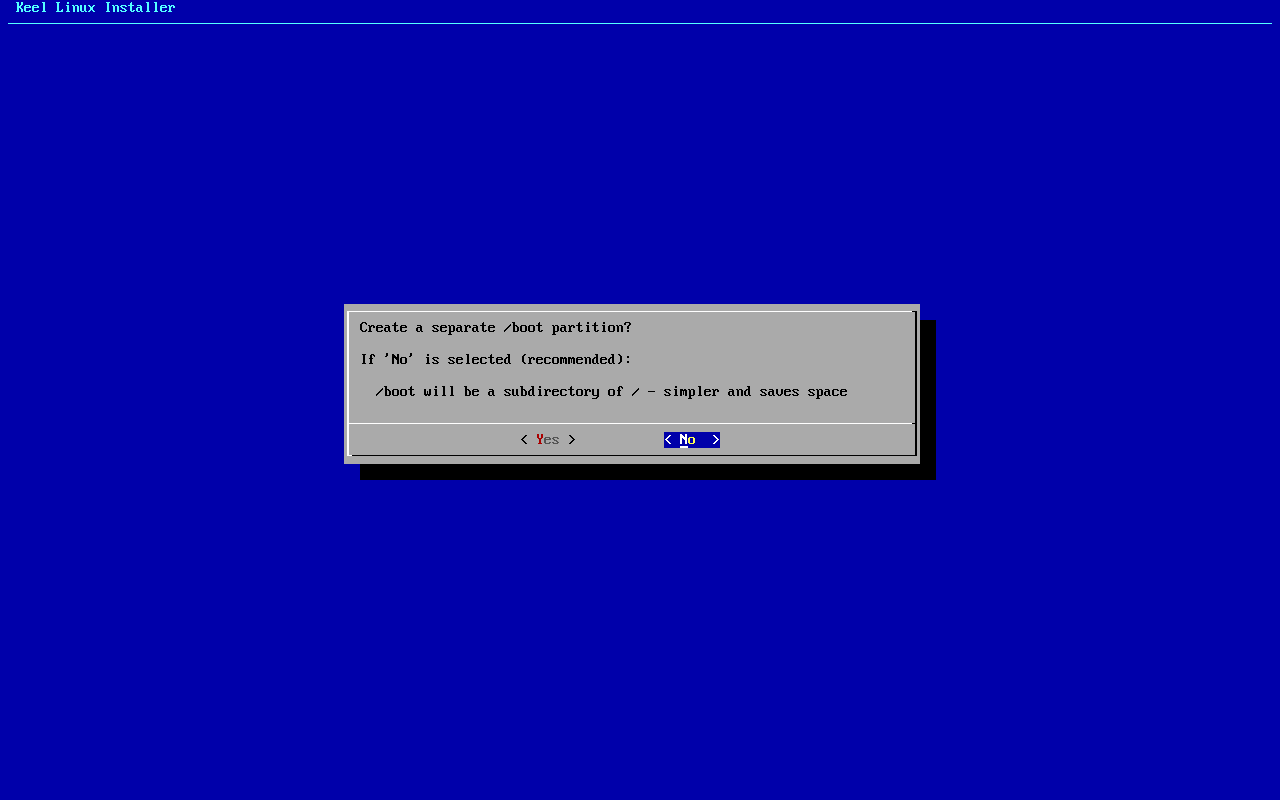
typed:
n - 6
scheme
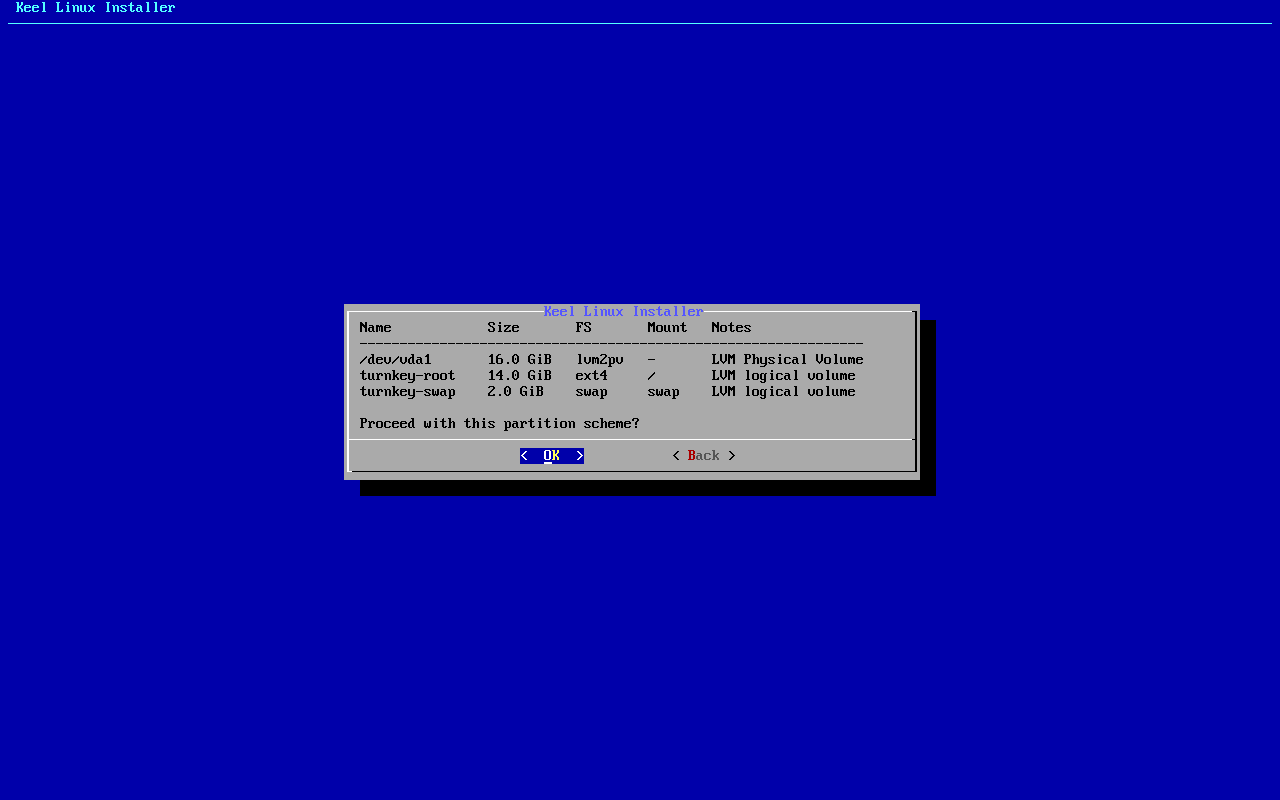
typed:
<ret> - 7
erase
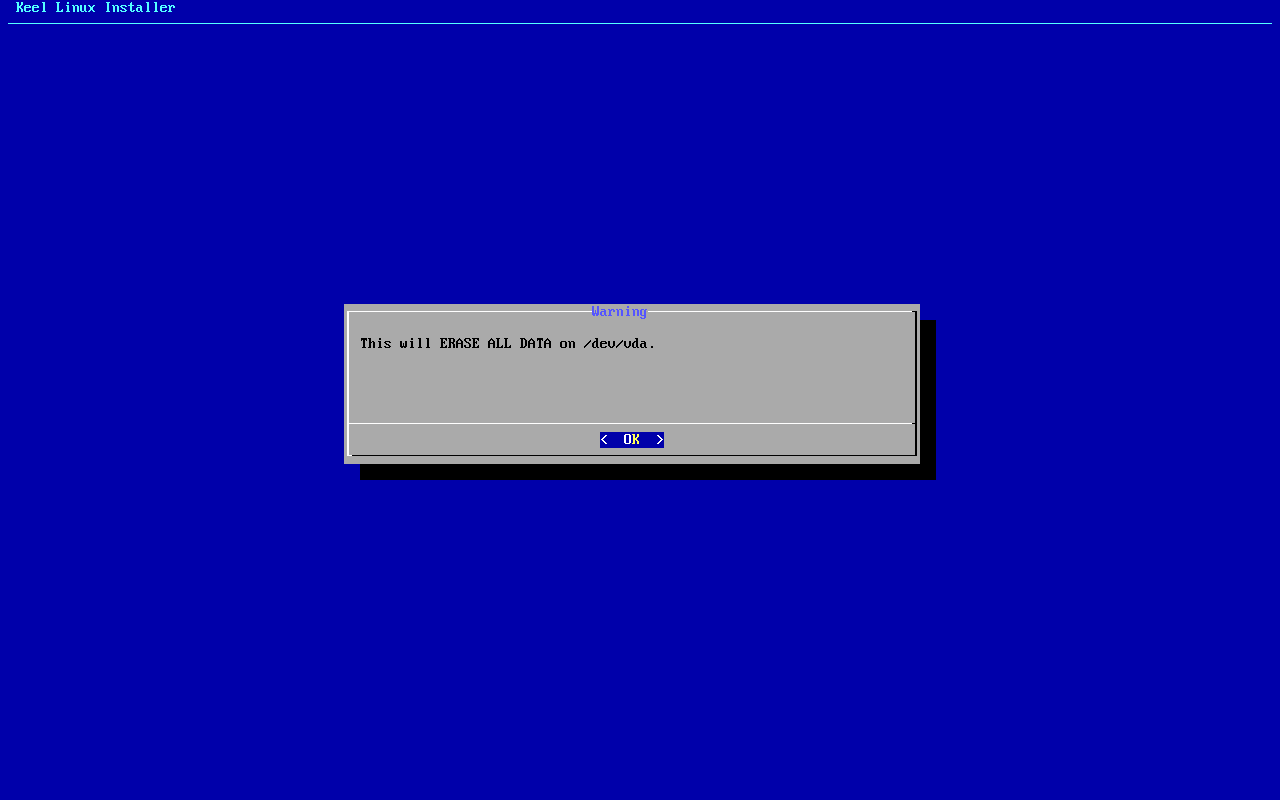
typed:
<ret> - 8
begin
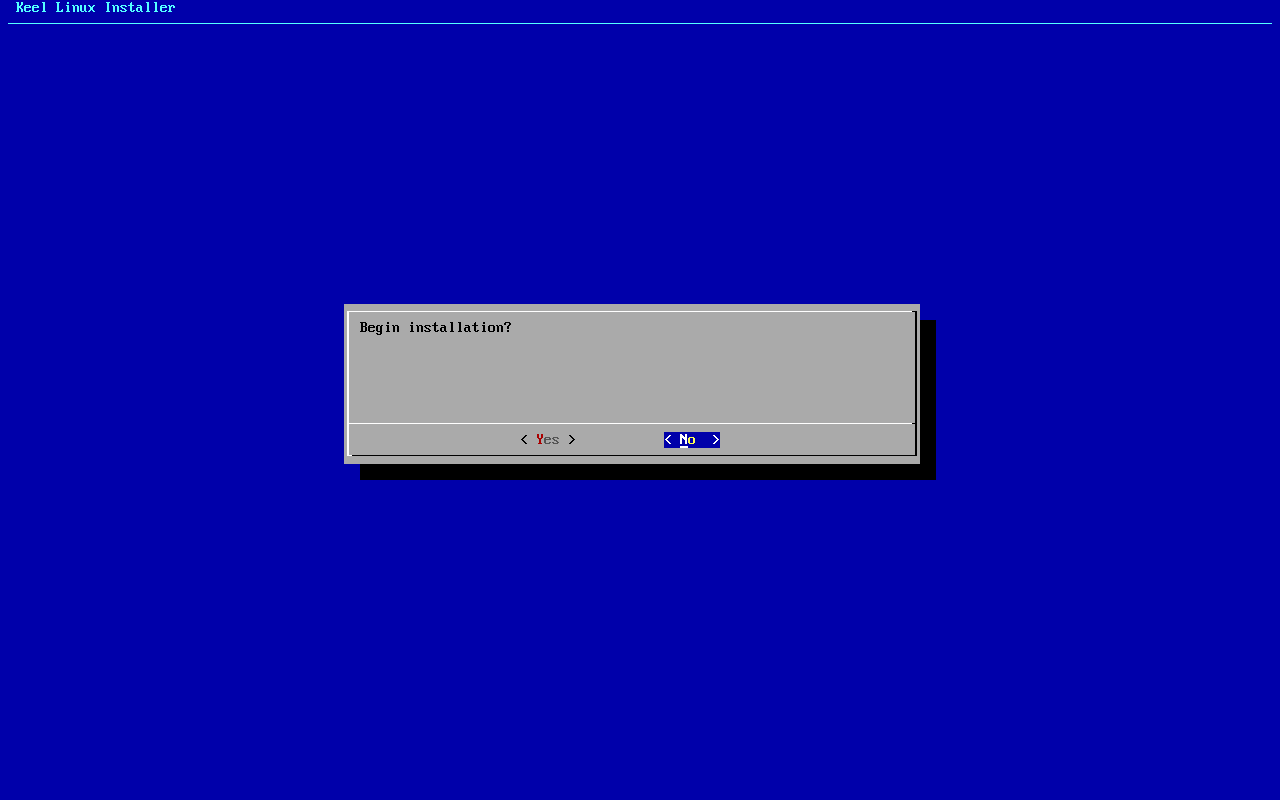
typed:
y - 9
installer-wait
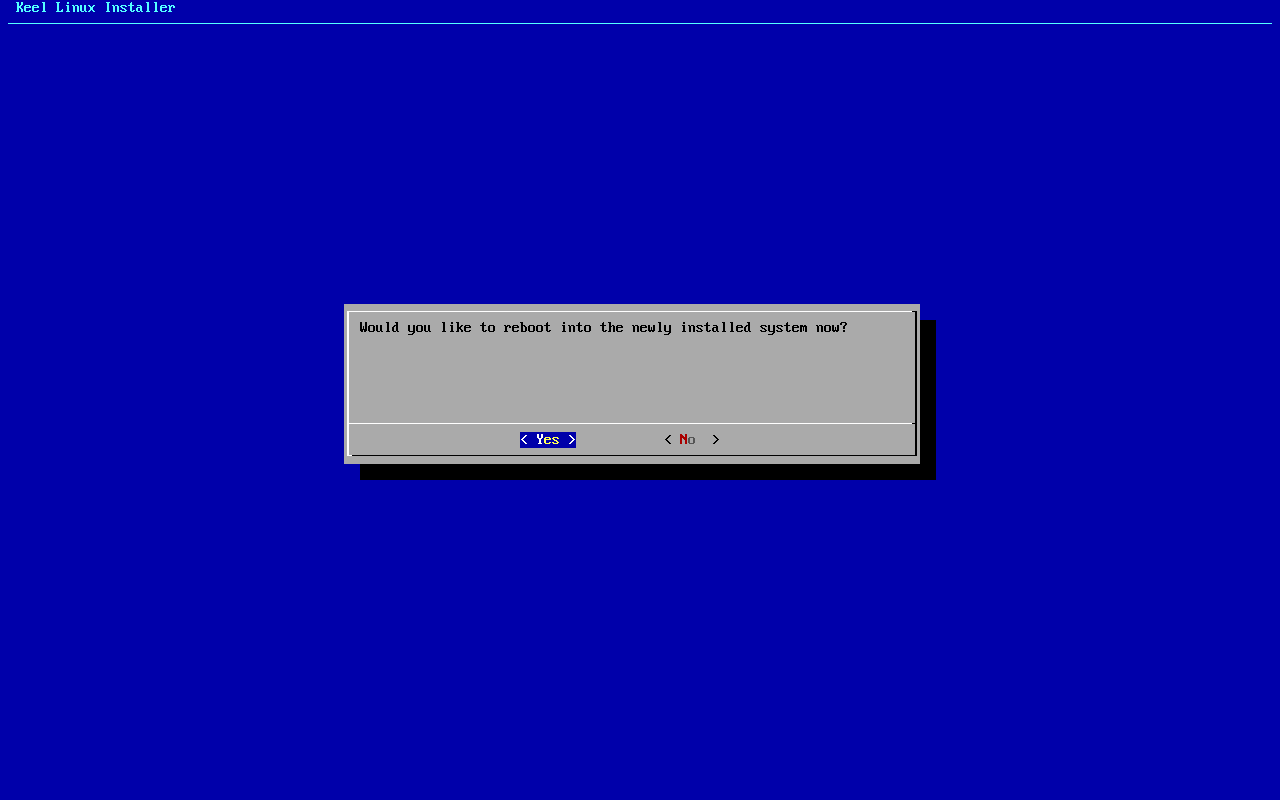
- 10
reboot
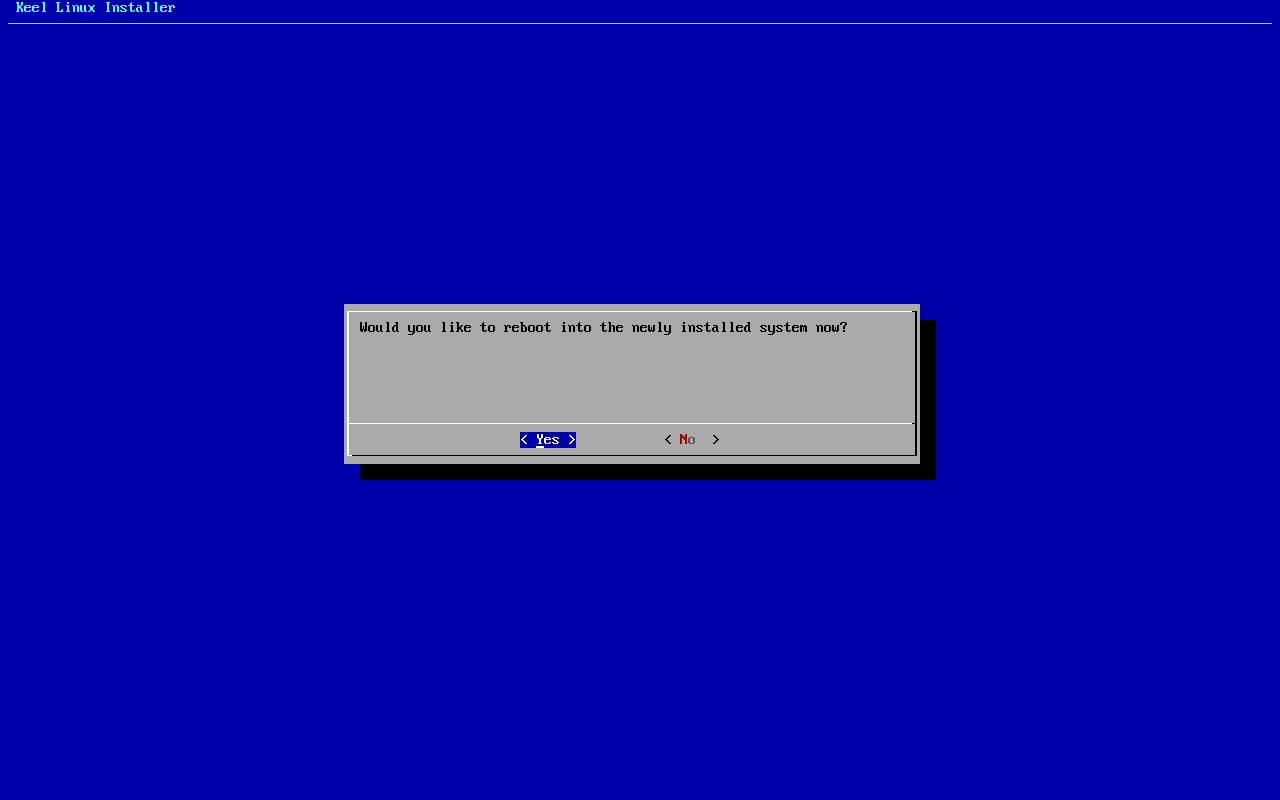
typed:
y - 11
medium
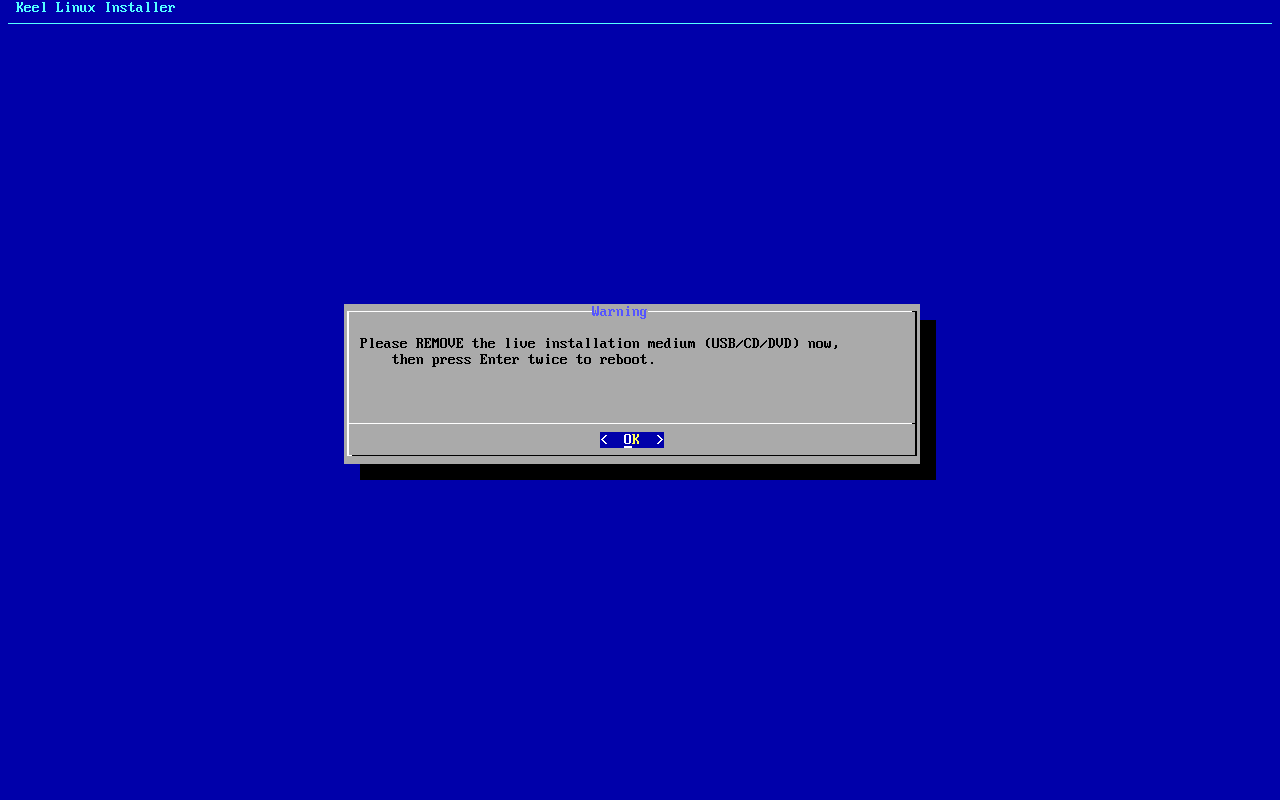
typed:
<ret><ret> - 12
root password-menu
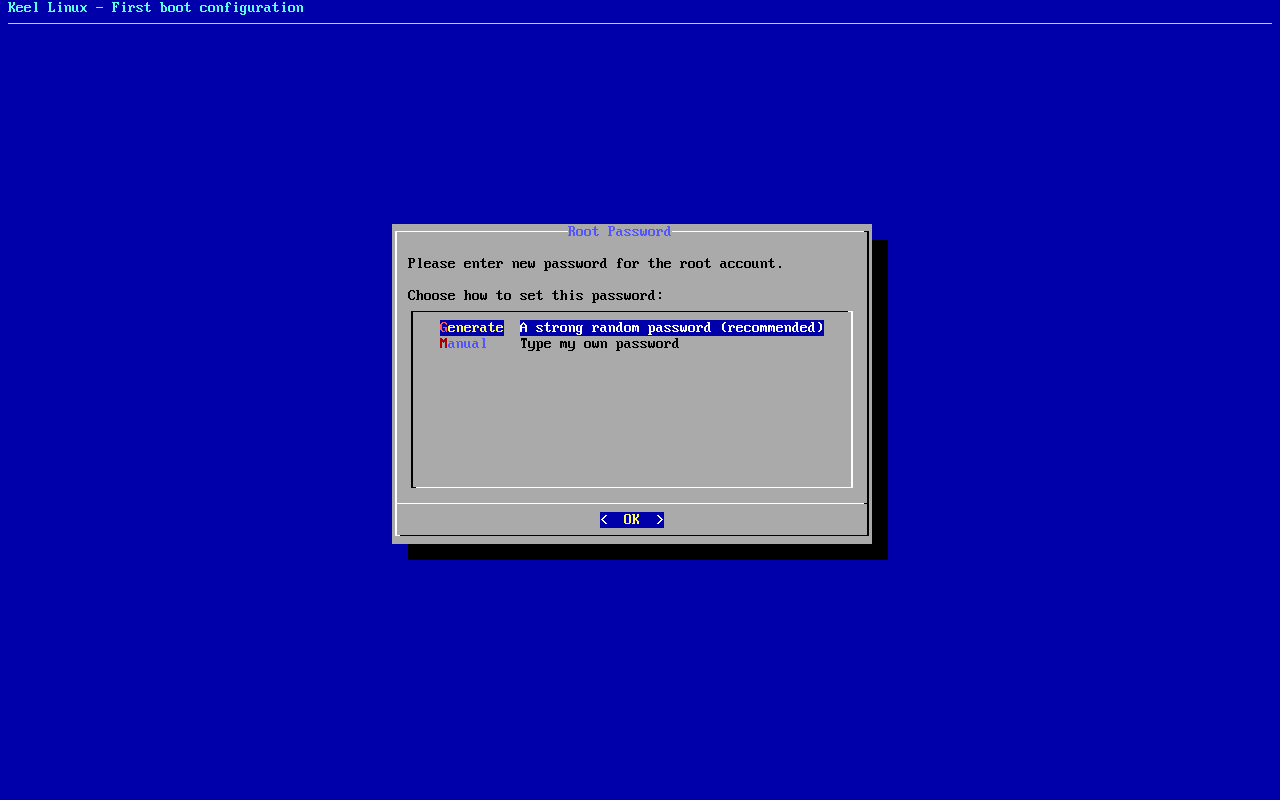
typed:
m<ret> - 13
root password
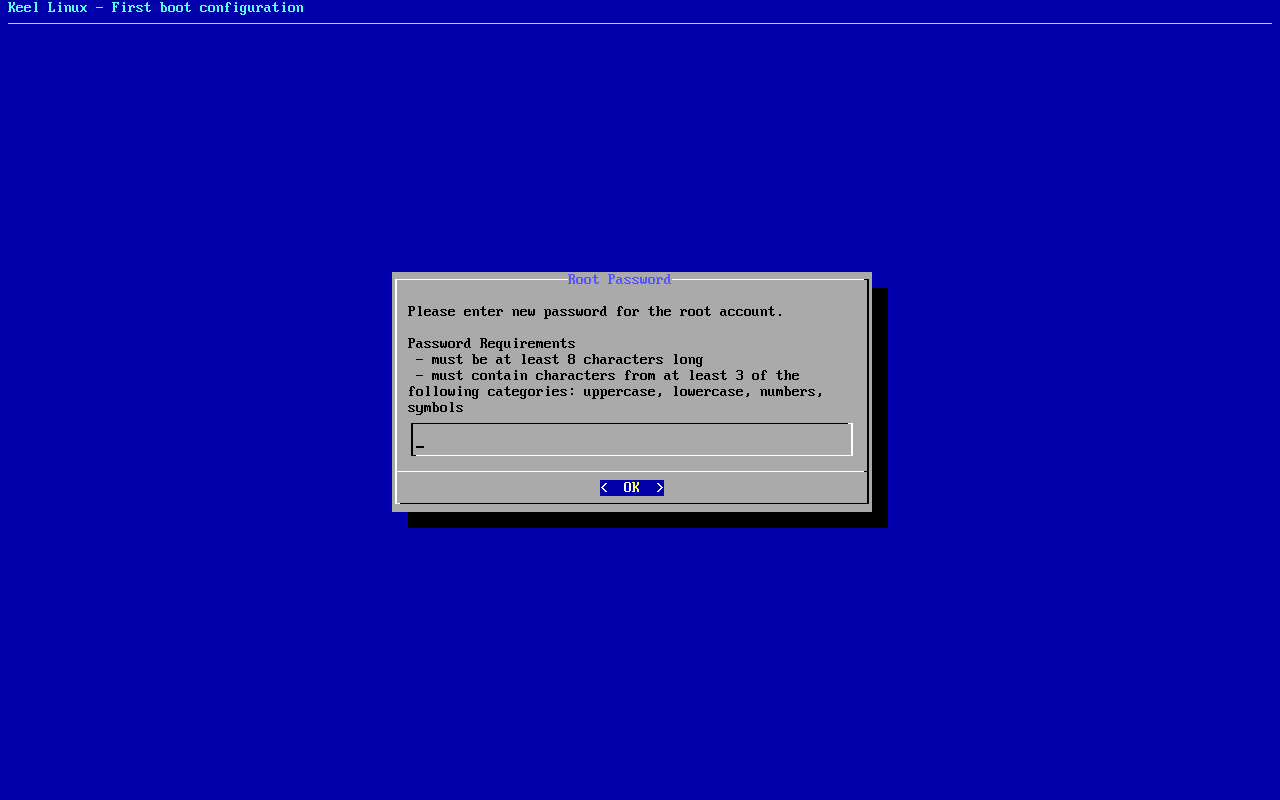
typed:
(the root secret)<ret> - 14
root password
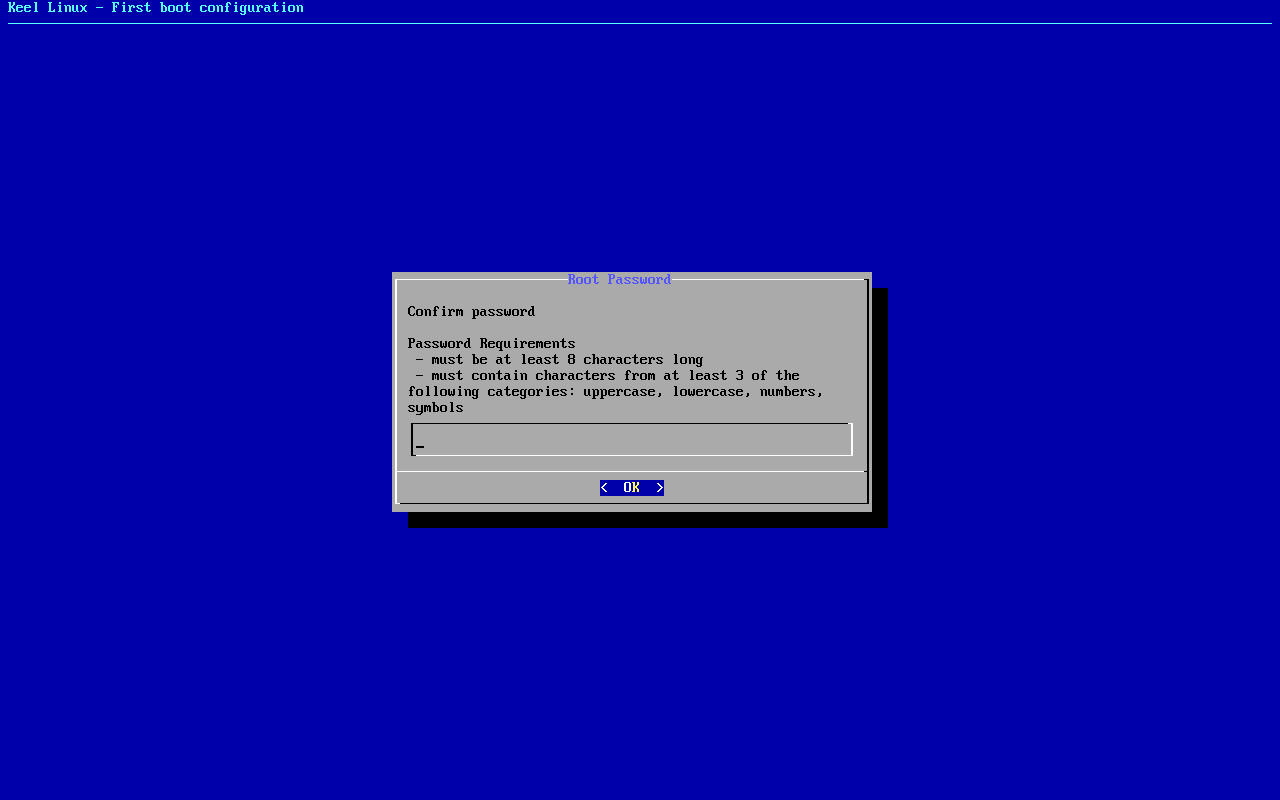
typed:
(the root secret)<ret> - 15
firstboot-screen
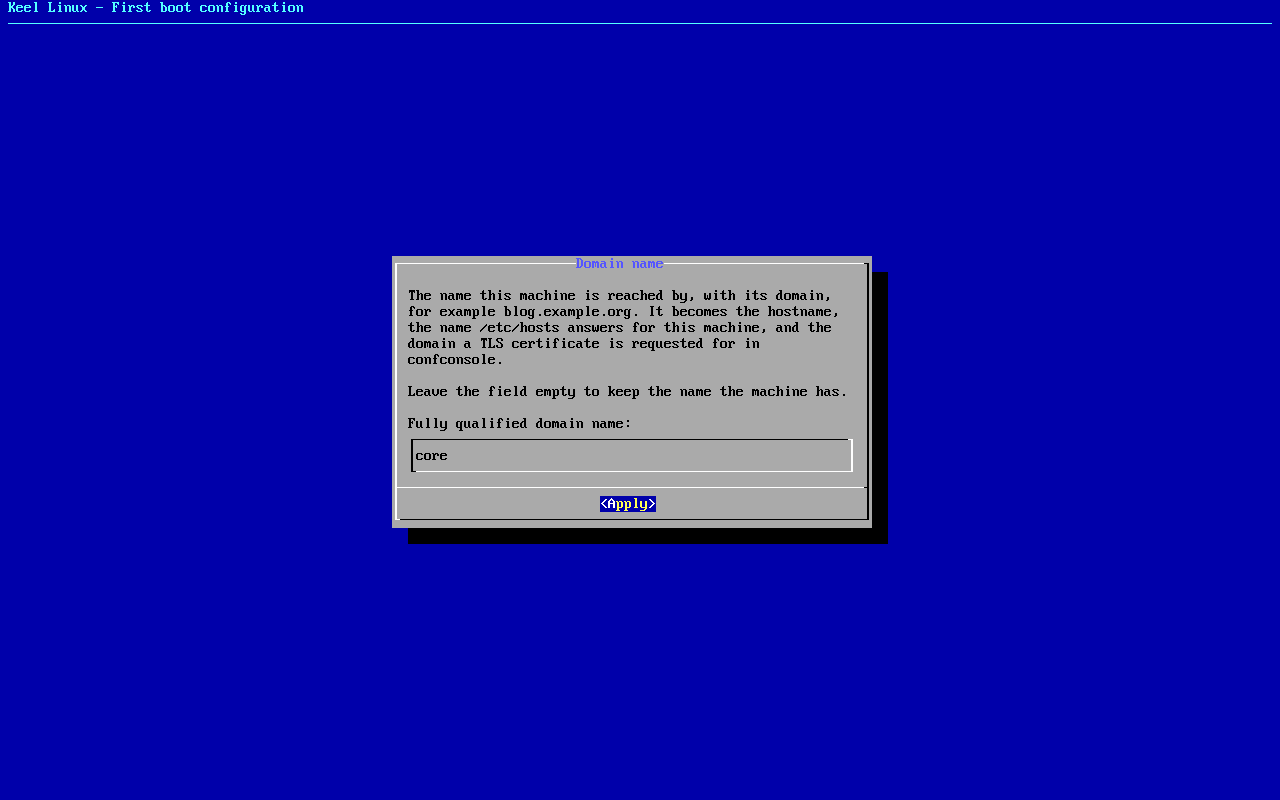
typed:
<ret> - 16
firstboot-screen
typed:
<ret> - 17
mode
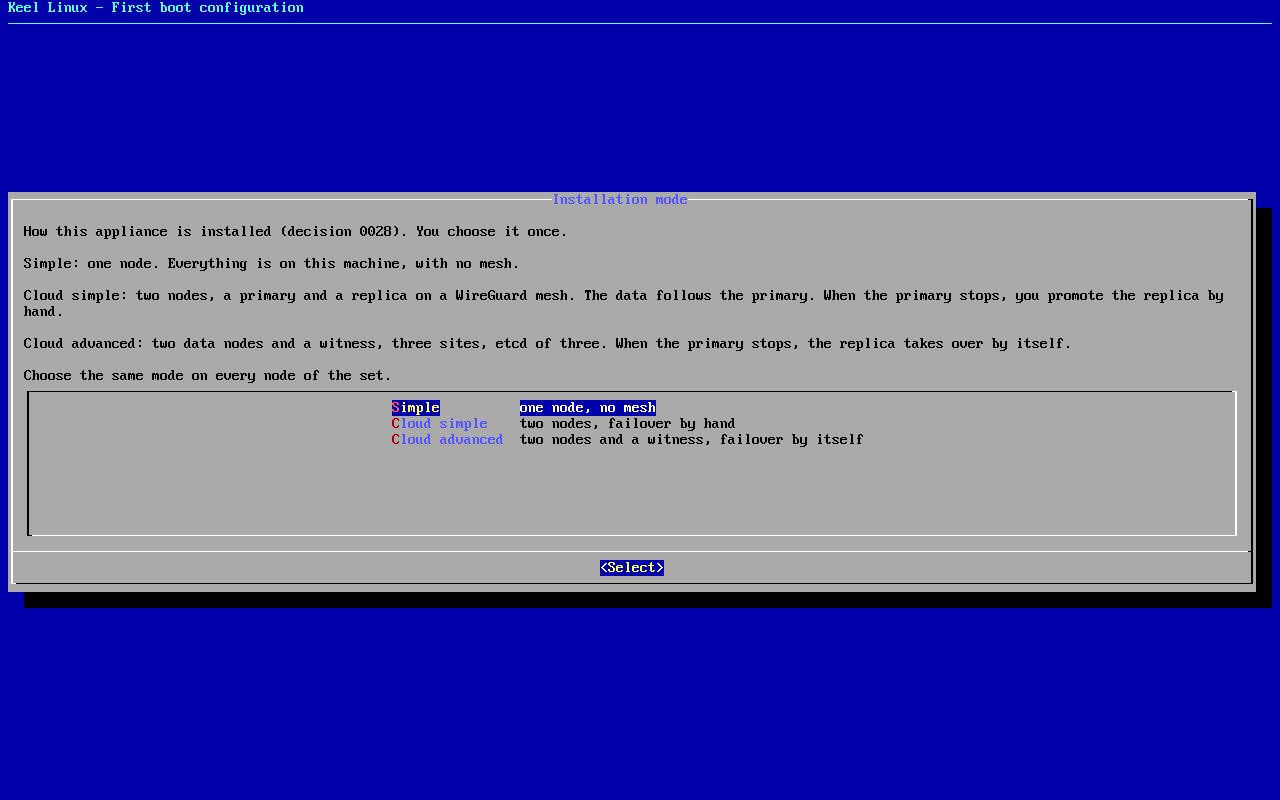
typed:
<ret> - 18
mode
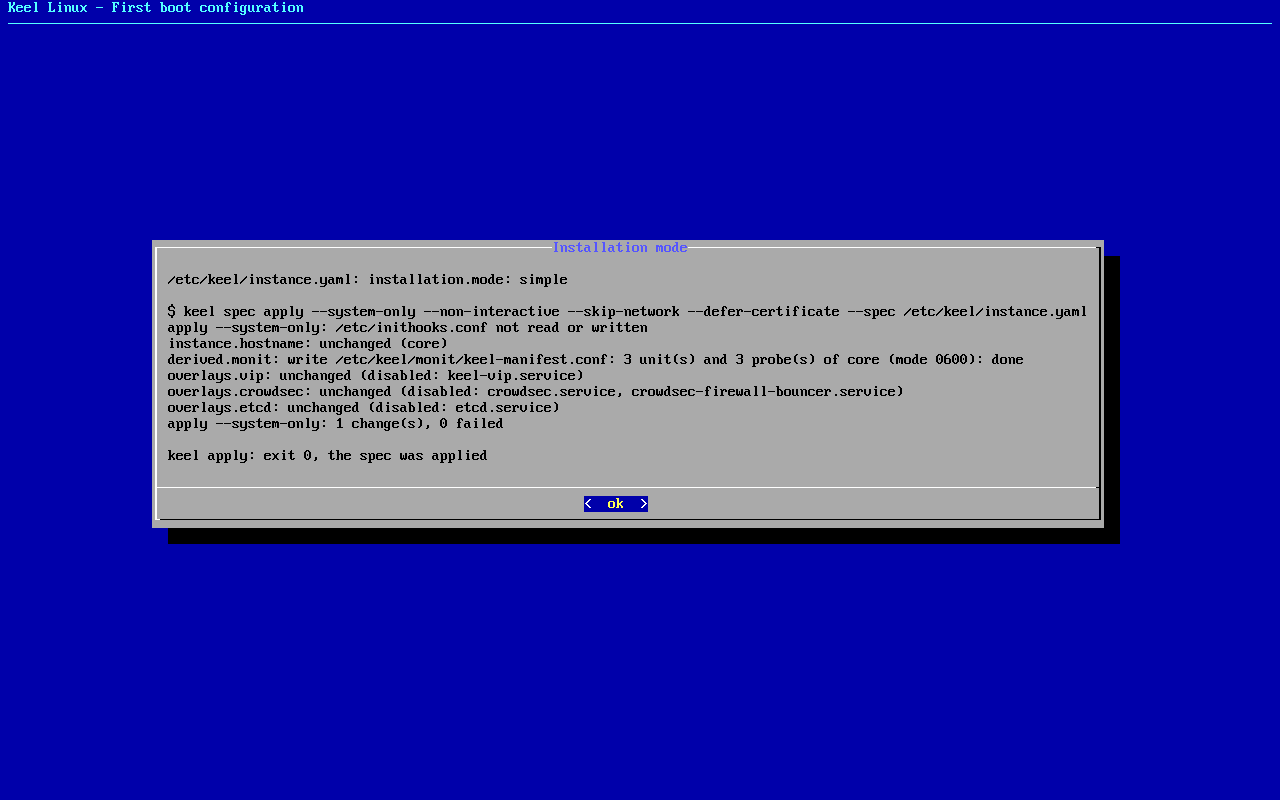
typed:
<ret> - 19
alert email
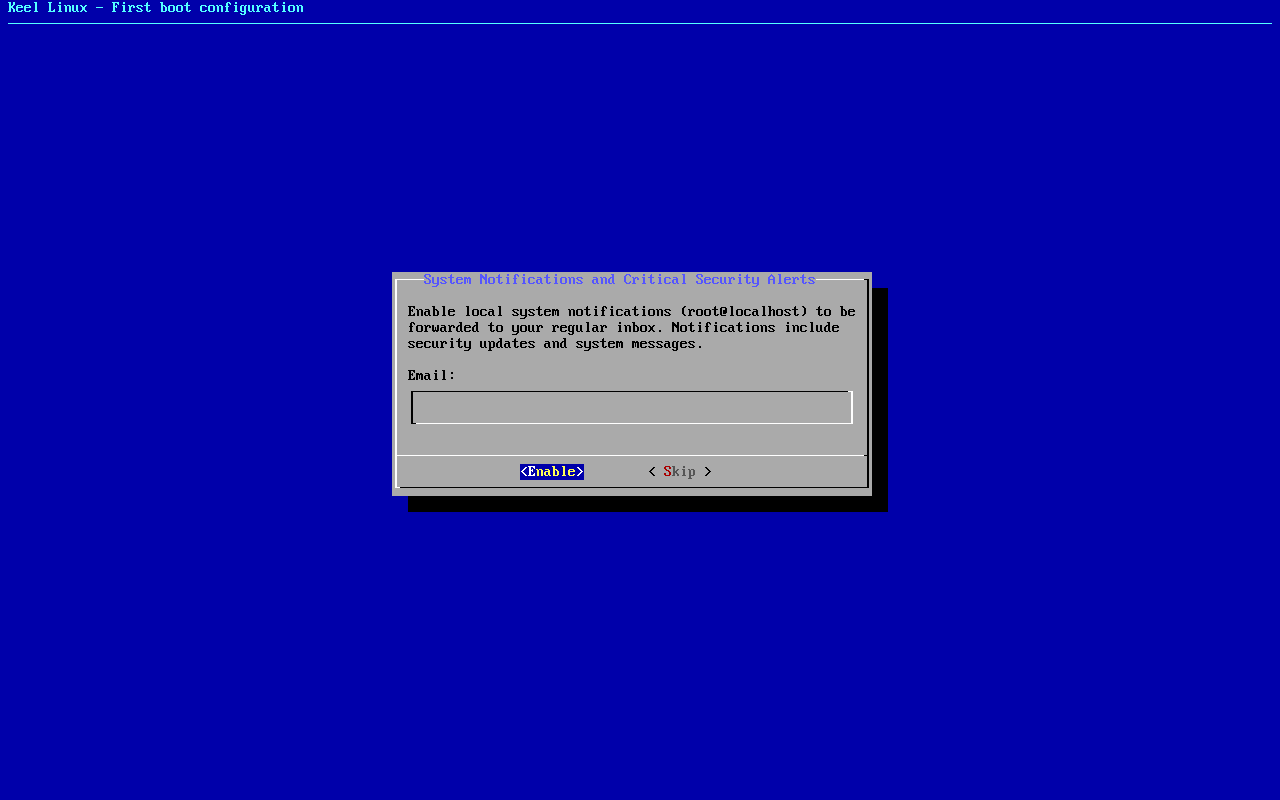
typed:
admin@example.org<ret> - 20
firstboot-screen
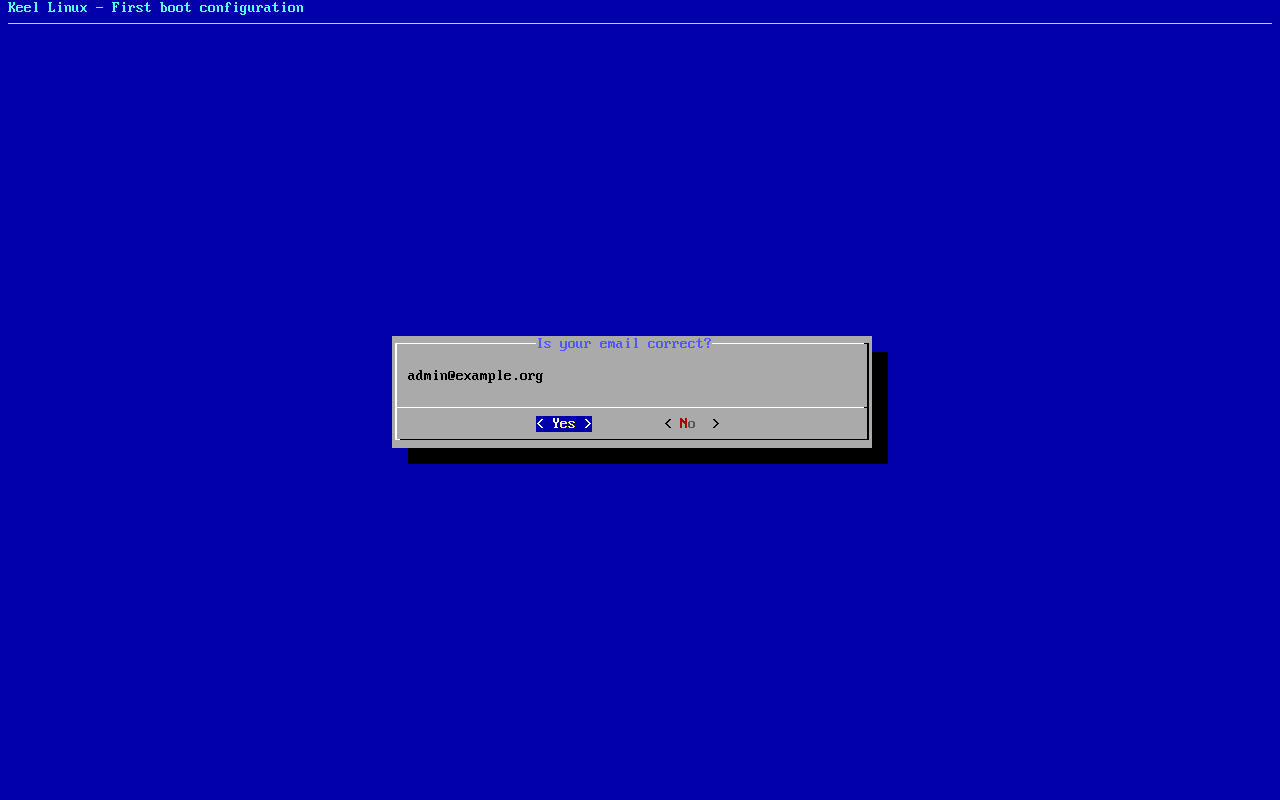
typed:
<ret> - 21
firstboot-screen
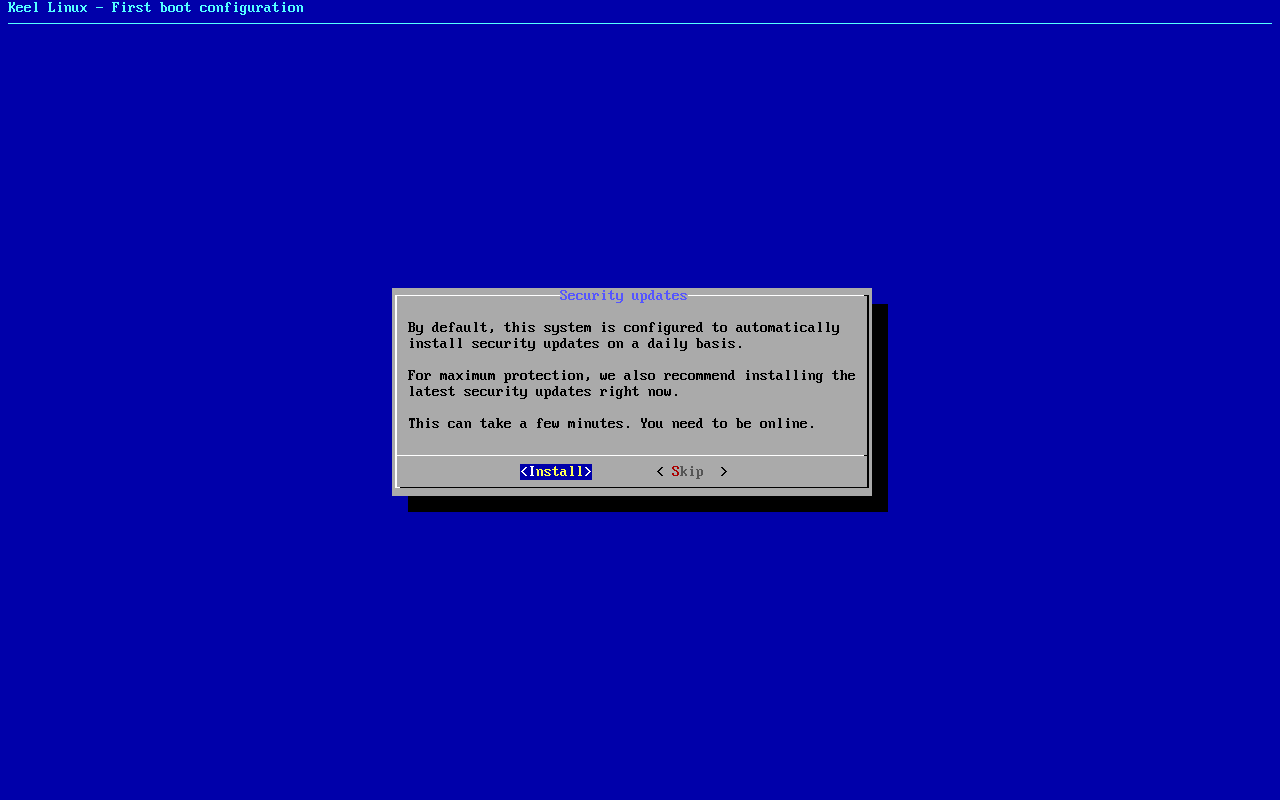
typed:
<ret> - 22
firstboot-end
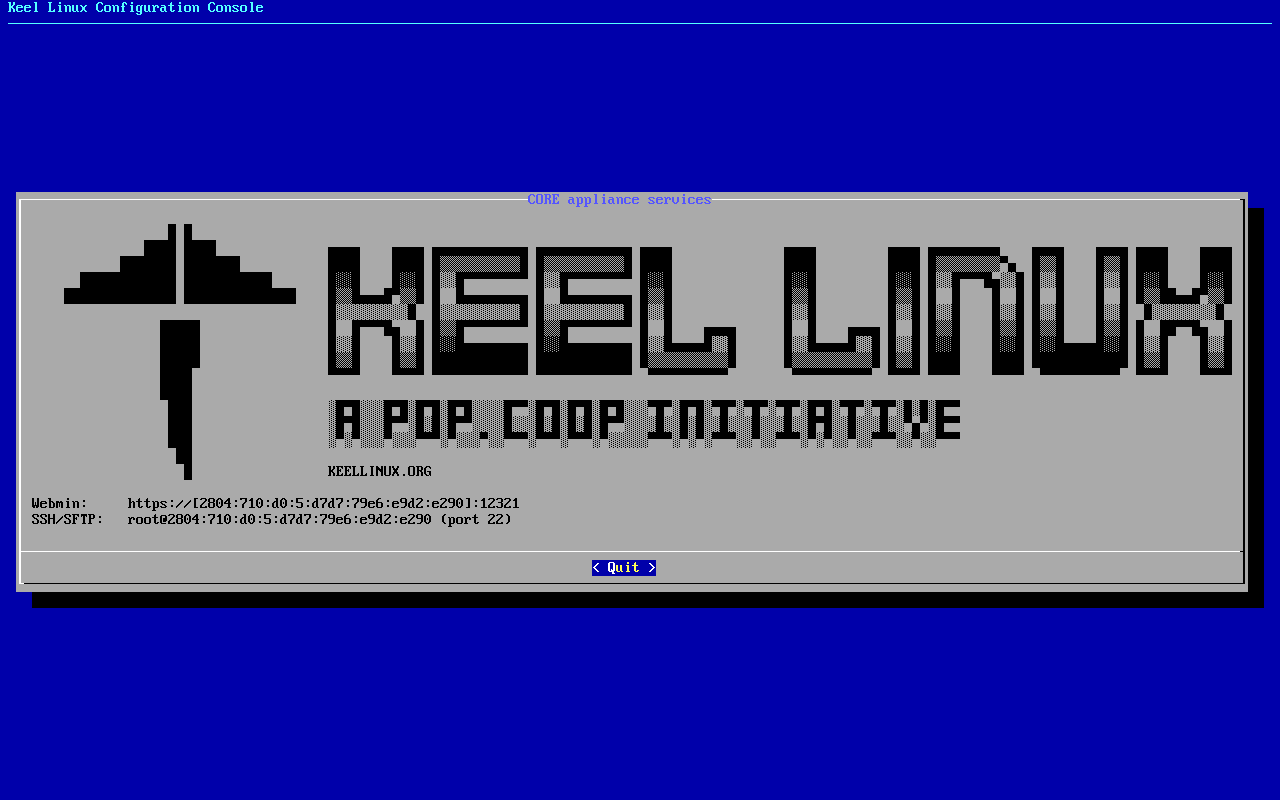
- 23
web: webmin
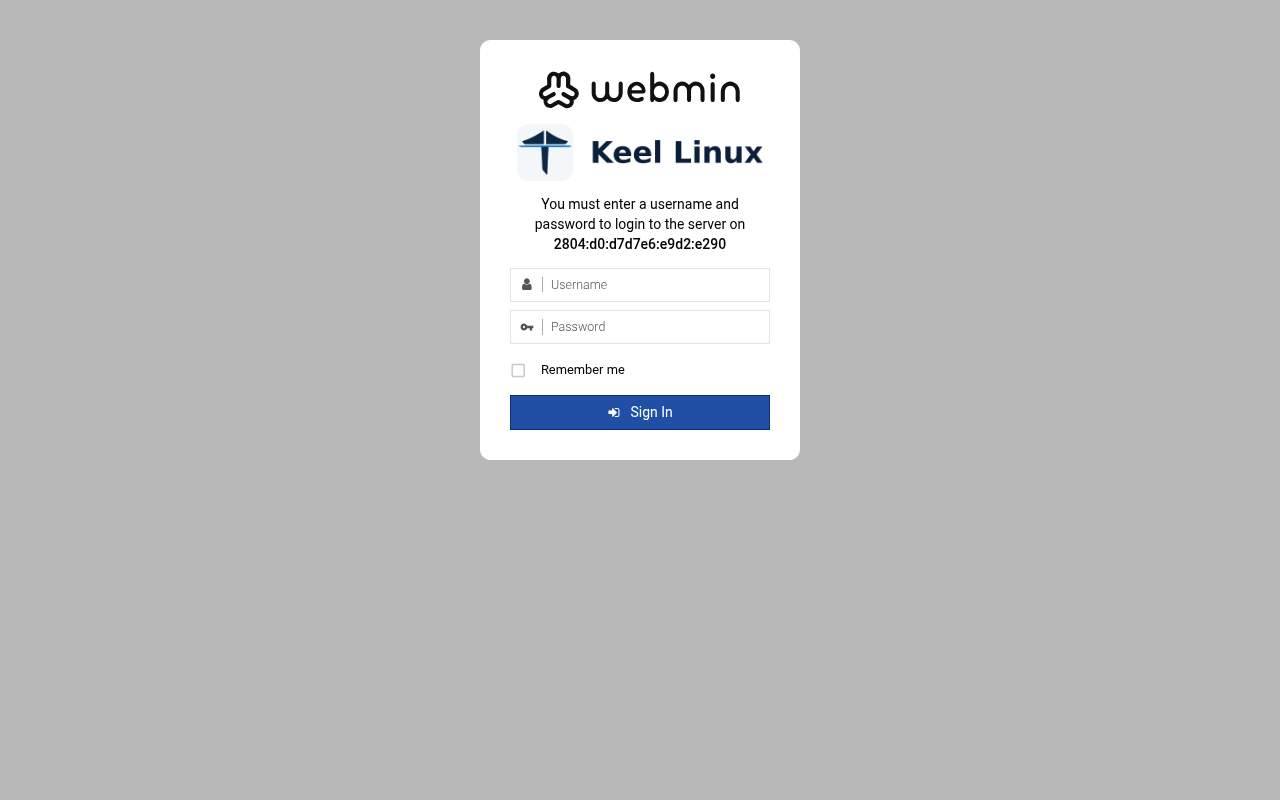
typed:
user root, the root secret - 24
web: webmin-after
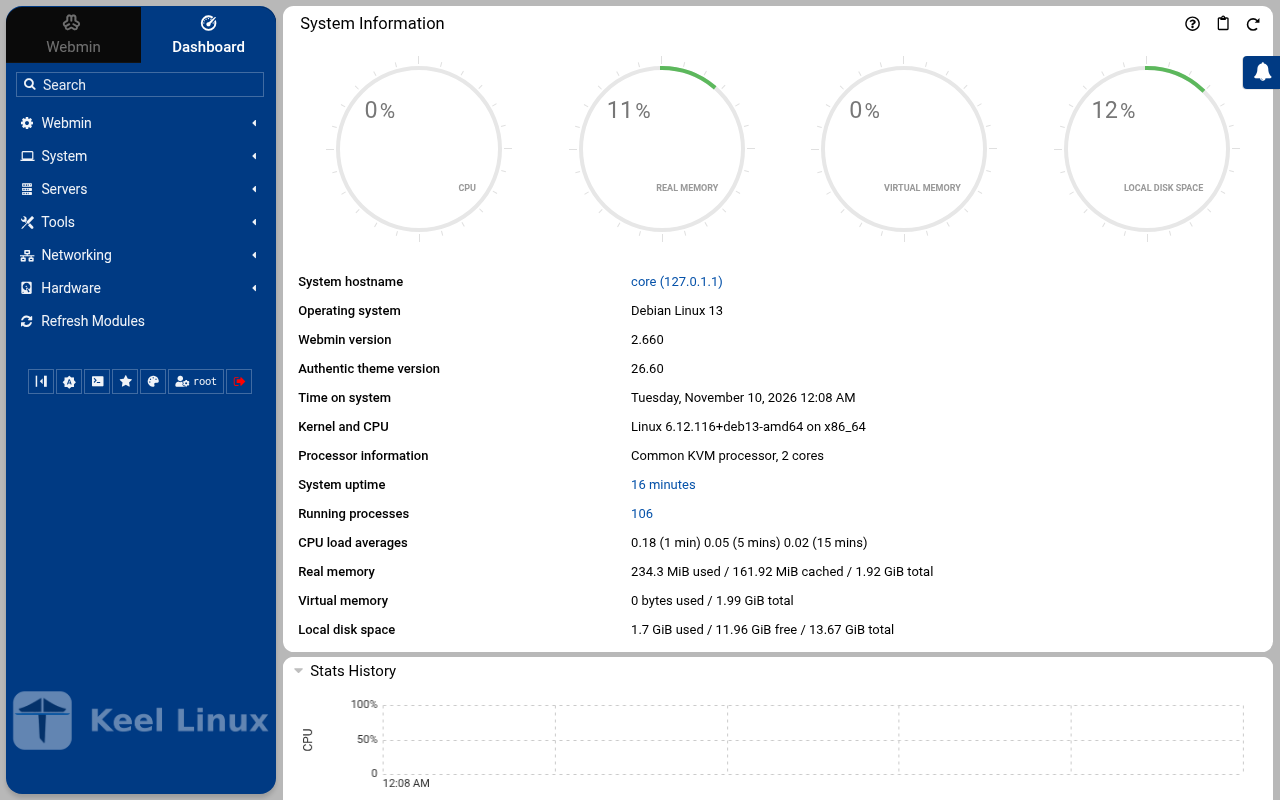
typed:
after the login: the page the login opened
Cloud simple: two nodes, failover by hand
| Step | Primary, BR1 | Replica, BR2 |
|---|---|---|
| 1 | root password the screen, as textConnected to tty 1 Type <Ctrl+a q> to exit the console, <Ctrl+a Ctrl+a> to enter Ctrl+a itself press Enter within 5 s to answer first-boot questions Keel Linux Configuration Console KC9383 appliance services < Quit > Webmin: https://[2804:710:d0:5:be24:11ff:fea6:2581]:12321SSH/SFTP: root@2804:710:d0:5:be24:11ff:fea6:2581 (port 22) Keel Linux Configuration Console KC9383 appliance services < Quit > Webmin: https://[2804:710:d0:5:be24:11ff:fea6:2581]:12321SSH/SFTP: root@2804:710:d0:5:be24:11ff:fea6:2581 (port 22) Debian GNU/Linux 13 kc9383 tty1 kc9383 login: root Password: Keel Linux core 19.0-trixie-amd64 IPv6 SSH: root@2804:710:d0:5:be24:11ff:fea6:2581 Welcome to kc9383, Keel Linux 19.0 (Debian 13/Trixie) System information for Mon Nov 09 23:43:39 2026 (UTC+0000) System load: 7.01 Memory usage: 8.9% Processes: 29 Swap usage: 0.0% Usage of /: 9.9% of 7.78GB Networking not configured This system is not initialized yet: run keel-init to set it up. For Advanced commandline config run: confconsole For more info see: https://github.com/Keel-Linux/confconsole Linux kc9383 7.0.14-12-pve #1 SMP PREEMPT_DYNAMIC PMX 7.0.14-12 (2026-08-11T11:05Z) x86_64 === Keel Linux - First boot configuration Root Password Please enter new password for the root account. Choose how to set this password: Generate A strong random password (recommended) Manual Type my own password < OK >Generate A strong random password (recommended)Manual Type my own password Keel Linux - First boot configuration Root Password Please enter new password for the root account. Password Requirements - must be at least 8 characters long - must contain characters from at least 3 of the following categories: uppercase, lowercase, numbers, symbols < OK >x typed: | root password the screen, as textConnected to tty 1 Type <Ctrl+a q> to exit the console, <Ctrl+a Ctrl+a> to enter Ctrl+a itself press Enter within 5 s to answer first-boot questions Keel Linux Configuration Console KC9384 appliance services < Quit > Webmin: https://[fd00:218:88:0:35af:1c8d:85e7:853b]:12321SSH/SFTP: root@fd00:218:88:0:35af:1c8d:85e7:853b (port 22)Webmin: https://10.218.88.56:12321SSH/SFTP: root@10.218.88.56 (port 22) Keel Linux Configuration Console KC9384 appliance services < Quit > Webmin: https://[fd00:218:88:0:35af:1c8d:85e7:853b]:12321SSH/SFTP: root@fd00:218:88:0:35af:1c8d:85e7:853b (port 22)Webmin: https://10.218.88.56:12321SSH/SFTP: root@10.218.88.56 (port 22) Debian GNU/Linux 13 kc9384 tty1 kc9384 login: root Password: Keel Linux core 19.0-trixie-amd64 IPv6 SSH: root@2804:7f0:9880:6c3:6eae:2968:8f8b:81f8 IPv4 SSH: root@10.218.88.56 Welcome to kc9384, Keel Linux 19.0 (Debian 13/Trixie) System information for Mon Nov 09 23:46:06 2026 (UTC+0000) System load: 8.46 Memory usage: 6.4% Processes: 32 Swap usage: 0.0% Usage of /: 7.5% of 8.00GB IP address for eth0: 10.218.88.56 This system is not initialized yet: run keel-init to set it up. For Advanced commandline config run: confconsole For more info see: https://github.com/Keel-Linux/confconsole Linux kc9384 7.0.14-19-pve #1 SMP PREEMPT_DYNAMIC PMX 7.0.14-19 (2026-09-18T07:31Z) x86_64 === Keel Linux - First boot configuration Root Password Please enter new password for the root account. Choose how to set this password: Generate A strong random password (recommended) Manual Type my own password < OK >Generate A strong random password (recommended)Manual Type my own password Keel Linux - First boot configuration Root Password Please enter new password for the root account. Password Requirements - must be at least 8 characters long - must contain characters from at least 3 of the following categories: uppercase, lowercase, numbers, symbols < OK >x typed: |
| 2 | root password the screen, as text******** Keel Linux - First boot configuration Root Password Confirm password Password Requirements - must be at least 8 characters long - must contain characters from at least 3 of the following categories: uppercase, lowercase, numbers, symbols < OK >x typed: | root password the screen, as text******** Keel Linux - First boot configuration Root Password Confirm password Password Requirements - must be at least 8 characters long - must contain characters from at least 3 of the following categories: uppercase, lowercase, numbers, symbols < OK >x typed: |
| 3 | mode the screen, as text******** Keel Linux - First boot configuration kc9383.pop.coop Domain name xxx The name this machine is reached by, with its domain, xx for example blog.example.org. It becomes the hostname, xx the name /etc/hosts answers for this machine, and the xx domain a TLS certificate is requested for in xx confconsole.xxxx Leave the field empty to keep the name the machine has. xxxx Fully qualified domain name:x <Apply>x >fqdn: /etc/keel/instance.yaml already declares the name, not written === Keel Linux - First boot configuration Installation mode How this appliance is installed (decision 0028). You choose it once. Simple: one node. Everything is on this machine, with no mesh. Cloud simple: two nodes, a primary and a replica on a WireGuard mesh. The data follows the primary. When the primary stops, you promote the replica by hand. Cloud advanced: two data nodes and a witness, three sites, etcd of three. When the primary stops, the replica takes over by itself. Choose the same mode on every node of the set. Simple one node, no mesh Cloud simple two nodes, failover by hand Cloud advanced two nodes and a witness, failover by itself <Select> typed: | mode the screen, as text******** Keel Linux - First boot configuration kc9384.pop.coop Domain name xxx The name this machine is reached by, with its domain, xx for example blog.example.org. It becomes the hostname, xx the name /etc/hosts answers for this machine, and the xx domain a TLS certificate is requested for in xx confconsole.xxxx Leave the field empty to keep the name the machine has. xxxx Fully qualified domain name:x <Apply>x >fqdn: /etc/keel/instance.yaml already declares the name, not written === Keel Linux - First boot configuration Installation mode How this appliance is installed (decision 0028). You choose it once. Simple: one node. Everything is on this machine, with no mesh. Cloud simple: two nodes, a primary and a replica on a WireGuard mesh. The data follows the primary. When the primary stops, you promote the replica by hand. Cloud advanced: two data nodes and a witness, three sites, etcd of three. When the primary stops, the replica takes over by itself. Choose the same mode on every node of the set. Simple one node, no mesh Cloud simple two nodes, failover by hand Cloud advanced two nodes and a witness, failover by itself <Select> typed: |
| 4 | role the screen, as textSimpleone node, no meshCloud simple two nodes, failover by hand> == Keel Linux - First boot configuration Installation mode < ok >x /etc/keel/instance.yaml: installation.mode: cloud_simple$ keel spec apply --system-only --non-interactive --skip-network --defer-certificate --spec/etc/keel/instance.yamlapply --system-only: /etc/inithooks.conf not read or writteninstance.hostname: unchanged (kc9383)instance.fqdn: unchanged (/etc/hosts maps kc9383 to kc9383.pop.coop)derived.monit: crowdsec not watched: crowdsec.service starts only when /etc/crowdsec/local_api_credentials.yamlexists (ConditionPathExists)derived.monit: crowdsec-lapi not watched: its process crowdsec is not watched: crowdsec.service starts only when/etc/crowdsec/local_api_credentials.yaml exists (ConditionPathExists)derived.monit: write /etc/keel/monit/keel-manifest.conf: 4 unit(s) and 3 probe(s) of core (mode 0600): doneoverlays.vip: unchanged (disabled: keel-vip.service)overlays.etcd: unchanged (disabled: etcd.service)overlays.crowdsec: create /etc/crowdsec/online_api_credentials.yaml empty, which CrowdSec's unit needs and whichsays not registered yet (mode 0600): doneoverlays.crowdsec: register this machine with CrowdSec's local API; cscli writes the password to/etc/crowdsec/local_api_credentials.yaml (cscli --error machines add --auto --force): doneoverlays.crowdsec: register with CrowdSec's central API (cscli --error capi register): doneoverlays.crowdsec: register CrowdSec's firewall bouncer (cscli bouncers add) and write its key to/etc/crowdsec/bouncers/crowdsec-firewall-bouncer.yaml.local (mode 0600, never printed) and its name to/etc/crowdsec/bouncers/crowdsec-firewall-bouncer.yaml.id, mode: nftables: doneoverlays.crowdsec: enable crowdsec.service: the overlay is enabled (systemctl enable crowdsec.service): doneoverlays.crowdsec: start crowdsec.service (systemctl start crowdsec.service): doneoverlays.crowdsec: enable crowdsec-firewall-bouncer.service: the overlay is enabled (systemctl enablecrowdsec-firewall-bouncer.service): doneoverlays.crowdsec: start crowdsec-firewall-bouncer.service (systemctl start crowdsec-firewall-bouncer.service):doneapply --system-only: 9 change(s), 0 failedkeel apply: exit 0, the spec was applied96% Keel Linux - First boot configuration Role of this node What this node is in its set of two (cloud simple). Primary: the first node. It makes the mesh and invites the replica with a line you copy to it. Replica: the second node. It joins with that line, and its data follows the primary. Primary the first node: makes the mesh, invites Replica joins the primary; its data follows it <Select> typed: | role the screen, as textSimpleone node, no meshCloud simple two nodes, failover by hand> == Keel Linux - First boot configuration Installation mode < ok >x /etc/keel/instance.yaml: installation.mode: cloud_simple$ keel spec apply --system-only --non-interactive --skip-network --defer-certificate --spec/etc/keel/instance.yamlapply --system-only: /etc/inithooks.conf not read or writteninstance.hostname: unchanged (kc9384)instance.fqdn: unchanged (/etc/hosts maps kc9384 to kc9384.pop.coop)derived.monit: crowdsec not watched: crowdsec.service starts only when /etc/crowdsec/local_api_credentials.yamlexists (ConditionPathExists)derived.monit: crowdsec-lapi not watched: its process crowdsec is not watched: crowdsec.service starts only when/etc/crowdsec/local_api_credentials.yaml exists (ConditionPathExists)derived.monit: write /etc/keel/monit/keel-manifest.conf: 4 unit(s) and 3 probe(s) of core (mode 0600): doneoverlays.vip: unchanged (disabled: keel-vip.service)overlays.etcd: unchanged (disabled: etcd.service)overlays.crowdsec: create /etc/crowdsec/online_api_credentials.yaml empty, which CrowdSec's unit needs and whichsays not registered yet (mode 0600): doneoverlays.crowdsec: register this machine with CrowdSec's local API; cscli writes the password to/etc/crowdsec/local_api_credentials.yaml (cscli --error machines add --auto --force): doneoverlays.crowdsec: register with CrowdSec's central API (cscli --error capi register): doneoverlays.crowdsec: register CrowdSec's firewall bouncer (cscli bouncers add) and write its key to/etc/crowdsec/bouncers/crowdsec-firewall-bouncer.yaml.local (mode 0600, never printed) and its name to/etc/crowdsec/bouncers/crowdsec-firewall-bouncer.yaml.id, mode: nftables: doneoverlays.crowdsec: enable crowdsec.service: the overlay is enabled (systemctl enable crowdsec.service): doneoverlays.crowdsec: start crowdsec.service (systemctl start crowdsec.service): doneoverlays.crowdsec: enable crowdsec-firewall-bouncer.service: the overlay is enabled (systemctl enablecrowdsec-firewall-bouncer.service): doneoverlays.crowdsec: start crowdsec-firewall-bouncer.service (systemctl start crowdsec-firewall-bouncer.service):doneapply --system-only: 9 change(s), 0 failedkeel apply: exit 0, the spec was applied96% Keel Linux - First boot configuration Role of this node What this node is in its set of two (cloud simple). Primary: the first node. It makes the mesh and invites the replica with a line you copy to it. Replica: the second node. It joins with that line, and its data follows the primary. Primary the first node: makes the mesh, invites Replica joins the primary; its data follows it <Select> typed: |
| 5 | invite the screen, as textKeel Linux - First boot configuration keel mesh create: making the mesh... Keel Linux - First boot configuration Make the mesh < ok >x $ keel mesh createcreated the mesh: this node is fd92:95cf:9550::1/64 on wg0, WireGuard on UDP 51820keel mesh invite prints the line that joins the next nodeconfirming the new overlayconfirmed from keel mesh createthe overlay has no peer, so nothing can cross it: keel mesh create confirmed it once the routes to the gatewaysand to the operator's session were found to still leave through the uplinkwg-quick@wg0 enabled: the overlay comes back up at bootthe network change stays; the revert is cancelledmesh: this node holds the mesh's root CA, which signs the database certificates of a cloud simple pairkeel mesh: exit 0, done>Invite a node This node invites the replica (node 2) into its mesh. Copy the line below to the replica (node 2): paste it into its Join a mesh screen, or run it there as root. It can be used once, until 2026-11-10T00:44:30Z. This node pairs nothing, so the line carries no service address. Copy this line to the replica (node 2), on one line, as it is. It is a secret: it lets one node join this mesh. keel mesh join - <<< <invite 1> Expires: 2026-11-10T00:44:30Z Press Enter to go on: typed: | join the screen, as textPrimary the first node: makes the mesh, invitesReplica joins the primary; its data follows it Keel Linux - First boot configuration Join a mesh Paste the line that Invite a node shows on the inviting node: keel mesh join - <<< keel2:... The token alone (keel2:...) is accepted too. It goes to keel on its standard input, never on a command line. < OK > <Cancel>x typed: |
| 6 | alert email the screen, as text<Select> < Back >x 4 3 2 1 0 Keel Linux - First boot configuration Waiting for the nodes Waiting for the replica (node 2) to join with the line, checked every 5 s. Back gives a menu: Paste accept line, when the join printed one (keel mesh accept keel1a:...), or the line again. This node: fd92:95cf:9550::1/64 5 <Select> < Back >x 4 3 2 1 0 Keel Linux - First boot configuration Waiting for the nodes Waiting for the replica (node 2) to join with the line, checked every 5 s. Back gives a menu: Paste accept line, when the join printed one (keel mesh accept keel1a:...), or the line again. This node: fd92:95cf:9550::1/64 5 <Select> < Back >x 4 3 2 1 0 Keel Linux - First boot configuration Waiting for the nodes Waiting for the replica (node 2) to join with the line, checked every 5 s. Back gives a menu: Paste accept line, when the join printed one (keel mesh accept keel1a:...), or the line again. This node: fd92:95cf:9550::1/64 5 <Select> < Back >x 4 3 2 1 0 Keel Linux - First boot configuration Status of this node < ok >x $ keel mesh statusthis node: fd92:95cf:9550::1/64 on wg0, WireGuard on UDP 51820mesh identity: 65cf8f9296bdbd4a4b1dced7a3ebc022public key: <public key>peers: 1<public key> fd92:95cf:9550::62a3/128[2804:7f0:9880:6c3:6eae:2968:8f8b:81f8]:51820 handshake 3 s agopending invites: 0etcd: not on this node (installation.mode cloud_simple; etcd runs on cloud advanced members only)vip: none (this node declares no appliance.vip and routes no other pair's)>keelfirstboot cloud: Keel Cloud is not available yet: no key is asked, and this node runs standalone. It is offered once /etc/keel/cloud-endpoint names the service. === Keel Linux - First boot configuration System Notifications and Critical Security Alerts Enable local system notifications (root@localhost) to be forwarded to your regular inbox. Notifications include security updates and system messages. Email: <Enable> < Skip >x typed: | alert email the screen, as text<invite 1><invite 1><invite 1><invite 1><invite 1><invite 1><invite 1><invite 1><invite 1><invite 1><invite 1><invite 1><invite 1><invite 1><invite 1><invite 1><invite 1><invite 1><invite 1><invite 1><invite 1><invite 1><invite 1><invite 1><invite 1><invite 1><invite 1><invite 1><invite 1><invite 1><invite 1><invite 1><invite 1><invite 1><invite 1><invite 1><invite 1><invite 1><invite 1><invite 1><invite 1><invite 1><invite 1><invite 1><invite 1><invite 1><invite 1><invite 1><invite 1><invite 1><invite 1><invite 1><invite 1><invite 1><invite 1><invite 1><invite 1><invite 1><invite 1><invite 1><invite 1><invite 1><invite 1><invite 1><invite 1><invite 1><invite 1><invite 1><invite 1><invite 1><invite 1><invite 1><invite 1><invite 1><invite 1><invite 1><invite 1><invite 1><invite 1><invite 1><invite 1><invite 1><invite 1><invite 1>F<invite 1>FA<invite 1><invite 1><invite 1><invite 1><invite 1><invite 1><invite 1><invite 1><invite 1><invite 1><invite 1><invite 1><invite 1><invite 1><invite 1><invite 1><invite 1><invite 1><invite 1><invite 1><invite 1><invite 1><invite 1><invite 1><invite 1><invite 1><invite 1><invite 1><invite 1><invite 1><invite 1><invite 1><invite 1><invite 1><invite 1><invite 1><invite 1><invite 1><invite 1><invite 1><invite 1><invite 1><invite 1><invite 1><invite 1><invite 1><invite 1><invite 1><invite 1><invite 1><invite 1><invite 1><invite 1><invite 1><invite 1><invite 1>VU<invite 1><invite 1>U<invite 1><invite 1><invite 1><invite 1><invite 1><invite 1><invite 1><invite 1><invite 1><invite 1><invite 1><invite 1><invite 1><invite 1><invite 1><invite 1><invite 1><invite 1><invite 1><invite 1><invite 1><invite 1><invite 1><invite 1>VQ<invite 1>Q<invite 1><invite 1><invite 1><invite 1><invite 1><invite 1><invite 1><invite 1><invite 1><invite 1><invite 1><invite 1><invite 1><invite 1><invite 1><invite 1><invite 1><invite 1><invite 1><invite 1><invite 1><invite 1><invite 1><invite 1><invite 1><invite 1><invite 1><invite 1><invite 1><invite 1><invite 1><invite 1><invite 1><invite 1><invite 1><invite 1><invite 1><invite 1><invite 1><invite 1><invite 1><invite 1><invite 1><invite 1>>Join a mesh Join a mesh: keel joins this node to the mesh. When the inviting node cannot be reached, keel prints a line keel mesh accept keel1a:... and waits: run that line on the inviting node, or paste it into its Paste accept line screen. endpoint 2804:7f0:9880:6c3:6eae:2968:8f8b:81f8, found on eth0 (--endpoint overrides it) confirming over the overlay confirmed from the inviter's answer over the overlay (invite afe7d75da8e40946) the overlay was tested: the inviter's answer over the overlay (invite afe7d75da8e40946) arrived at fd92:95cf:9550::62a3 on wg0, from fd92:95cf:9550::1 wg-quick@wg0 enabled: the overlay comes back up at boot the network change stays; the revert is cancelled joined the mesh: this node is fd92:95cf:9550::62a3/64 on wg0 peer: <public key> at fd92:95cf:9550::1, through [2804:710:d0:5:be24:11ff:fea6:2581]:51820 the mesh is up with 2 nodes; etcd starts when a third node joins, because 2 etcd members cannot lose one and keep a majority Press Enter to go on: == Keel Linux - First boot configuration Status of this node < ok >x $ keel mesh statusthis node: fd92:95cf:9550::62a3/64 on wg0, WireGuard on UDP 51820mesh identity: 65cf8f9296bdbd4a4b1dced7a3ebc022public key: <public key>peers: 1<public key> fd92:95cf:9550::1/128 [2804:710:d0:5:be24:11ff:fea6:2581]:51820handshake 5 s agopending invites: 0etcd: not on this node (installation.mode cloud_simple; etcd runs on cloud advanced members only)vip: none (this node declares no appliance.vip and routes no other pair's)>keelfirstboot cloud: Keel Cloud is not available yet: no key is asked, and this node runs standalone. It is offered once /etc/keel/cloud-endpoint names the service. === Keel Linux - First boot configuration System Notifications and Critical Security Alerts Enable local system notifications (root@localhost) to be forwarded to your regular inbox. Notifications include security updates and system messages. Email: <Enable> < Skip >x typed: |
| 7 | web: webmin 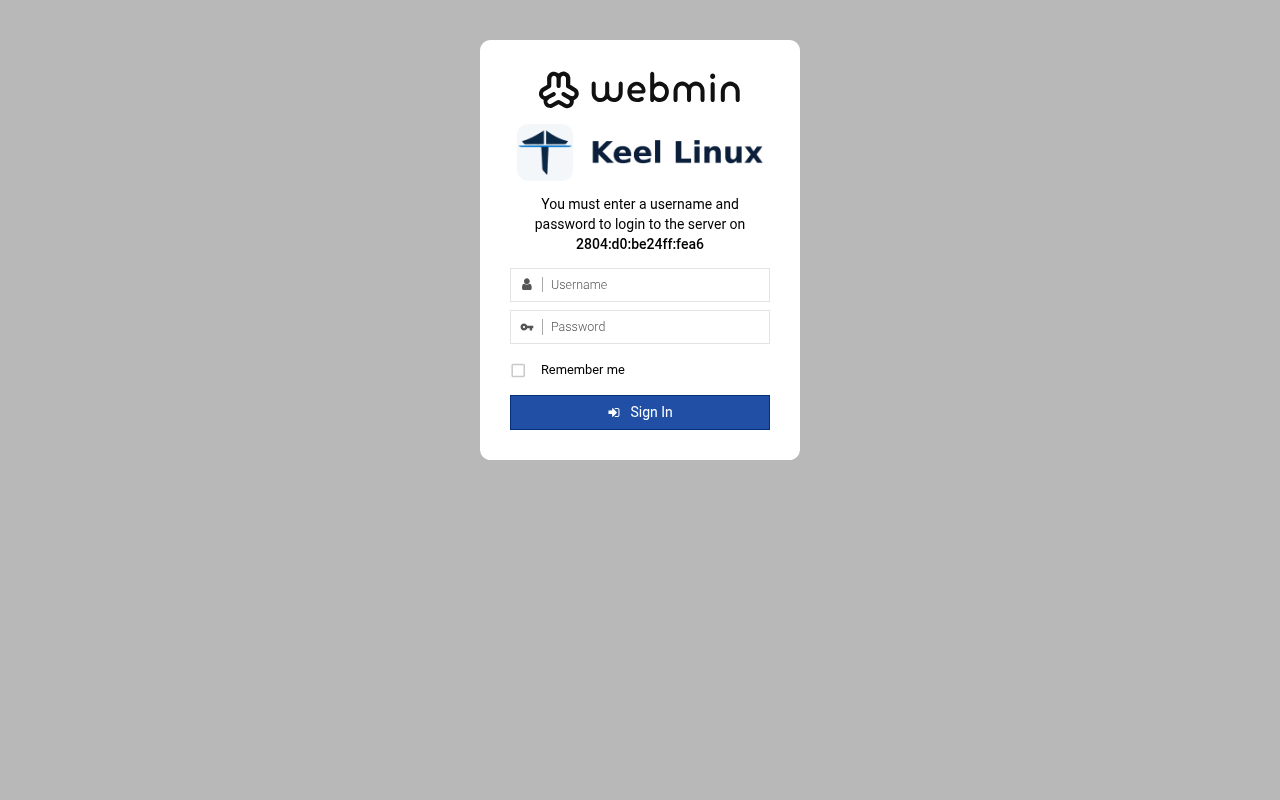 typed: | web: webmin 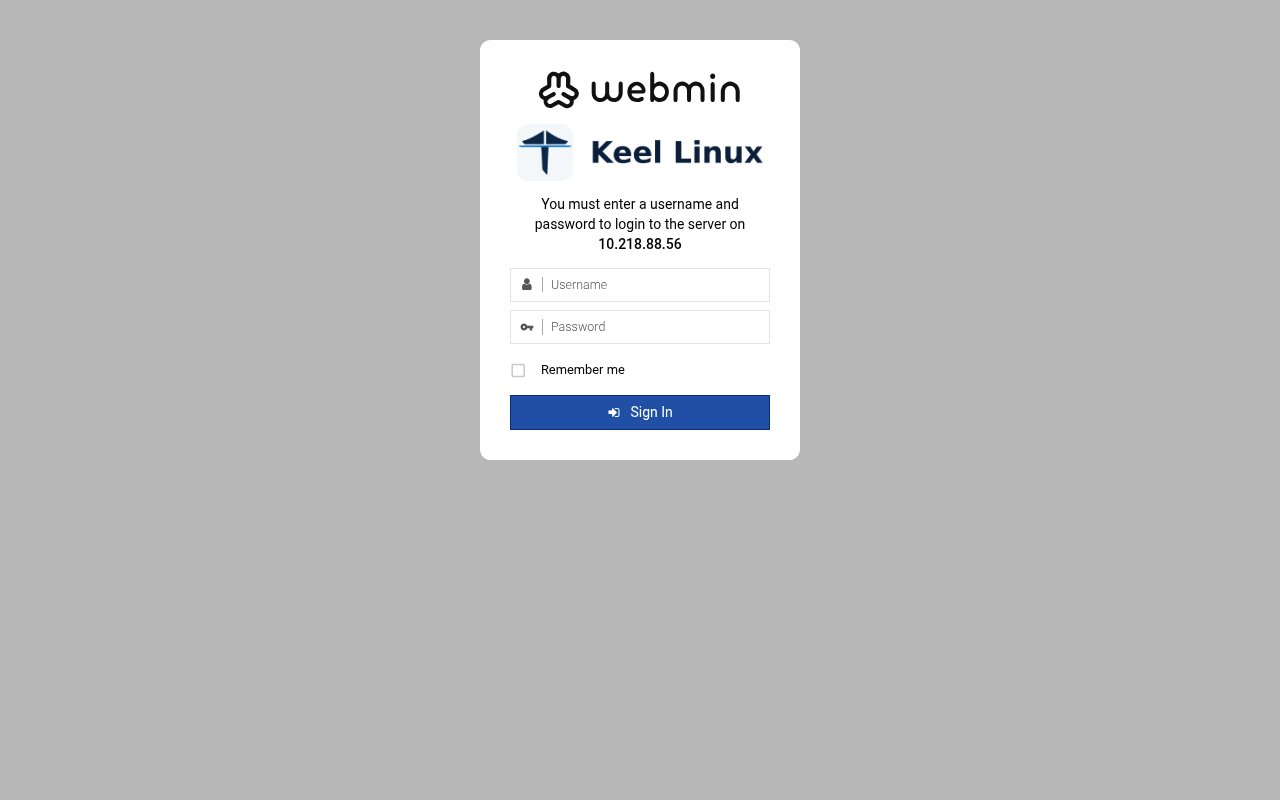 typed: |
| 8 | web: webmin-after 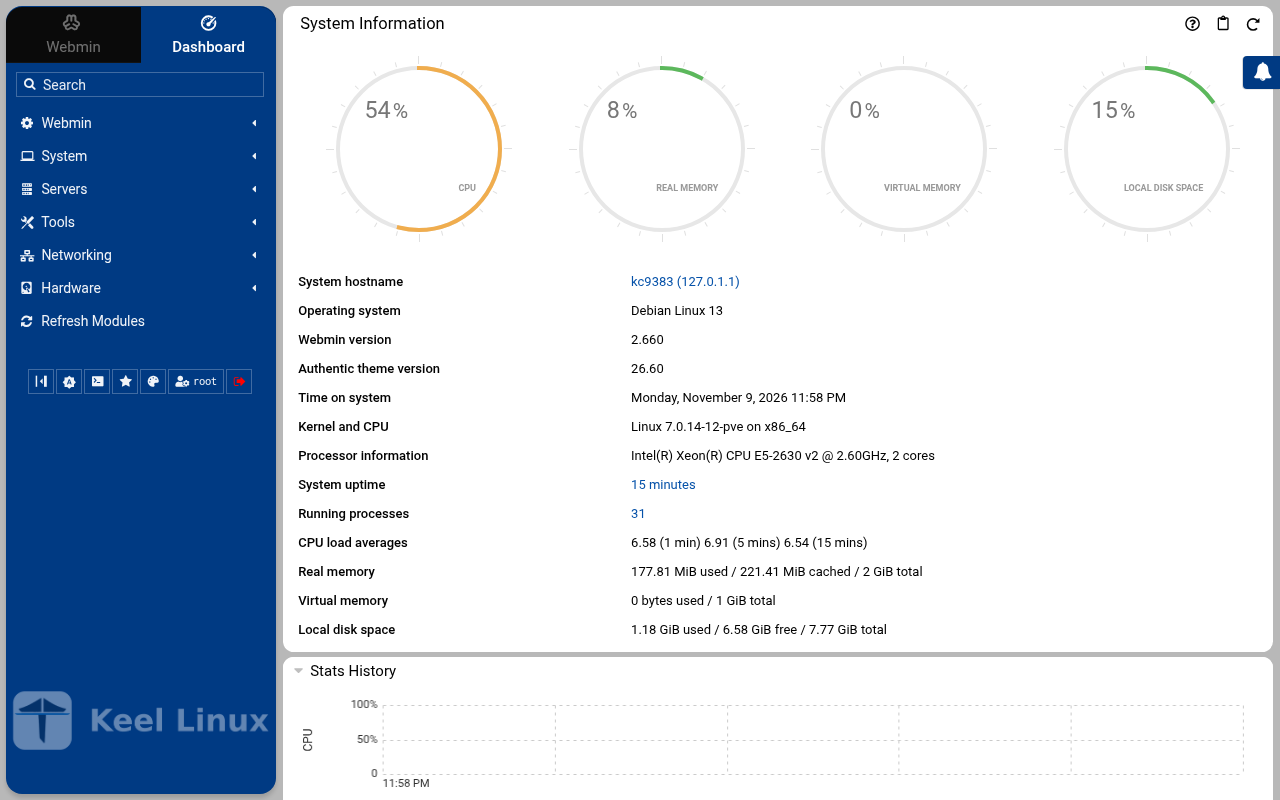 typed: | web: webmin-after 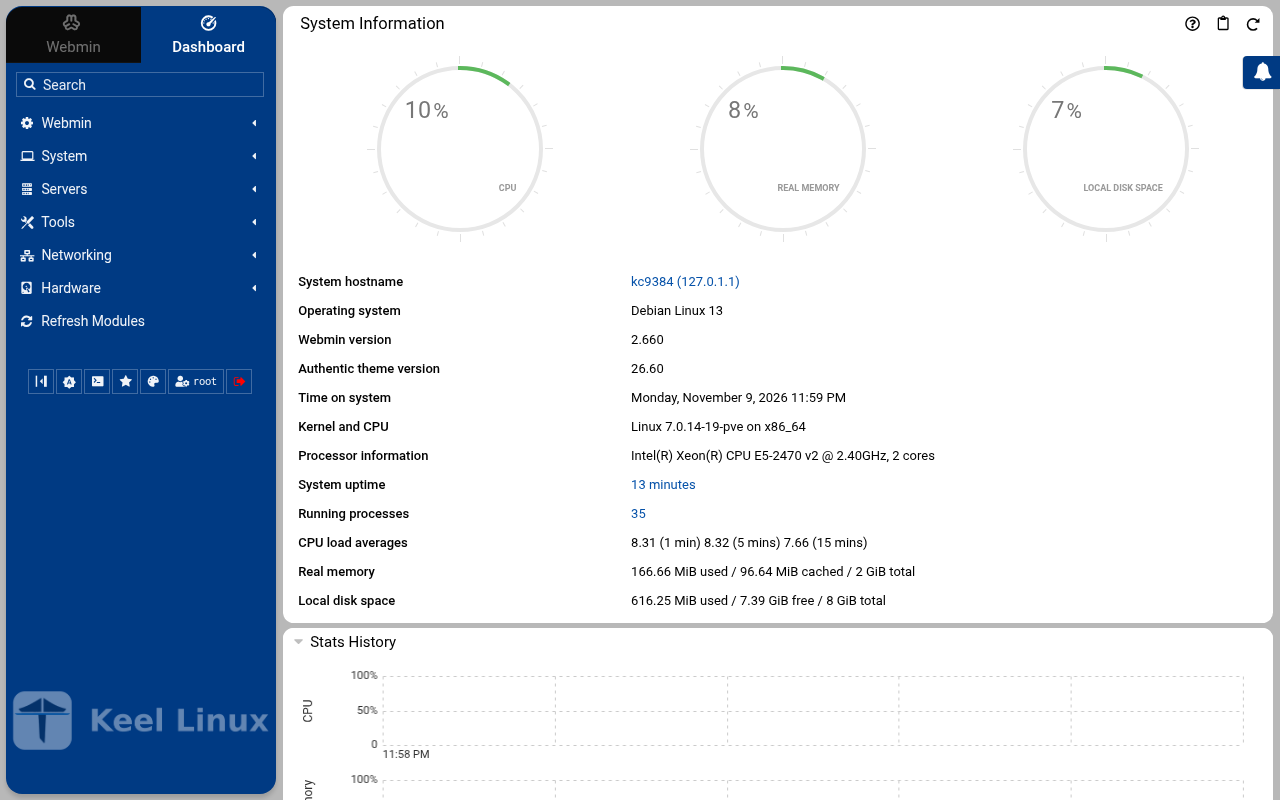 typed: |
Cloud advanced: two data nodes and a witness
| Step | Primary, BR1 | Replica, BR2 | Witness, BR1 |
|---|---|---|---|
| 1 | root password the screen, as textConnected to tty 1 Type <Ctrl+a q> to exit the console, <Ctrl+a Ctrl+a> to enter Ctrl+a itself press Enter within 5 s to answer first-boot questions Keel Linux Configuration Console KC9385 appliance services < Quit > Webmin: https://[2804:710:d0:5:be24:11ff:fefa:246e]:12321SSH/SFTP: root@2804:710:d0:5:be24:11ff:fefa:246e (port 22) Keel Linux Configuration Console KC9385 appliance services < Quit > Webmin: https://[2804:710:d0:5:be24:11ff:fefa:246e]:12321SSH/SFTP: root@2804:710:d0:5:be24:11ff:fefa:246e (port 22) Debian GNU/Linux 13 kc9385 tty1 kc9385 login: root Password: Keel Linux core 19.0-trixie-amd64 IPv6 SSH: root@2804:710:d0:5:be24:11ff:fefa:246e Welcome to kc9385, Keel Linux 19.0 (Debian 13/Trixie) System information for Tue Nov 10 00:01:41 2026 (UTC+0000) System load: 8.08 Memory usage: 6.8% Processes: 29 Swap usage: 0.0% Usage of /: 9.9% of 7.78GB Networking not configured This system is not initialized yet: run keel-init to set it up. For Advanced commandline config run: confconsole For more info see: https://github.com/Keel-Linux/confconsole Linux kc9385 7.0.14-12-pve #1 SMP PREEMPT_DYNAMIC PMX 7.0.14-12 (2026-08-11T11:05Z) x86_64 === Keel Linux - First boot configuration Root Password Please enter new password for the root account. Choose how to set this password: Generate A strong random password (recommended) Manual Type my own password < OK >Generate A strong random password (recommended)Manual Type my own password Keel Linux - First boot configuration Root Password Please enter new password for the root account. Password Requirements - must be at least 8 characters long - must contain characters from at least 3 of the following categories: uppercase, lowercase, numbers, symbols < OK >x typed: | root password the screen, as textConnected to tty 1 Type <Ctrl+a q> to exit the console, <Ctrl+a Ctrl+a> to enter Ctrl+a itself press Enter within 5 s to answer first-boot questions Keel Linux Configuration Console KC9386 appliance services < Quit > Webmin: https://[fd00:218:88:0:125e:26fa:2836:4418]:12321SSH/SFTP: root@fd00:218:88:0:125e:26fa:2836:4418 (port 22)Webmin: https://10.218.88.62:12321SSH/SFTP: root@10.218.88.62 (port 22) Keel Linux Configuration Console KC9386 appliance services < Quit > Webmin: https://[fd00:218:88:0:125e:26fa:2836:4418]:12321SSH/SFTP: root@fd00:218:88:0:125e:26fa:2836:4418 (port 22)Webmin: https://10.218.88.62:12321SSH/SFTP: root@10.218.88.62 (port 22) Debian GNU/Linux 13 kc9386 tty1 kc9386 login: root Password: Keel Linux core 19.0-trixie-amd64 IPv6 SSH: root@2804:7f0:9880:6c3:6150:d47f:2641:7a04 IPv4 SSH: root@10.218.88.62 Welcome to kc9386, Keel Linux 19.0 (Debian 13/Trixie) System information for Tue Nov 10 00:03:45 2026 (UTC+0000) System load: 9.99 Memory usage: 6.4% Processes: 32 Swap usage: 0.0% Usage of /: 7.5% of 8.00GB IP address for eth0: 10.218.88.62 This system is not initialized yet: run keel-init to set it up. For Advanced commandline config run: confconsole For more info see: https://github.com/Keel-Linux/confconsole Linux kc9386 7.0.14-19-pve #1 SMP PREEMPT_DYNAMIC PMX 7.0.14-19 (2026-09-18T07:31Z) x86_64 === Keel Linux - First boot configuration Root Password Please enter new password for the root account. Choose how to set this password: Generate A strong random password (recommended) Manual Type my own password < OK >Generate A strong random password (recommended)Manual Type my own password Keel Linux - First boot configuration Root Password Please enter new password for the root account. Password Requirements - must be at least 8 characters long - must contain characters from at least 3 of the following categories: uppercase, lowercase, numbers, symbols < OK >x typed: | root password the screen, as textConnected to tty 1 Type <Ctrl+a q> to exit the console, <Ctrl+a Ctrl+a> to enter Ctrl+a itself press Enter within 5 s to answer first-boot questions Keel Linux Configuration Console KC9387 appliance services < Quit > Webmin: https://[2804:710:d0:5:be24:11ff:fe63:50f1]:12321SSH/SFTP: root@2804:710:d0:5:be24:11ff:fe63:50f1 (port 22) Keel Linux Configuration Console KC9387 appliance services < Quit > Webmin: https://[2804:710:d0:5:be24:11ff:fe63:50f1]:12321SSH/SFTP: root@2804:710:d0:5:be24:11ff:fe63:50f1 (port 22) Debian GNU/Linux 13 kc9387 tty1 kc9387 login: root Password: Keel Linux core 19.0-trixie-amd64 IPv6 SSH: root@2804:710:d0:5:be24:11ff:fe63:50f1 Welcome to kc9387, Keel Linux 19.0 (Debian 13/Trixie) System information for Tue Nov 10 00:06:01 2026 (UTC+0000) System load: 7.18 Memory usage: 6.8% Processes: 29 Swap usage: 0.0% Usage of /: 9.9% of 7.78GB Networking not configured This system is not initialized yet: run keel-init to set it up. For Advanced commandline config run: confconsole For more info see: https://github.com/Keel-Linux/confconsole Linux kc9387 7.0.14-12-pve #1 SMP PREEMPT_DYNAMIC PMX 7.0.14-12 (2026-08-11T11:05Z) x86_64 === Keel Linux - First boot configuration Root Password Please enter new password for the root account. Choose how to set this password: Generate A strong random password (recommended) Manual Type my own password < OK >Generate A strong random password (recommended)Manual Type my own password Keel Linux - First boot configuration Root Password Please enter new password for the root account. Password Requirements - must be at least 8 characters long - must contain characters from at least 3 of the following categories: uppercase, lowercase, numbers, symbols < OK >x typed: |
| 2 | root password the screen, as text******** Keel Linux - First boot configuration Root Password Confirm password Password Requirements - must be at least 8 characters long - must contain characters from at least 3 of the following categories: uppercase, lowercase, numbers, symbols < OK >x typed: | root password the screen, as text******** Keel Linux - First boot configuration Root Password Confirm password Password Requirements - must be at least 8 characters long - must contain characters from at least 3 of the following categories: uppercase, lowercase, numbers, symbols < OK >x typed: | root password the screen, as text******** Keel Linux - First boot configuration Root Password Confirm password Password Requirements - must be at least 8 characters long - must contain characters from at least 3 of the following categories: uppercase, lowercase, numbers, symbols < OK >x typed: |
| 3 | mode the screen, as text******** Keel Linux - First boot configuration kc9385.pop.coop Domain name xxx The name this machine is reached by, with its domain, xx for example blog.example.org. It becomes the hostname, xx the name /etc/hosts answers for this machine, and the xx domain a TLS certificate is requested for in xx confconsole.xxxx Leave the field empty to keep the name the machine has. xxxx Fully qualified domain name:x <Apply>x >fqdn: /etc/keel/instance.yaml already declares the name, not written === Keel Linux - First boot configuration Installation mode How this appliance is installed (decision 0028). You choose it once. Simple: one node. Everything is on this machine, with no mesh. Cloud simple: two nodes, a primary and a replica on a WireGuard mesh. The data follows the primary. When the primary stops, you promote the replica by hand. Cloud advanced: two data nodes and a witness, three sites, etcd of three. When the primary stops, the replica takes over by itself. Choose the same mode on every node of the set. Simple one node, no mesh Cloud simple two nodes, failover by hand Cloud advanced two nodes and a witness, failover by itself <Select> typed: | mode the screen, as text******** Keel Linux - First boot configuration kc9386.pop.coop Domain name xxx The name this machine is reached by, with its domain, xx for example blog.example.org. It becomes the hostname, xx the name /etc/hosts answers for this machine, and the xx domain a TLS certificate is requested for in xx confconsole.xxxx Leave the field empty to keep the name the machine has. xxxx Fully qualified domain name:x <Apply>x >fqdn: /etc/keel/instance.yaml already declares the name, not written === Keel Linux - First boot configuration Installation mode How this appliance is installed (decision 0028). You choose it once. Simple: one node. Everything is on this machine, with no mesh. Cloud simple: two nodes, a primary and a replica on a WireGuard mesh. The data follows the primary. When the primary stops, you promote the replica by hand. Cloud advanced: two data nodes and a witness, three sites, etcd of three. When the primary stops, the replica takes over by itself. Choose the same mode on every node of the set. Simple one node, no mesh Cloud simple two nodes, failover by hand Cloud advanced two nodes and a witness, failover by itself <Select> typed: | mode the screen, as text******** Keel Linux - First boot configuration kc9387.pop.coop Domain name xxx The name this machine is reached by, with its domain, xx for example blog.example.org. It becomes the hostname, xx the name /etc/hosts answers for this machine, and the xx domain a TLS certificate is requested for in xx confconsole.xxxx Leave the field empty to keep the name the machine has. xxxx Fully qualified domain name:x <Apply>x >fqdn: /etc/keel/instance.yaml already declares the name, not written === Keel Linux - First boot configuration Installation mode How this appliance is installed (decision 0028). You choose it once. Simple: one node. Everything is on this machine, with no mesh. Cloud simple: two nodes, a primary and a replica on a WireGuard mesh. The data follows the primary. When the primary stops, you promote the replica by hand. Cloud advanced: two data nodes and a witness, three sites, etcd of three. When the primary stops, the replica takes over by itself. Choose the same mode on every node of the set. Simple one node, no mesh Cloud simple two nodes, failover by hand Cloud advanced two nodes and a witness, failover by itself <Select> typed: |
| 4 | role the screen, as textSimpleone node, no meshCloud simple two nodes, failover by handCloud simple two nodes, failover by handCloud advanced two nodes and a witness, failover by itself> == Keel Linux - First boot configuration Installation mode < ok >x /etc/keel/instance.yaml: installation.mode: cloud_advanced$ keel spec apply --system-only --non-interactive --skip-network --defer-certificate --spec/etc/keel/instance.yamlapply --system-only: /etc/inithooks.conf not read or writteninstance.hostname: unchanged (kc9385)instance.fqdn: unchanged (/etc/hosts maps kc9385 to kc9385.pop.coop)derived.monit: crowdsec not watched: crowdsec.service starts only when /etc/crowdsec/local_api_credentials.yamlexists (ConditionPathExists)derived.monit: crowdsec-lapi not watched: its process crowdsec is not watched: crowdsec.service starts only when/etc/crowdsec/local_api_credentials.yaml exists (ConditionPathExists)derived.monit: write /etc/keel/monit/keel-manifest.conf: 5 unit(s) and 4 probe(s) of core (mode 0600): doneoverlays.vip: unchanged (disabled: keel-vip.service)overlays.etcd: etcd waits for its cluster: it forms at the third cloud advanced member's join, or with keel meshetcd form; nothing is started until thenoverlays.crowdsec: create /etc/crowdsec/online_api_credentials.yaml empty, which CrowdSec's unit needs and whichsays not registered yet (mode 0600): doneoverlays.crowdsec: register this machine with CrowdSec's local API; cscli writes the password to/etc/crowdsec/local_api_credentials.yaml (cscli --error machines add --auto --force): doneoverlays.crowdsec: register with CrowdSec's central API (cscli --error capi register): doneoverlays.crowdsec: register CrowdSec's firewall bouncer (cscli bouncers add) and write its key to/etc/crowdsec/bouncers/crowdsec-firewall-bouncer.yaml.local (mode 0600, never printed) and its name to/etc/crowdsec/bouncers/crowdsec-firewall-bouncer.yaml.id, mode: nftables: doneoverlays.crowdsec: enable crowdsec.service: the overlay is enabled (systemctl enable crowdsec.service): doneoverlays.crowdsec: start crowdsec.service (systemctl start crowdsec.service): doneoverlays.crowdsec: enable crowdsec-firewall-bouncer.service: the overlay is enabled (systemctl enablecrowdsec-firewall-bouncer.service): doneoverlays.crowdsec: start crowdsec-firewall-bouncer.service (systemctl start crowdsec-firewall-bouncer.service):doneapply --system-only: 9 change(s), 0 failed94% Keel Linux - First boot configuration Role of this node What this node is in its set of three (cloud advanced). Primary: the first node. It makes the mesh and invites the replica, then the witness, each with a line you copy to it. Replica: the second node. It joins with the first line, and its data follows the primary. Witness: the third node, Keel Core on a third site. It joins with the second line and gives etcd its third vote. It holds no data. Primary the first node: makes the mesh, invites Replica joins the primary; its data follows it Witness Keel Core on a third site: a vote, no data <Select> typed: | role the screen, as textSimpleone node, no meshCloud simple two nodes, failover by handCloud simple two nodes, failover by handCloud advanced two nodes and a witness, failover by itself> == Keel Linux - First boot configuration Installation mode < ok >x /etc/keel/instance.yaml: installation.mode: cloud_advanced$ keel spec apply --system-only --non-interactive --skip-network --defer-certificate --spec/etc/keel/instance.yamlapply --system-only: /etc/inithooks.conf not read or writteninstance.hostname: unchanged (kc9386)instance.fqdn: unchanged (/etc/hosts maps kc9386 to kc9386.pop.coop)derived.monit: crowdsec not watched: crowdsec.service starts only when /etc/crowdsec/local_api_credentials.yamlexists (ConditionPathExists)derived.monit: crowdsec-lapi not watched: its process crowdsec is not watched: crowdsec.service starts only when/etc/crowdsec/local_api_credentials.yaml exists (ConditionPathExists)derived.monit: write /etc/keel/monit/keel-manifest.conf: 5 unit(s) and 4 probe(s) of core (mode 0600): doneoverlays.vip: unchanged (disabled: keel-vip.service)overlays.etcd: etcd waits for its cluster: it forms at the third cloud advanced member's join, or with keel meshetcd form; nothing is started until thenoverlays.crowdsec: create /etc/crowdsec/online_api_credentials.yaml empty, which CrowdSec's unit needs and whichsays not registered yet (mode 0600): doneoverlays.crowdsec: register this machine with CrowdSec's local API; cscli writes the password to/etc/crowdsec/local_api_credentials.yaml (cscli --error machines add --auto --force): doneoverlays.crowdsec: register with CrowdSec's central API (cscli --error capi register): doneoverlays.crowdsec: register CrowdSec's firewall bouncer (cscli bouncers add) and write its key to/etc/crowdsec/bouncers/crowdsec-firewall-bouncer.yaml.local (mode 0600, never printed) and its name to/etc/crowdsec/bouncers/crowdsec-firewall-bouncer.yaml.id, mode: nftables: doneoverlays.crowdsec: enable crowdsec.service: the overlay is enabled (systemctl enable crowdsec.service): doneoverlays.crowdsec: start crowdsec.service (systemctl start crowdsec.service): doneoverlays.crowdsec: enable crowdsec-firewall-bouncer.service: the overlay is enabled (systemctl enablecrowdsec-firewall-bouncer.service): doneoverlays.crowdsec: start crowdsec-firewall-bouncer.service (systemctl start crowdsec-firewall-bouncer.service):doneapply --system-only: 9 change(s), 0 failed94% Keel Linux - First boot configuration Role of this node What this node is in its set of three (cloud advanced). Primary: the first node. It makes the mesh and invites the replica, then the witness, each with a line you copy to it. Replica: the second node. It joins with the first line, and its data follows the primary. Witness: the third node, Keel Core on a third site. It joins with the second line and gives etcd its third vote. It holds no data. Primary the first node: makes the mesh, invites Replica joins the primary; its data follows it Witness Keel Core on a third site: a vote, no data <Select> typed: | role the screen, as textSimpleone node, no meshCloud simple two nodes, failover by handCloud simple two nodes, failover by handCloud advanced two nodes and a witness, failover by itself> == Keel Linux - First boot configuration Installation mode < ok >x /etc/keel/instance.yaml: installation.mode: cloud_advanced$ keel spec apply --system-only --non-interactive --skip-network --defer-certificate --spec/etc/keel/instance.yamlapply --system-only: /etc/inithooks.conf not read or writteninstance.hostname: unchanged (kc9387)instance.fqdn: unchanged (/etc/hosts maps kc9387 to kc9387.pop.coop)derived.monit: crowdsec not watched: crowdsec.service starts only when /etc/crowdsec/local_api_credentials.yamlexists (ConditionPathExists)derived.monit: crowdsec-lapi not watched: its process crowdsec is not watched: crowdsec.service starts only when/etc/crowdsec/local_api_credentials.yaml exists (ConditionPathExists)derived.monit: write /etc/keel/monit/keel-manifest.conf: 5 unit(s) and 4 probe(s) of core (mode 0600): doneoverlays.vip: unchanged (disabled: keel-vip.service)overlays.etcd: etcd waits for its cluster: it forms at the third cloud advanced member's join, or with keel meshetcd form; nothing is started until thenoverlays.crowdsec: create /etc/crowdsec/online_api_credentials.yaml empty, which CrowdSec's unit needs and whichsays not registered yet (mode 0600): doneoverlays.crowdsec: register this machine with CrowdSec's local API; cscli writes the password to/etc/crowdsec/local_api_credentials.yaml (cscli --error machines add --auto --force): doneoverlays.crowdsec: register with CrowdSec's central API (cscli --error capi register): doneoverlays.crowdsec: register CrowdSec's firewall bouncer (cscli bouncers add) and write its key to/etc/crowdsec/bouncers/crowdsec-firewall-bouncer.yaml.local (mode 0600, never printed) and its name to/etc/crowdsec/bouncers/crowdsec-firewall-bouncer.yaml.id, mode: nftables: doneoverlays.crowdsec: enable crowdsec.service: the overlay is enabled (systemctl enable crowdsec.service): doneoverlays.crowdsec: start crowdsec.service (systemctl start crowdsec.service): doneoverlays.crowdsec: enable crowdsec-firewall-bouncer.service: the overlay is enabled (systemctl enablecrowdsec-firewall-bouncer.service): doneoverlays.crowdsec: start crowdsec-firewall-bouncer.service (systemctl start crowdsec-firewall-bouncer.service):doneapply --system-only: 9 change(s), 0 failed94% Keel Linux - First boot configuration Role of this node What this node is in its set of three (cloud advanced). Primary: the first node. It makes the mesh and invites the replica, then the witness, each with a line you copy to it. Replica: the second node. It joins with the first line, and its data follows the primary. Witness: the third node, Keel Core on a third site. It joins with the second line and gives etcd its third vote. It holds no data. Primary the first node: makes the mesh, invites Replica joins the primary; its data follows it Witness Keel Core on a third site: a vote, no data <Select> typed: |
| 5 | invite the screen, as textKeel Linux - First boot configuration keel mesh create: making the mesh... Keel Linux - First boot configuration Make the mesh < ok >x $ keel mesh createcreated the mesh: this node is fd33:14d0:8576::1/64 on wg0, WireGuard on UDP 51820keel mesh invite prints the line that joins the next nodeconfirming the new overlayconfirmed from keel mesh createthe overlay has no peer, so nothing can cross it: keel mesh create confirmed it once the routes to the gatewaysand to the operator's session were found to still leave through the uplinkwg-quick@wg0 enabled: the overlay comes back up at bootthe network change stays; the revert is cancelledetcd: this node holds the mesh's root CA; etcd forms when the third cloud advanced member joinskeel mesh: exit 0, done>Invite a node This node invites the replica (node 2) into its mesh. Copy the line below to the replica (node 2): paste it into its Join a mesh screen, or run it there as root. It can be used once, until 2026-11-10T01:02:32Z. This node pairs nothing, so the line carries no service address. Copy this line to the replica (node 2), on one line, as it is. It is a secret: it lets one node join this mesh. keel mesh join - <<< <invite 1> Expires: 2026-11-10T01:02:32Z Press Enter to go on: typed: | join the screen, as textPrimary the first node: makes the mesh, invitesReplica joins the primary; its data follows it Keel Linux - First boot configuration Join a mesh Paste the line that Invite a node shows on the inviting node: keel mesh join - <<< keel2:... The token alone (keel2:...) is accepted too. It goes to keel on its standard input, never on a command line. < OK > <Cancel>x typed: | join the screen, as textPrimary the first node: makes the mesh, invitesWitness Keel Core on a third site: a vote, no data Keel Linux - First boot configuration Join a mesh Paste the line that Invite a node shows on the inviting node: keel mesh join - <<< keel2:... The token alone (keel2:...) is accepted too. It goes to keel on its standard input, never on a command line. < OK > <Cancel>x typed: |
| 6 | invite2 the screen, as textThis node: fd33:14d0:8576::1/64 etcd: not_formed, voters 0 5 <Select> < Back >x 4 3 2 1 0 Keel Linux - First boot configuration Waiting for the nodes Waiting for the replica (node 2) to join with the line, checked every 5 s. Back gives a menu: Paste accept line, when the join printed one (keel mesh accept keel1a:...), or the line again. This node: fd33:14d0:8576::1/64 etcd: not_formed, voters 0 5 <Select> < Back >x 4 3 2 1 0 Keel Linux - First boot configuration Waiting for the nodes Waiting for the replica (node 2) to join with the line, checked every 5 s. Back gives a menu: Paste accept line, when the join printed one (keel mesh accept keel1a:...), or the line again. This node: fd33:14d0:8576::1/64 etcd: not_formed, voters 0 5 <Select> < Back >x 4 3 2 1 0 Keel Linux - First boot configuration Waiting for the nodes Waiting for the replica (node 2) to join with the line, checked every 5 s. Back gives a menu: Paste accept line, when the join printed one (keel mesh accept keel1a:...), or the line again. This node: fd33:14d0:8576::1/64 etcd: not_formed, voters 0 5 <Select> < Back >x 4 3 2 1 0>Invite a node This node invites the witness (node 3, Keel Core) into its mesh. Copy the line below to the witness (node 3, Keel Core): paste it into its Join a mesh screen, or run it there as root. It can be used once, until 2026-11-10T01:04:23Z. This node pairs nothing, so the line carries no service address. Copy this line to the witness (node 3, Keel Core), on one line, as it is. It is a secret: it lets one node join this mesh. keel mesh join - <<< <invite 1><invite 2><invite 1><invite 1><invite 2> Expires: 2026-11-10T01:04:23Z Press Enter to go on: typed: | alert email the screen, as textWaiting for the nodes Waiting for etcd to have 3 voters: the primary, the replica and the witness. etcd forms when the third node joins. This node: fd33:14d0:8576::7849/64 Member: fd33:14d0:8576::1, reached etcd: not_formed, voters 0 5 <Select> < Back >x 4 3 2 1 0 Keel Linux - First boot configuration Waiting for the nodes Waiting for etcd to have 3 voters: the primary, the replica and the witness. etcd forms when the third node joins. This node: fd33:14d0:8576::7849/64 Member: fd33:14d0:8576::1, reached etcd: not_formed, voters 0 5 <Select> < Back >x 4 3 2 1 0 Keel Linux - First boot configuration Waiting for the nodes Waiting for etcd to have 3 voters: the primary, the replica and the witness. etcd forms when the third node joins. This node: fd33:14d0:8576::7849/64 Member: fd33:14d0:8576::1, reached etcd: not_formed, voters 0 5 <Select> < Back >x 4 3 2 1 0> == Keel Linux - First boot configuration Status of this node < ok >x $ keel mesh statusthis node: fd33:14d0:8576::7849/64 on wg0, WireGuard on UDP 51820mesh identity: daecaf1466357b30744812cadea01df1public key: <public key>peers: 2<public key> fd33:14d0:8576::1/128 [2804:710:d0:5:be24:11ff:fefa:246e]:51820handshake 11 s ago<public key> fd33:14d0:8576::6703/128[2804:710:d0:5:be24:11ff:fe63:50f1]:51820 handshake 1 s agopending invites: 0etcd: 3 voter(s), 0 learner(s)keel-fd33-14d0-8576--6703 fd33:14d0:8576::6703 voter healthykeel-fd33-14d0-8576--1 fd33:14d0:8576::1 voter healthykeel-fd33-14d0-8576--7849 fd33:14d0:8576::7849 voter healthyleader: keel-fd33-14d0-8576--1etcd: this member's certificate expires 2026-12-10 00:04 UTCvip: none (this node declares no appliance.vip and routes no other pair's)>keelfirstboot cloud: Keel Cloud is not available yet: no key is asked, and this node runs standalone. It is offered once /etc/keel/cloud-endpoint names the service. === Keel Linux - First boot configuration System Notifications and Critical Security Alerts Enable local system notifications (root@localhost) to be forwarded to your regular inbox. Notifications include security updates and system messages. Email: <Enable> < Skip >x typed: | alert email the screen, as text<invite 1><invite 1><invite 1><invite 1><invite 1><invite 1><invite 1><invite 1><invite 1><invite 1><invite 1><invite 1><invite 1><invite 1><invite 1><invite 1><invite 1><invite 1><invite 1><invite 1><invite 1>T<invite 1>TC<invite 1>TC<invite 1><invite 1><invite 1><invite 1><invite 1><invite 1><invite 1><invite 1><invite 1><invite 2><invite 1><invite 2><invite 1><invite 2><invite 1><invite 2><invite 1><invite 2><invite 1><invite 2><invite 1><invite 2><invite 1><invite 2><invite 1><invite 2><invite 1><invite 2><invite 1><invite 2><invite 1><invite 2><invite 1><invite 2><invite 1><invite 2><invite 1><invite 2><invite 1><invite 2><invite 1><invite 2><invite 1><invite 2><invite 1><invite 2><invite 1><invite 2><invite 1><invite 2><invite 1><invite 2><invite 1><invite 2><invite 1><invite 2><invite 1><invite 2><invite 1><invite 2><invite 1><invite 2><invite 1><invite 2><invite 1><invite 2><invite 1><invite 2><invite 1><invite 2><invite 1><invite 2><invite 1><invite 2><invite 1><invite 2><invite 1><invite 2><invite 2><invite 2><invite 2><invite 2><invite 2><invite 2><invite 2><invite 2><invite 2><invite 1><invite 2><invite 1><invite 2><invite 2><invite 2><invite 2><invite 2><invite 2><invite 2><invite 2>F<invite 2>FA<invite 2><invite 2><invite 2><invite 2><invite 2><invite 2><invite 2><invite 2><invite 2><invite 1><invite 2><invite 1><invite 2><invite 1><invite 2><invite 1><invite 2><invite 1><invite 2><invite 1><invite 2><invite 1><invite 2><invite 1><invite 2><invite 1><invite 2><invite 1><invite 2><invite 1>B<invite 2><invite 1>Bn<invite 2><invite 1><invite 2><invite 1><invite 2><invite 1><invite 2><invite 1><invite 2><invite 1><invite 2><invite 1><invite 2><invite 1><invite 2><invite 1><invite 2><invite 1><invite 2><invite 1><invite 2><invite 2><invite 1><invite 2><invite 2><invite 1><invite 2><invite 1><invite 2><invite 1><invite 1><invite 1><invite 1><invite 1><invite 1><invite 1><invite 1><invite 1><invite 1><invite 1><invite 1><invite 1><invite 1><invite 1><invite 1>dg<invite 1><invite 1>g<invite 1><invite 1><invite 1><invite 1><invite 1><invite 1><invite 1><invite 1><invite 1><invite 1><invite 1><invite 1><invite 1><invite 1><invite 2><invite 1><invite 2><invite 1><invite 2><invite 1><invite 2><invite 1><invite 2><invite 1><invite 2><invite 1><invite 2><invite 1><invite 2><invite 1><invite 2><invite 1><invite 2><invite 1><invite 2><invite 1><invite 2><invite 1><invite 2><invite 1><invite 2><invite 1><invite 2><invite 1><invite 2><invite 1><invite 2><invite 1><invite 2><invite 1><invite 2><invite 1><invite 2><invite 1><invite 2><invite 1><invite 2><invite 1><invite 2>A9<invite 1><invite 2>9<invite 1><invite 2><invite 1><invite 2><invite 1><invite 2><invite 1><invite 2><invite 1><invite 2><invite 1><invite 2><invite 1><invite 2><invite 1><invite 2><invite 1><invite 2><invite 1><invite 2><invite 1><invite 2><invite 2><invite 2><invite 2><invite 2><invite 2><invite 2><invite 2><invite 2><invite 2><invite 2><invite 2><invite 2><invite 2><invite 2><invite 2><invite 2><invite 2><invite 2><invite 2>>Join a mesh Join a mesh: keel joins this node to the mesh. When the inviting node cannot be reached, keel prints a line keel mesh accept keel1a:... and waits: run that line on the inviting node, or paste it into its Paste accept line screen. endpoint 2804:710:d0:5:be24:11ff:fe63:50f1, found on eth0 (--endpoint overrides it) confirming over the overlay confirmed from the inviter's answer over the overlay (invite 0438df4f246bee69) the overlay was tested: the inviter's answer over the overlay (invite 0438df4f246bee69) arrived at fd33:14d0:8576::6703 on wg0, from fd33:14d0:8576::1 wg-quick@wg0 enabled: the overlay comes back up at boot the network change stays; the revert is cancelled joined the mesh: this node is fd33:14d0:8576::6703/64 on wg0 peer: <public key> at fd33:14d0:8576::1, through [2804:710:d0:5:be24:11ff:fefa:246e]:51820 the mesh has 3 nodes: this node has them all as peers, and the inviter announces this node to the 1 other(s) over the overlay (one offline now learns of it at its next keel mesh sync) etcd: this node forms with 2 other member(s) Press Enter to go on: == Keel Linux - First boot configuration Status of this node < ok >x $ keel mesh statusthis node: fd33:14d0:8576::6703/64 on wg0, WireGuard on UDP 51820mesh identity: daecaf1466357b30744812cadea01df1public key: <public key>peers: 2<public key> fd33:14d0:8576::1/128 [2804:710:d0:5:be24:11ff:fefa:246e]:51820handshake 13 s ago<public key> fd33:14d0:8576::7849/128[2804:7f0:9880:6c3:6150:d47f:2641:7a04]:51820 handshake 1 s agopending invites: 0etcd: 3 voter(s), 0 learner(s)keel-fd33-14d0-8576--6703 fd33:14d0:8576::6703 voter healthykeel-fd33-14d0-8576--1 fd33:14d0:8576::1 voter healthykeel-fd33-14d0-8576--7849 fd33:14d0:8576::7849 voter healthyleader: keel-fd33-14d0-8576--1etcd: this member's certificate expires 2026-12-10 00:06 UTCvip: none (this node declares no appliance.vip and routes no other pair's)>keelfirstboot cloud: Keel Cloud is not available yet: no key is asked, and this node runs standalone. It is offered once /etc/keel/cloud-endpoint names the service. === Keel Linux - First boot configuration System Notifications and Critical Security Alerts Enable local system notifications (root@localhost) to be forwarded to your regular inbox. Notifications include security updates and system messages. Email: <Enable> < Skip >x typed: |
| 7 | alert email the screen, as textThis node: fd33:14d0:8576::1/64 Member: fd33:14d0:8576::7849, reached etcd: not_formed, voters 0 5 <Select> < Back >x 4 3 2 1 0 Keel Linux - First boot configuration Waiting for the nodes Waiting for the witness (node 3, Keel Core) to join with the line, checked every 5 s. Back gives a menu: Paste accept line, when the join printed one (keel mesh accept keel1a:...), or the line again. This node: fd33:14d0:8576::1/64 Member: fd33:14d0:8576::7849, reached etcd: not_formed, voters 0 5 <Select> < Back >x 4 3 2 1 0 Keel Linux - First boot configuration Waiting for the nodes Waiting for the witness (node 3, Keel Core) to join with the line, checked every 5 s. Back gives a menu: Paste accept line, when the join printed one (keel mesh accept keel1a:...), or the line again. This node: fd33:14d0:8576::1/64 Member: fd33:14d0:8576::7849, reached Member: fd33:14d0:8576::6703, not reached etcd: not_formed, voters 0 5 <Select> < Back >x 4 3 2 1 0 Keel Linux - First boot configuration Status of this node < ok >x $ keel mesh statusthis node: fd33:14d0:8576::1/64 on wg0, WireGuard on UDP 51820mesh identity: daecaf1466357b30744812cadea01df1public key: <public key>peers: 2<public key> fd33:14d0:8576::7849/128[2804:7f0:9880:6c3:6150:d47f:2641:7a04]:51820 handshake 9 s ago<public key> fd33:14d0:8576::6703/128[2804:710:d0:5:be24:11ff:fe63:50f1]:51820 handshake 11 s agopending invites: 0etcd: 3 voter(s), 0 learner(s)keel-fd33-14d0-8576--6703 fd33:14d0:8576::6703 voter healthykeel-fd33-14d0-8576--1 fd33:14d0:8576::1 voter healthykeel-fd33-14d0-8576--7849 fd33:14d0:8576::7849 voter healthyleader: keel-fd33-14d0-8576--1etcd: this member's certificate expires 2026-12-10 00:02 UTCvip: none (this node declares no appliance.vip and routes no other pair's)>keelfirstboot cloud: Keel Cloud is not available yet: no key is asked, and this node runs standalone. It is offered once /etc/keel/cloud-endpoint names the service. === Keel Linux - First boot configuration System Notifications and Critical Security Alerts Enable local system notifications (root@localhost) to be forwarded to your regular inbox. Notifications include security updates and system messages. Email: <Enable> < Skip >x typed: | web: webmin 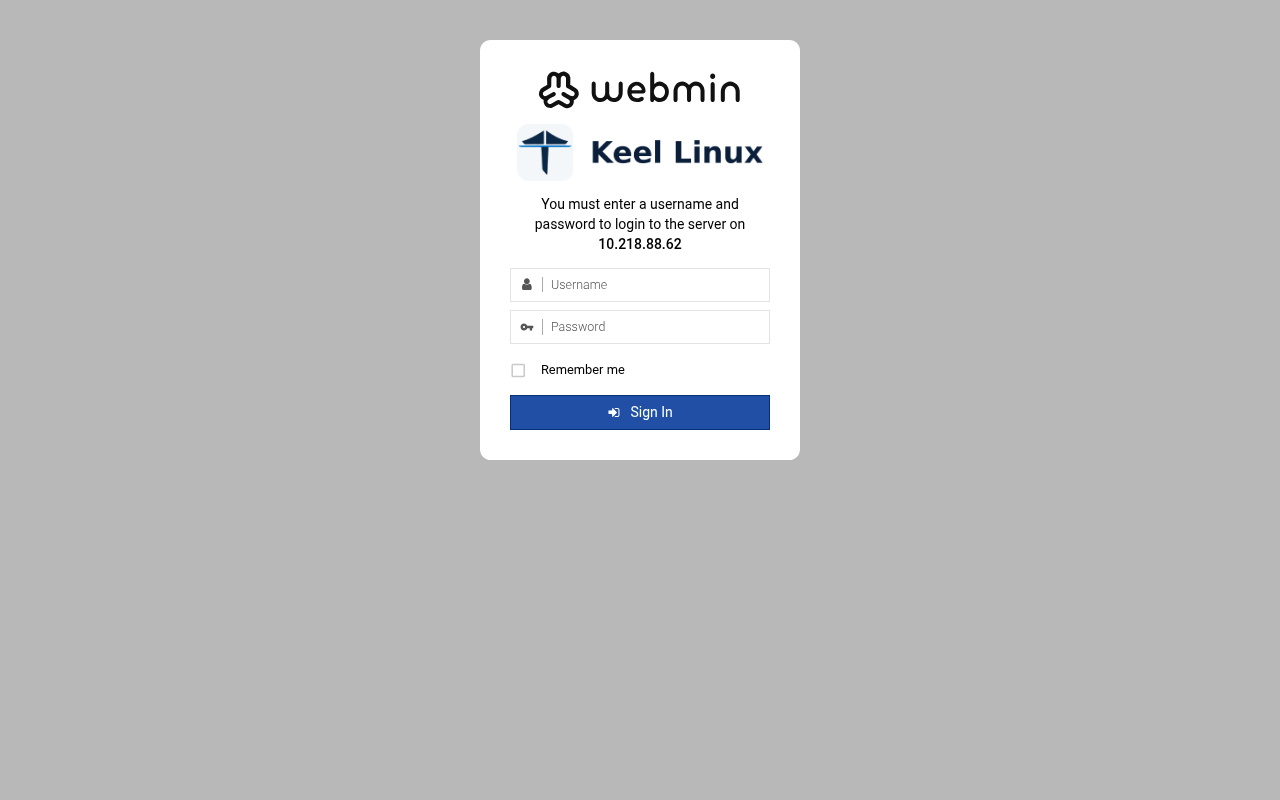 typed: | web: webmin 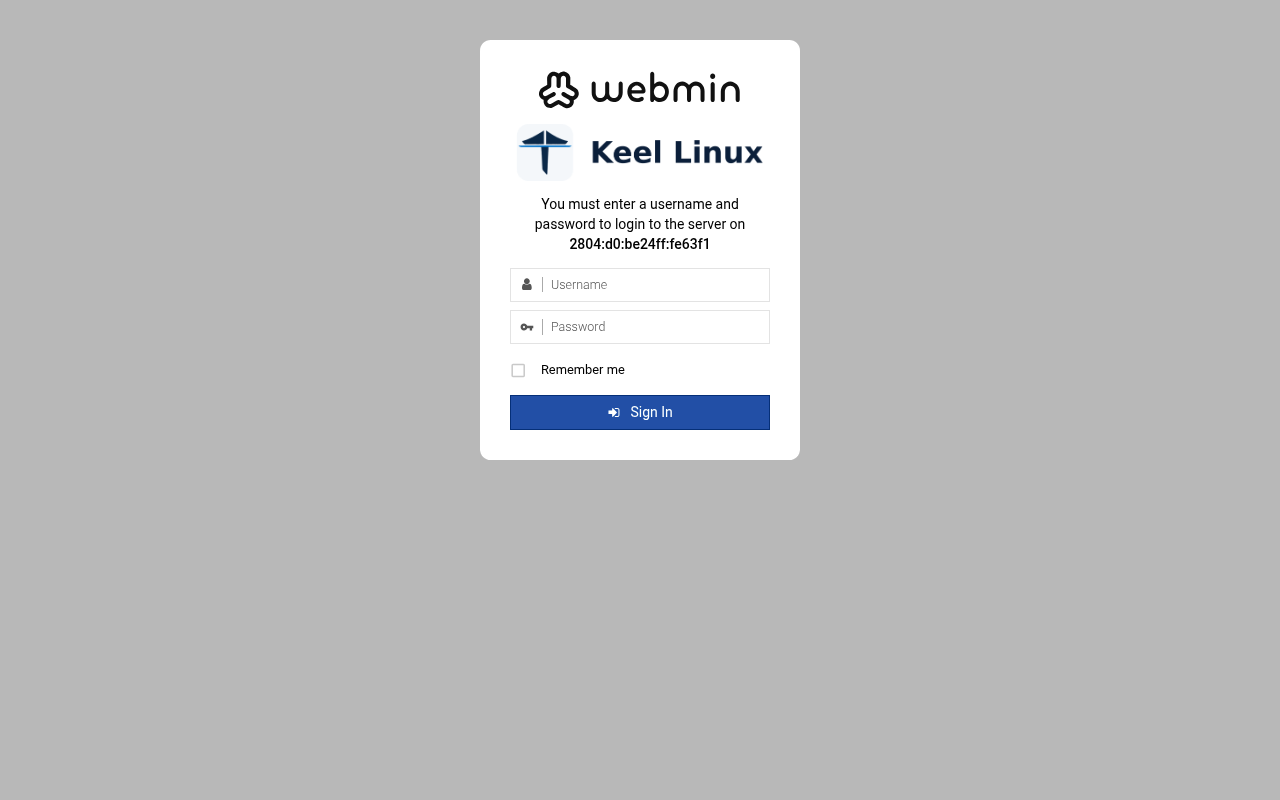 typed: |
| 8 | web: webmin 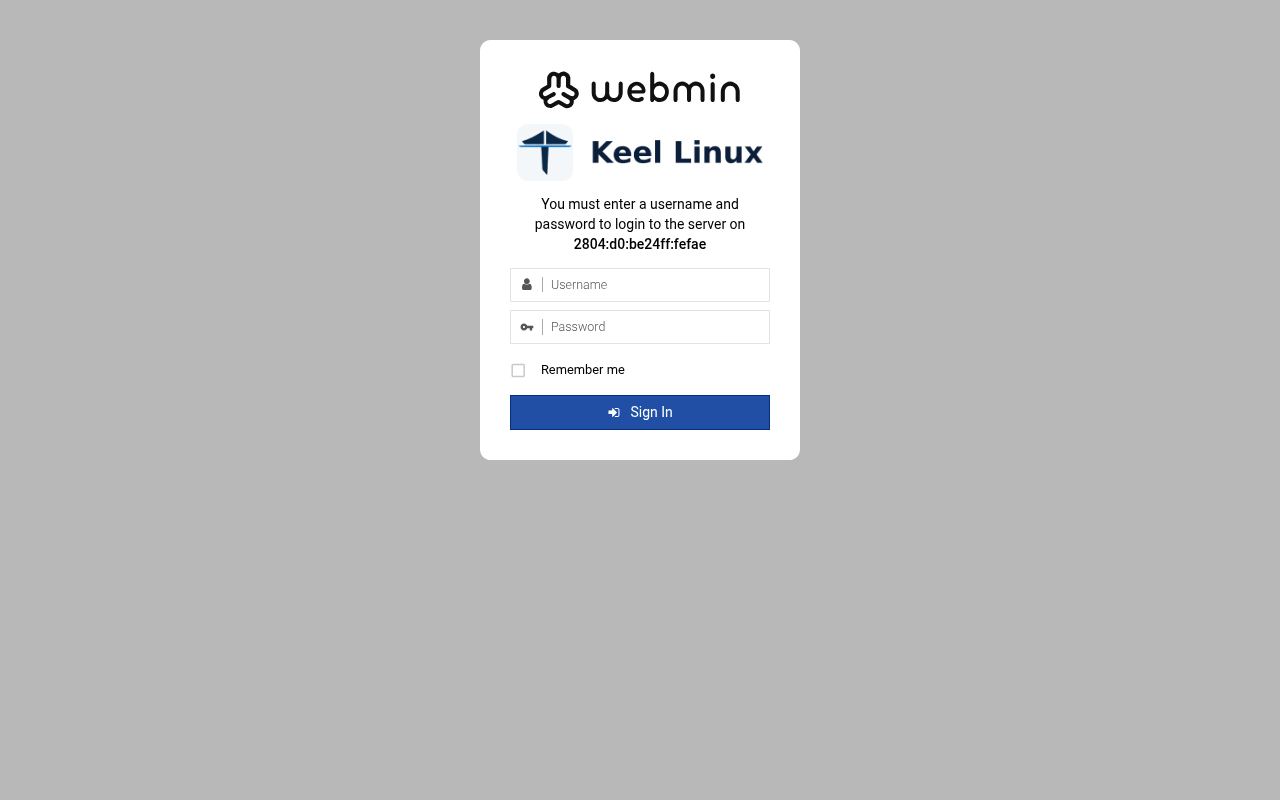 typed: | web: webmin-after 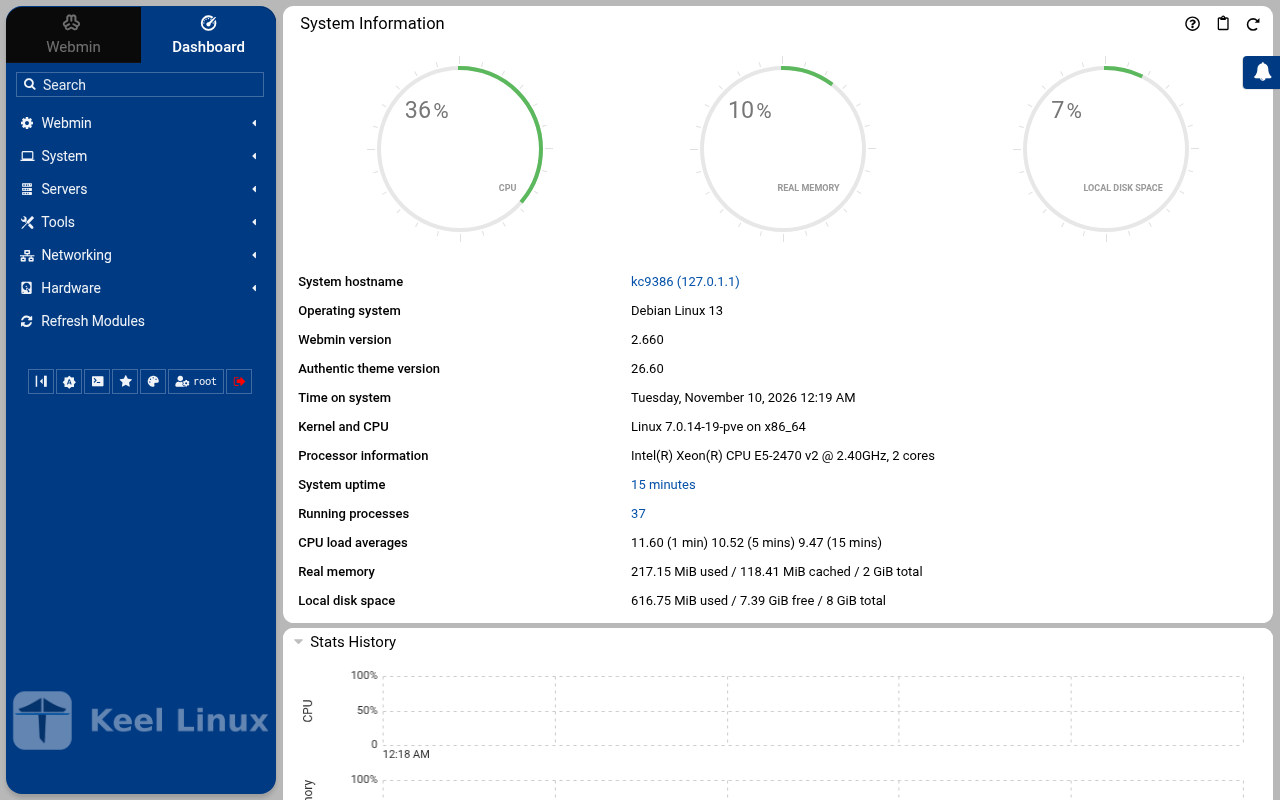 typed: | web: webmin-after 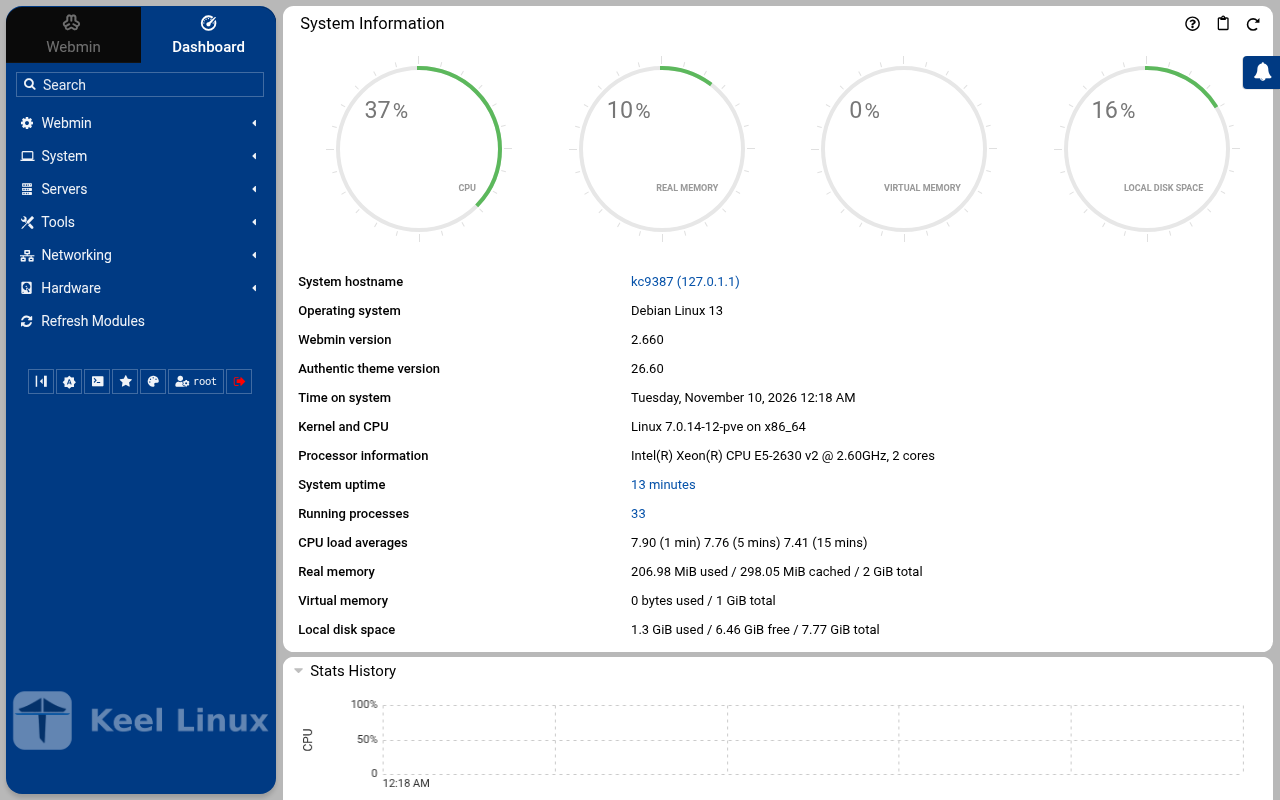 typed: |
| 9 | web: webmin-after 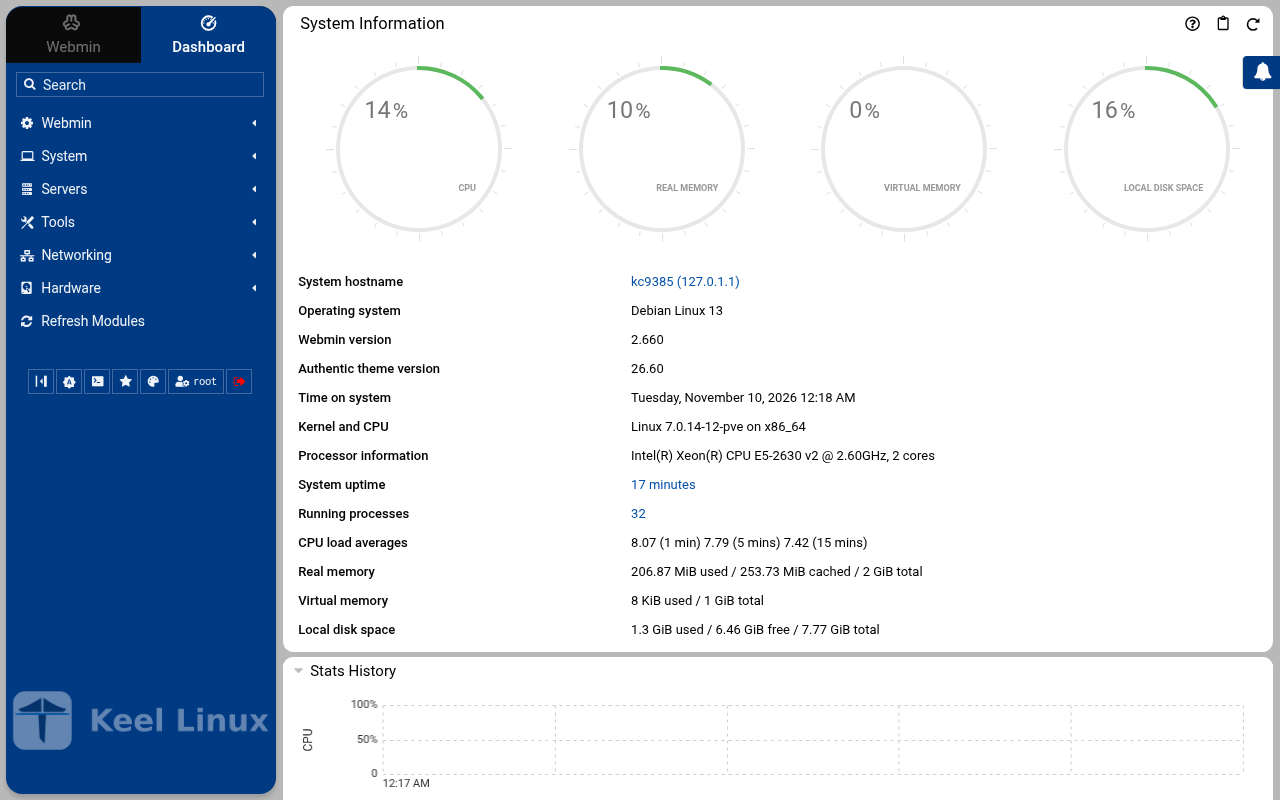 typed: |
Commissioning
8 passes on the sites BR1, BR2, 2026-11-09 to 2026-11-10: 413 checks, all passed.
Every pass below passed every check (decision 0075). A page never shows an image that did not pass.
| Pass | Nodes | Date | Checks passed |
|---|---|---|---|
| the LXC template, answered on the console | br1 | 2026-11-09T23:41:59Z | 23 of 23 |
| the LXC template, described before the boot | br1 | 2026-11-09T23:55:21Z | 20 of 20 |
| the ISO in a virtual machine | br1 | 2026-11-09T23:47:02Z | 27 of 27 |
| the LXC template, answered on the console | br2 | 2026-11-09T23:42:01Z | 23 of 23 |
| the LXC template, described before the boot | br2 | 2026-11-09T23:56:22Z | 20 of 20 |
| the ISO in a virtual machine | br2 | 2026-11-09T23:48:03Z | 27 of 27 |
| Cloud simple: two nodes, failover by hand | primary br1, replica br2 | 2026-11-09T23:41:56Z | 109 of 109 |
| Cloud advanced: two data nodes and a witness | primary br1, replica br2, witness br1 | 2026-11-10T00:00:00Z | 164 of 164 |