
Appliances / Keel PostgreSQL
Keel PostgreSQLPostgreSQL 17
Keel release 19.0-9 · image debian-13-keel-postgresql_19.0-9_amd64.tar.zst
PostgreSQL database layer for Keel appliances, built on core. Compatible with TurnKey Linux appliances, and corresponding to the upstream appliance turnkeylinux-apps/postgresql for the database half of what that appliance is.
Install
LXC template, for Proxmox VE
debian-13-keel-postgresql_19.0-9_amd64.tar.zst
sha256 dbf57eddd592cb3bf14a5e067d85147f38e0b7d3f09e11e05f0e1cc1245fb4b1
With the Keel index
keel-pve gets the signed index of the Keel templates and checks the template against it. The Templates dialog of the Proxmox web interface does not show Keel templates. Install keel-pve from the Keel archive, suite trixie-testing, as its README says. Then run these commands on the Proxmox node:
keel-pve update
keel-pve download local keel-postgresql
With the file
- Download the template, its
.sha512and its.sha512.asc. - Check the signature. Then check the digest.
- Copy the template to
/var/lib/vz/template/cache/on the Proxmox node.
curl -fLO https://mirror.keellinux.org/images/debian-13-keel-postgresql_19.0-9_amd64.tar.zst -O https://mirror.keellinux.org/images/debian-13-keel-postgresql_19.0-9_amd64.tar.zst.sha512 -O https://mirror.keellinux.org/images/debian-13-keel-postgresql_19.0-9_amd64.tar.zst.sha512.asc
curl -fLO https://archive.keellinux.org/keel-images-keyring.asc
sqv --keyring keel-images-keyring.asc debian-13-keel-postgresql_19.0-9_amd64.tar.zst.sha512.asc debian-13-keel-postgresql_19.0-9_amd64.tar.zst.sha512
sha512sum -c debian-13-keel-postgresql_19.0-9_amd64.tar.zst.sha512
cp debian-13-keel-postgresql_19.0-9_amd64.tar.zst /var/lib/vz/template/cache/
If sqv prints E71DB9C3CA6AC18075395CC3ED3A709C4F3E2F3C, the signature is good. It also prints "Missing key" for the main key of the project. This is expected.
Make the container
pct create 200 local:vztmpl/debian-13-keel-postgresql_19.0-9_amd64.tar.zst --hostname postgresql \
  --unprivileged 1 --features nesting=1 \
  --net0 name=eth0,bridge=vmbr0,ip6=auto
Start the container and log in on its console as root. The first boot asks its questions there.
ISO, for a virtual or a real machine
debian-13-keel-postgresql_19.0-9_amd64.iso
sha256 a196fff56caa2c565d2f695f3dd44ec0d1b67b9c74c34e6d6d979d1a329e5f57
curl -fLO https://mirror.keellinux.org/images/debian-13-keel-postgresql_19.0-9_amd64.iso -O https://mirror.keellinux.org/images/debian-13-keel-postgresql_19.0-9_amd64.iso.sha512 -O https://mirror.keellinux.org/images/debian-13-keel-postgresql_19.0-9_amd64.iso.sha512.asc
curl -fLO https://archive.keellinux.org/keel-images-keyring.asc
sqv --keyring keel-images-keyring.asc debian-13-keel-postgresql_19.0-9_amd64.iso.sha512.asc debian-13-keel-postgresql_19.0-9_amd64.iso.sha512
sha512sum -c debian-13-keel-postgresql_19.0-9_amd64.iso.sha512
Boot the machine from the ISO and install. The first boot of the installed system asks the same questions as the template.
The first boot
The questions of the first boot, of all the modes and roles. A node asks only those of its mode and role (the guides below show each one):
- Root Password password
- PostgreSQL Password password
- System Notifications
- Installation mode
- Role of this node
- Invite a node
- Join a mesh
No password is copied between nodes: only the invite lines (decision 0076).
Services
postgresql, webmin, cron, postfix, ssh, monit
Addresses the commissioning checked
https://127.0.0.1:12321/
Screenshots
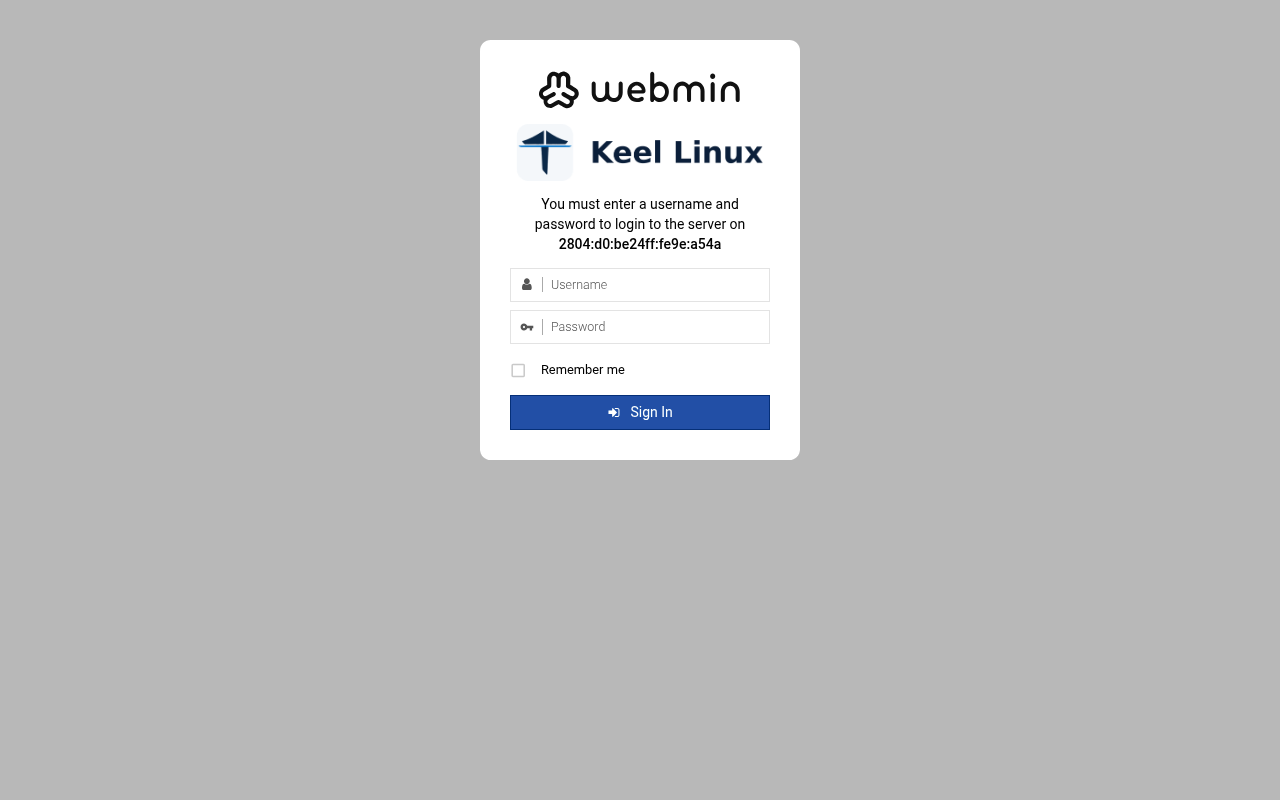
user root, the root secret
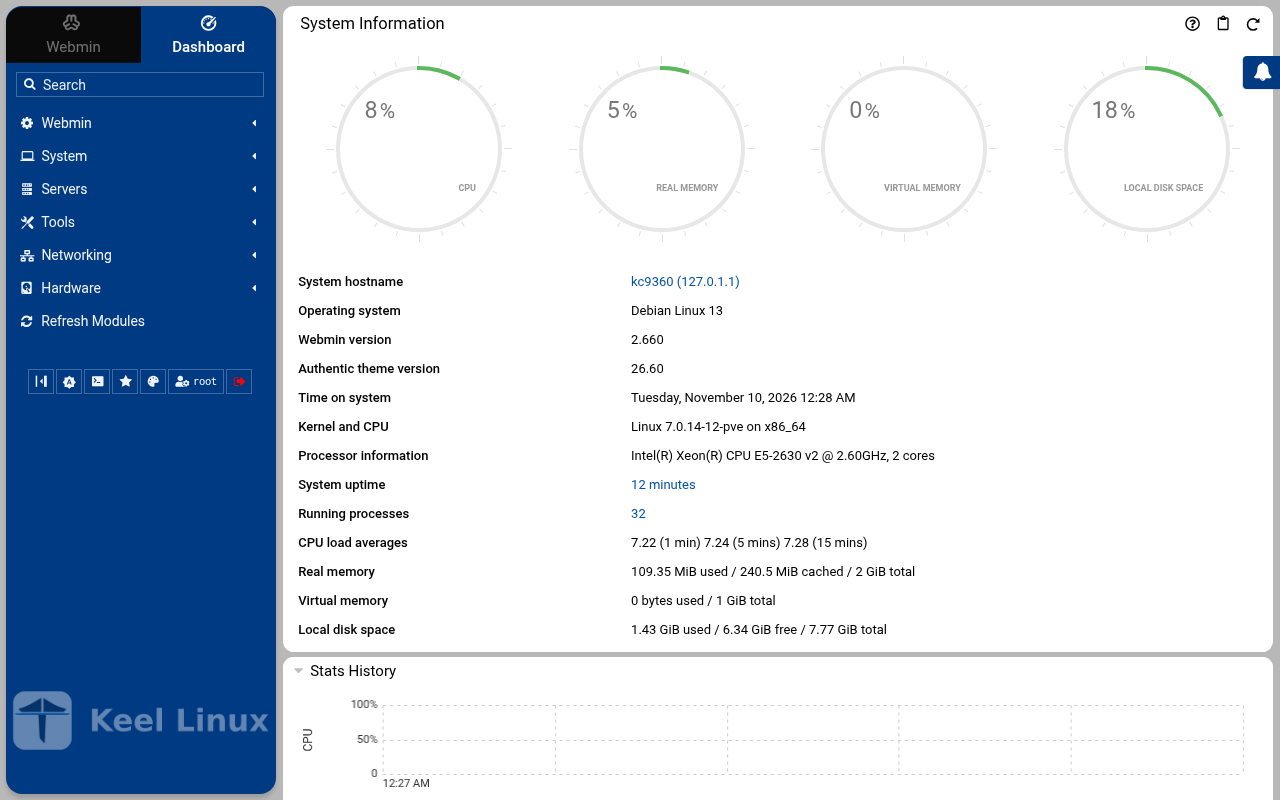
after the login: the page the login opened
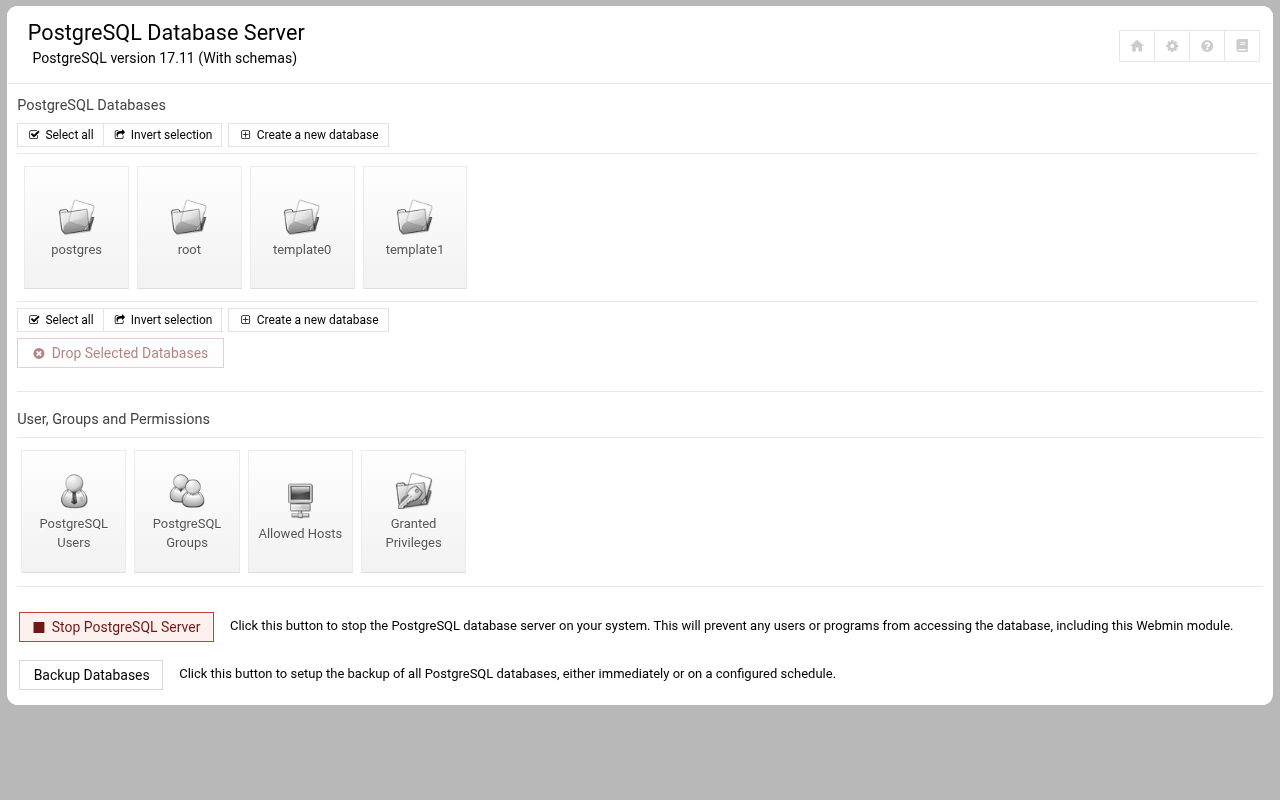
open /postgresql/
Installation modes
Each column is one machine. Each row is one screen, in the order the machine showed it, with what the operator typed or chose. A secret is named, never shown.
Simple: one node
the LXC template, answered on the console (br1)
- 1
root password
the screen, as text
Connected to tty 1
Type <Ctrl+a q> to exit the console, <Ctrl+a Ctrl+a> to enter Ctrl+a itself
press Enter within 5 s to answer first-boot questions
Keel Linux Configuration Console KC9360 appliance services                                                    < Quit >         Webmin:     https://[2804:710:d0:5:be24:11ff:fe9e:a54a]:12321SSH/SFTP:   root@2804:710:d0:5:be24:11ff:fe9e:a54a (port 22)PostgreSQL: psql --username=postgres --host=::1PostgreSQL: psql --username=postgres --host=127.0.0.1 Keel Linux Configuration Console KC9360 appliance services                                  < Quit >       Webmin:     https://[2804:710:d0:5:be24:11ff:fe9e:a54a]:12321SSH/SFTP:   root@2804:710:d0:5:be24:11ff:fe9e:a54a (port 22)PostgreSQL: psql --username=postgres --host=::1PostgreSQL: psql --username=postgres --host=127.0.0.1
Debian GNU/Linux 13 kc9360 tty1
kc9360 login: root
Password:
Keel Linux postgresql 19.0-trixie-amd64
IPv6 SSH:  root@2804:710:d0:5:be24:11ff:fe9e:a54a
Welcome to kc9360, Keel Linux 19.0 (Debian 13/Trixie)
System information for Tue Nov 10 00:16:06 2026 (UTC+0000)
System load:  7.56              Memory usage:  10.5%
Processes:    37                Swap usage:    0.0%
Usage of /:   13.1% of 7.78GB   Networking not configured
This system is not initialized yet: run keel-init to set it up.
For Advanced commandline config run:    confconsole
For more info see: https://github.com/Keel-Linux/confconsole
Linux kc9360 7.0.14-12-pve #1 SMP PREEMPT_DYNAMIC PMX 7.0.14-12 (2026-08-11T11:05Z) x86_64
=== Keel Linux - First boot configuration
Root Password
Please enter new password for the root account.
Choose how to set this password:
Generate  A strong random password (recommended)
Manual    Type my own password
<  OK  >Generate  A strong random password (recommended)Manual    Type my own password
Keel Linux - First boot configuration
Root Password
Please enter new password for the root account.
Password Requirements
- must be at least 8 characters long
- must contain characters from at least 3 of the
following categories: uppercase, lowercase, numbers,
symbols
<  OK  >x
typed:
(the root secret) - 2
root password
the screen, as text
********
Keel Linux - First boot configuration
Root Password
Confirm password
Password Requirements
- must be at least 8 characters long
- must contain characters from at least 3 of the
following categories: uppercase, lowercase, numbers,
symbols
<  OK  >x
typed:
(the root secret) - 3
db password
the screen, as text
********
Keel Linux - First boot configuration
kc9360.pop.coop
Domain name
xxx The name this machine is reached by, with its domain,    xx for example blog.example.org. It becomes the hostname,   xx the name /etc/hosts answers for this machine, and the    xx domain a TLS certificate is requested for in             xx confconsole.xxxx Leave the field empty to keep the name the machine has.  xxxx Fully qualified domain name:x
<Apply>x
>fqdn: /etc/keel/instance.yaml already declares the name, not written
=== Keel Linux - First boot configuration
PostgreSQL Password
Please enter new password for the 'postgres' account.
Choose how to set this password:
Generate  A strong random password (recommended)
Manual    Type my own password
<  OK  >Generate  A strong random password (recommended)Manual    Type my own password
Keel Linux - First boot configuration
PostgreSQL Password
Please enter new password for the 'postgres' account.
Password Requirements
- must be at least 8 characters long
- must contain characters from at least 3 of the
following categories: uppercase, lowercase, numbers,
symbols
<  OK  >x
typed:
(the db secret) - 4
db password
the screen, as text
********
Keel Linux - First boot configuration
PostgreSQL Password
Confirm password
Password Requirements
- must be at least 8 characters long
- must contain characters from at least 3 of the
following categories: uppercase, lowercase, numbers,
symbols
<  OK  >x
typed:
(the db secret) - 5
alert email
the screen, as text
********>PostgreSQL role 'postgres' has a password, set on the console (35pgsqlpass); no DB_PASS to log in with, so the catalogue is what was checked
=== Keel Linux - First boot configuration
Installation mode
How this appliance is installed (decision 0028). You choose it once.
Simple: one node. Everything is on this machine, with no mesh.
Cloud simple: two nodes, a primary and a replica on a WireGuard mesh. The data follows the primary. When the
primary stops, you promote the replica by hand.
Cloud advanced: two data nodes and a witness, three sites, etcd of three. When the primary stops, the replica
takes over by itself.
Choose the same mode on every node of the set.
Simple          one node, no mesh
Cloud simple    two nodes, failover by hand
Cloud advanced  two nodes and a witness, failover by itself
<Select>
Keel Linux - First boot configuration
Installation mode
<  ok  >x
/etc/keel/instance.yaml: installation.mode: simple$ keel spec apply --system-only --non-interactive --skip-network --defer-certificate --spec/etc/keel/instance.yamlapply --system-only: /etc/inithooks.conf not read or writteninstance.hostname: unchanged (kc9360)instance.fqdn: unchanged (/etc/hosts maps kc9360 to kc9360.pop.coop)derived.monit: write /etc/keel/monit/keel-manifest.conf: 4 unit(s) and 4 probe(s) of postgresql (mode 0600):doneoverlays.vip: unchanged (disabled: keel-vip.service)overlays.crowdsec: unchanged (disabled: crowdsec.service, crowdsec-firewall-bouncer.service)overlays.etcd: unchanged (disabled: etcd.service)apply --system-only: 1 change(s), 0 failedkeel apply: exit 0, the spec was applied>keelfirstboot role: recorded database.server.role: standalone (postgresql)
keelfirstboot cloud: Keel Cloud is not available yet: no key is asked, and this node runs standalone. It is offered once /etc/keel/cloud-endpoint names the service.
=== Keel Linux - First boot configuration
System Notifications and Critical Security Alerts
Enable local system notifications (root@localhost) to be
forwarded to your regular inbox. Notifications include
security updates and system messages.
Email:
<Enable>        < Skip >x
typed:
admin@example.org - 6
web: webmin
typed:
user root, the root secret - 7
web: webmin-after
typed:
after the login: the page the login opened - 8
web: webmin-postgresql
typed:
open /postgresql/
the ISO in a virtual machine (br1)
- 1
installer-boot
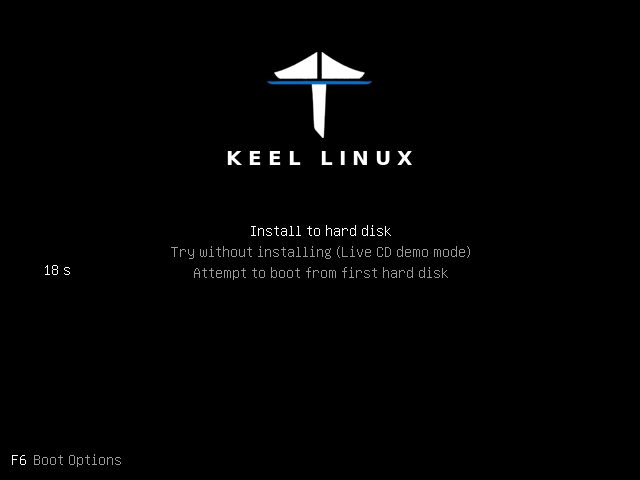
- 2
installer-boot
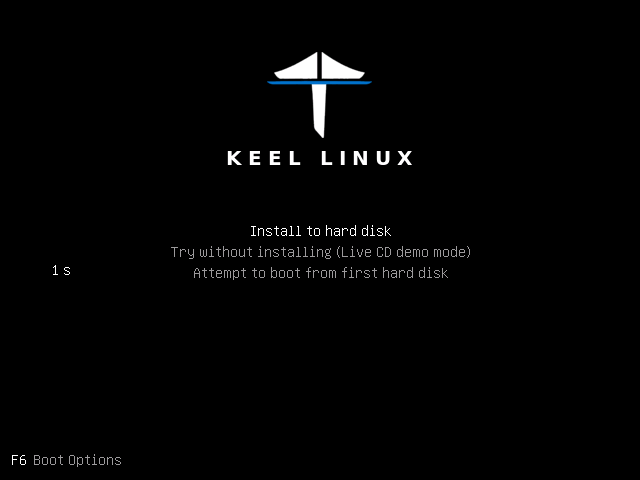
- 3
partitioning
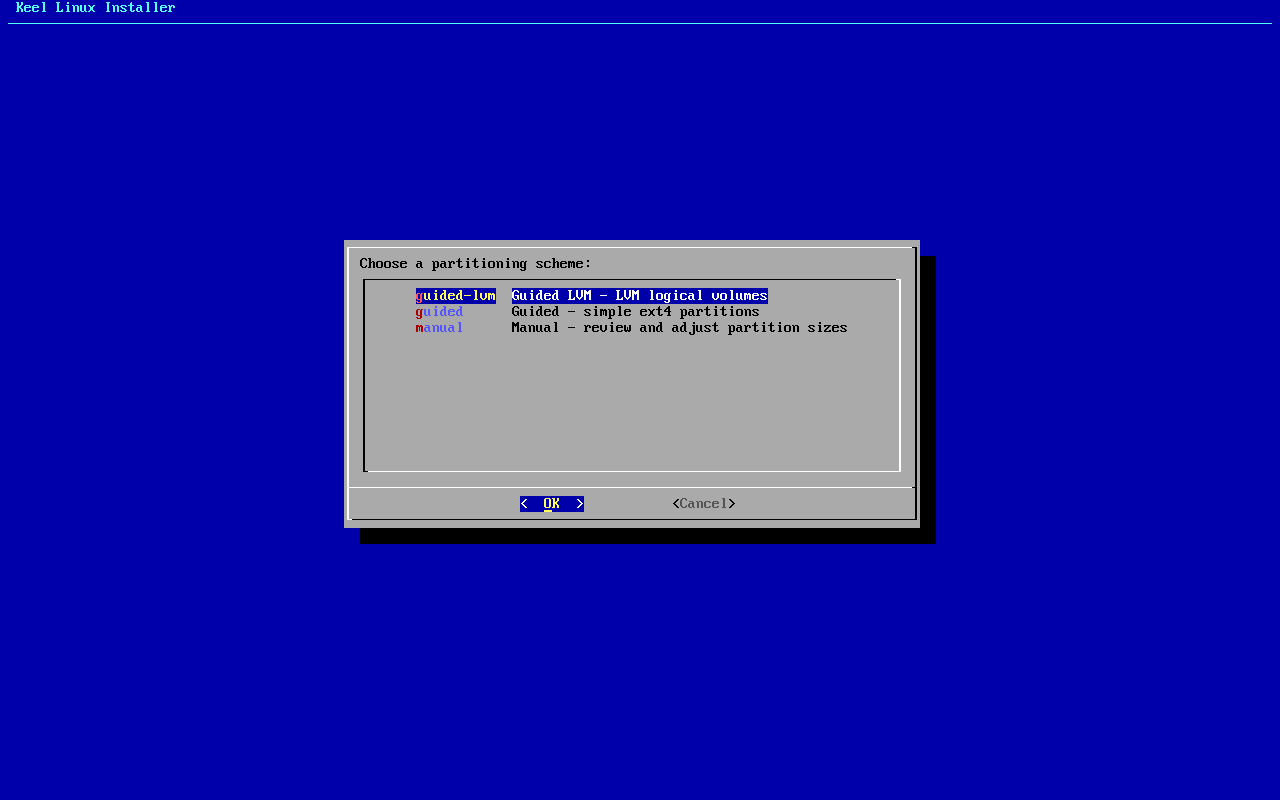
typed:
<ret> - 4
separate boot
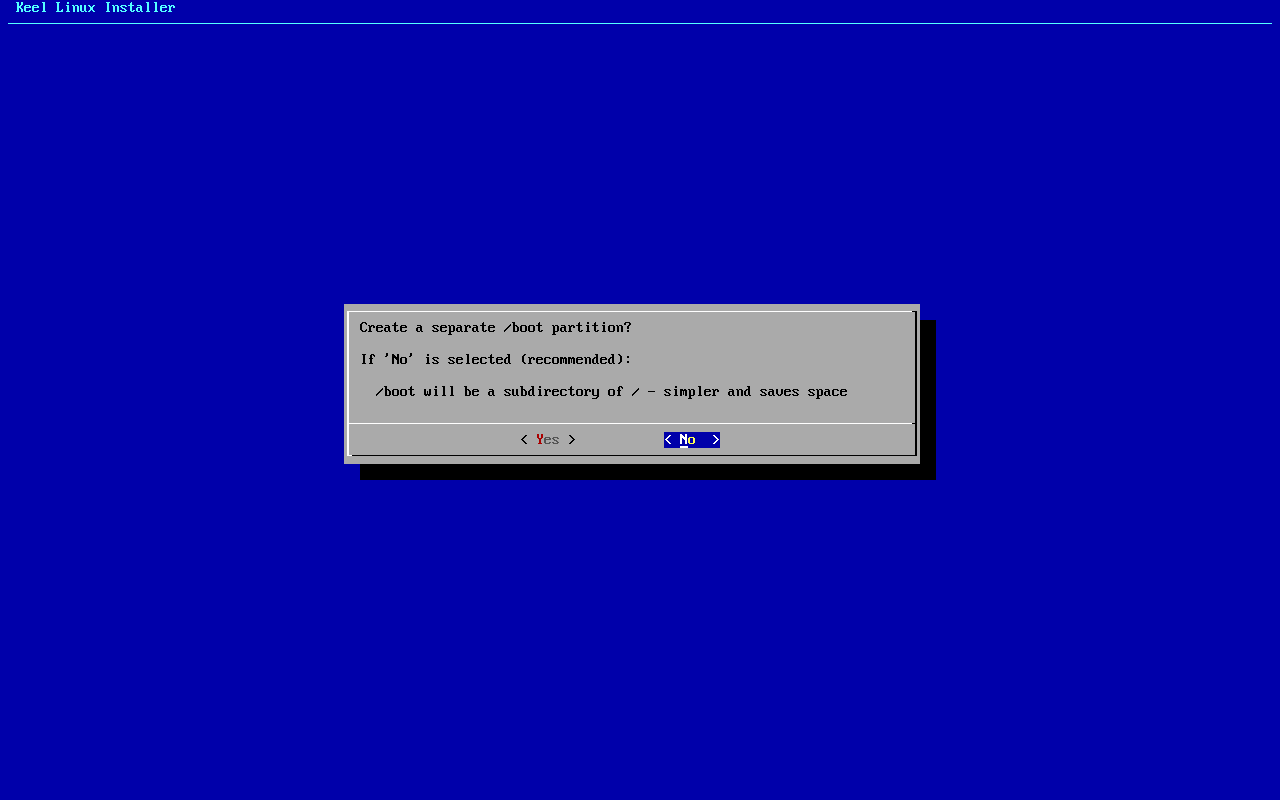
typed:
n - 5
scheme
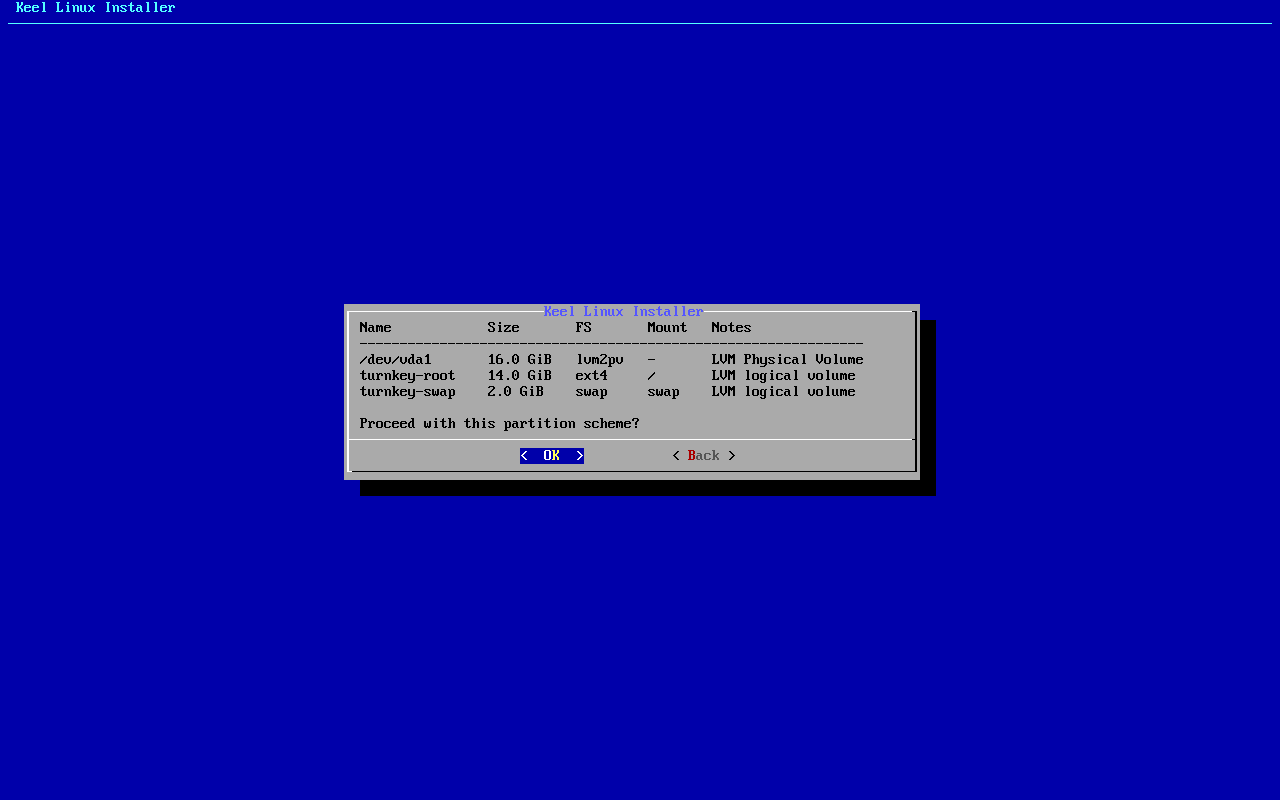
typed:
<ret> - 6
erase
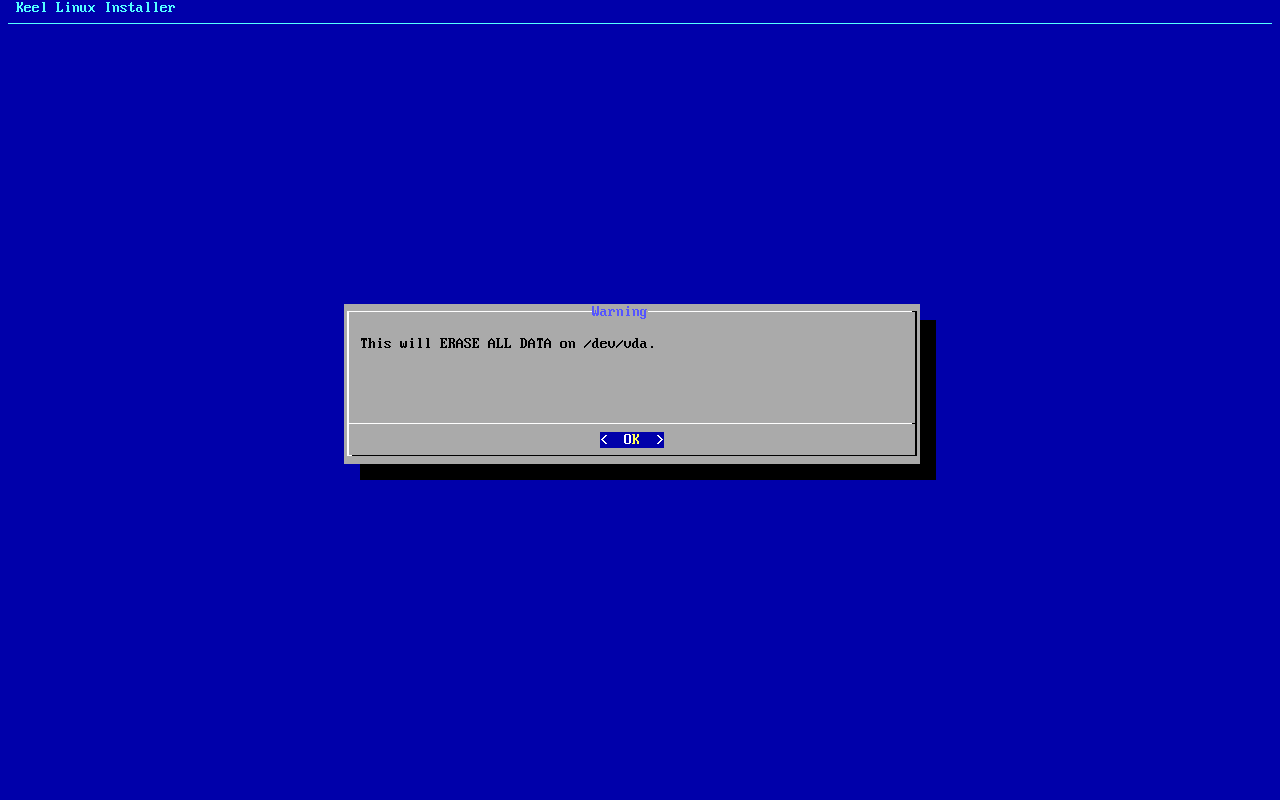
typed:
<ret> - 7
begin
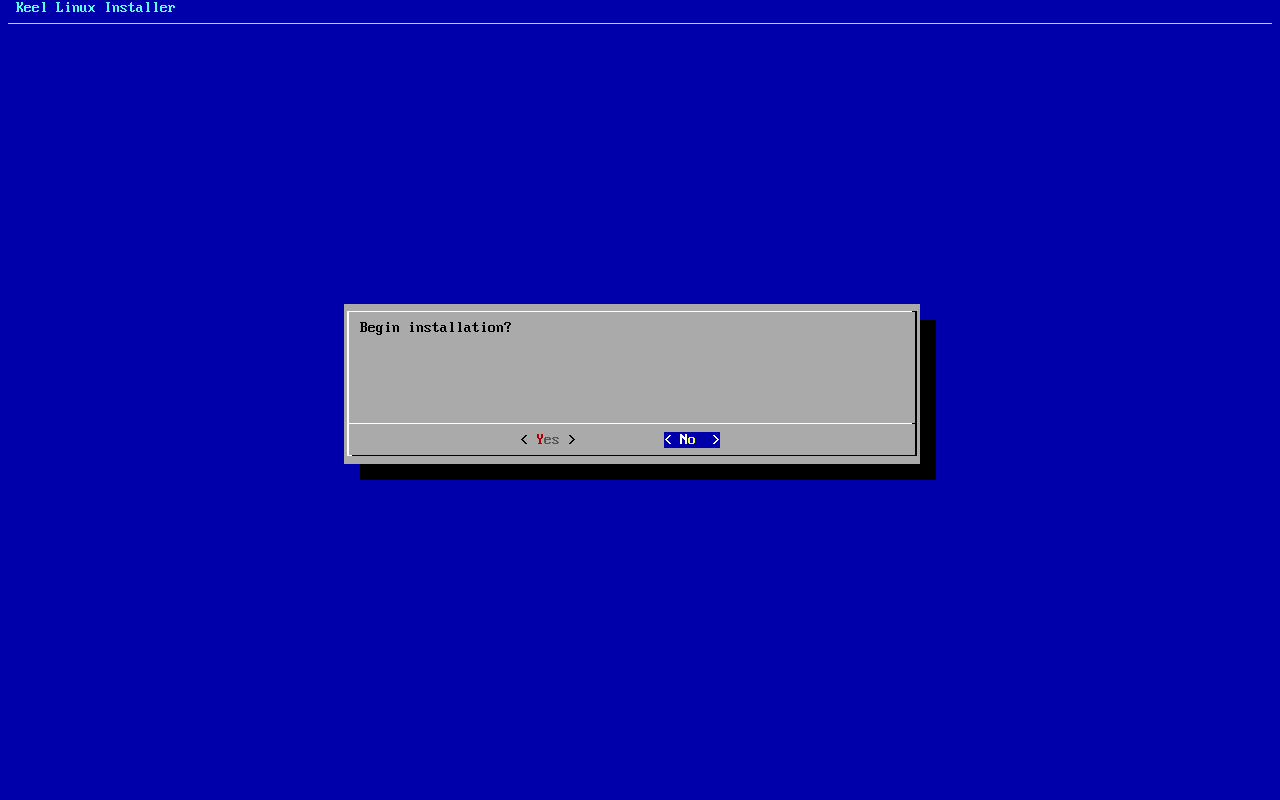
typed:
y - 8
reboot
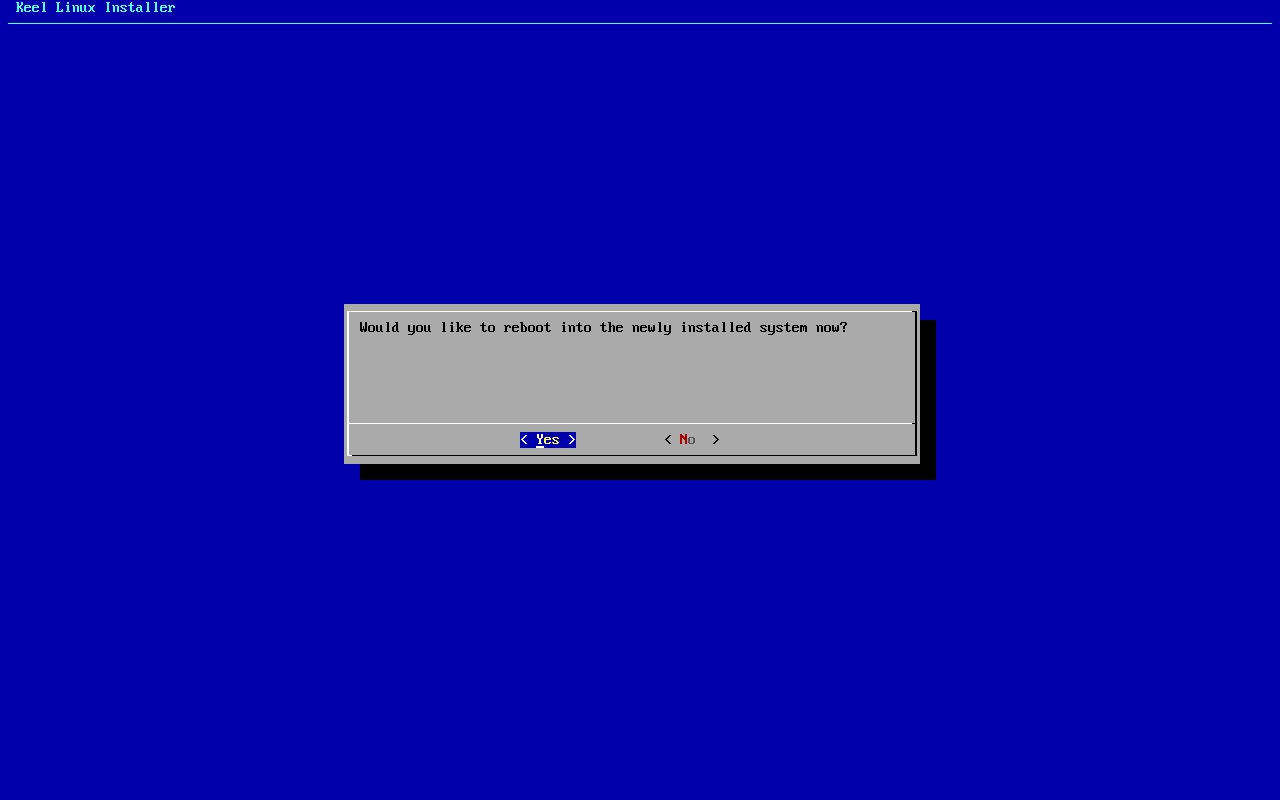
typed:
y - 9
medium
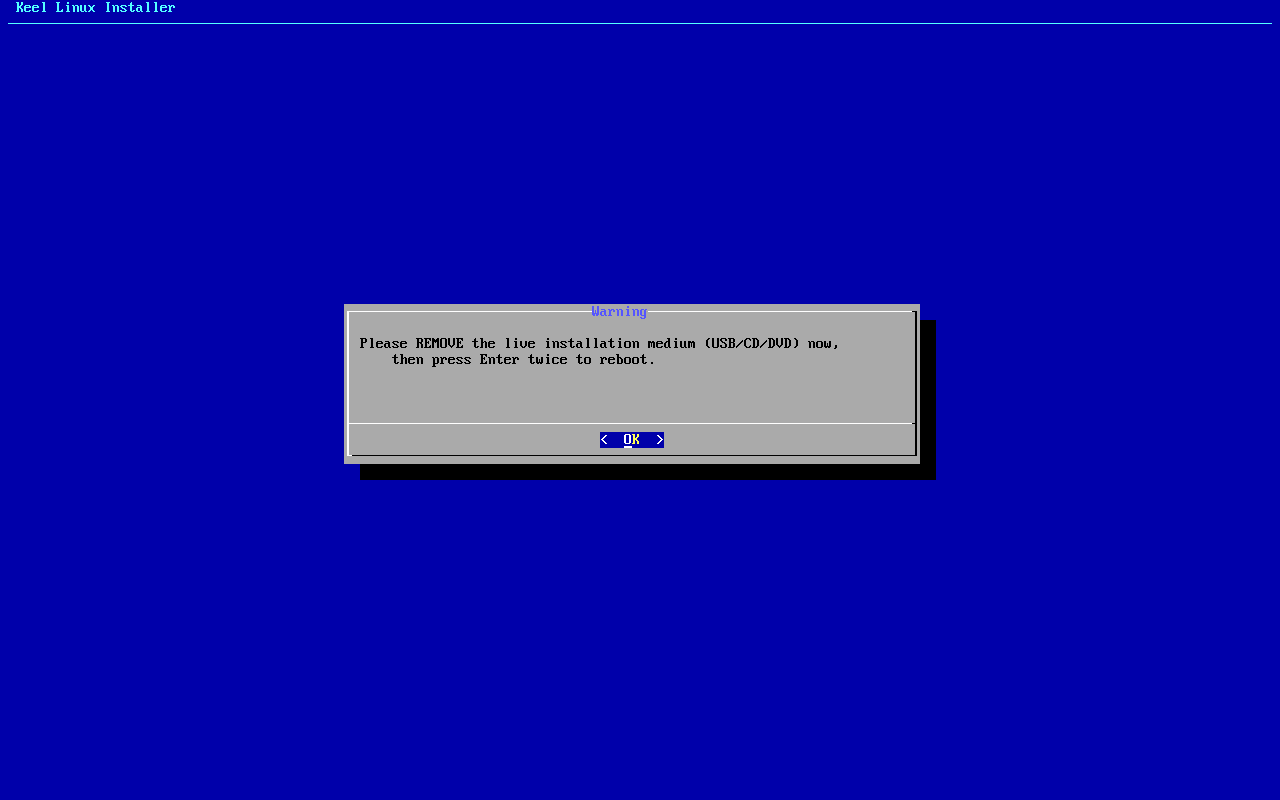
typed:
<ret><ret> - 10
root password-menu
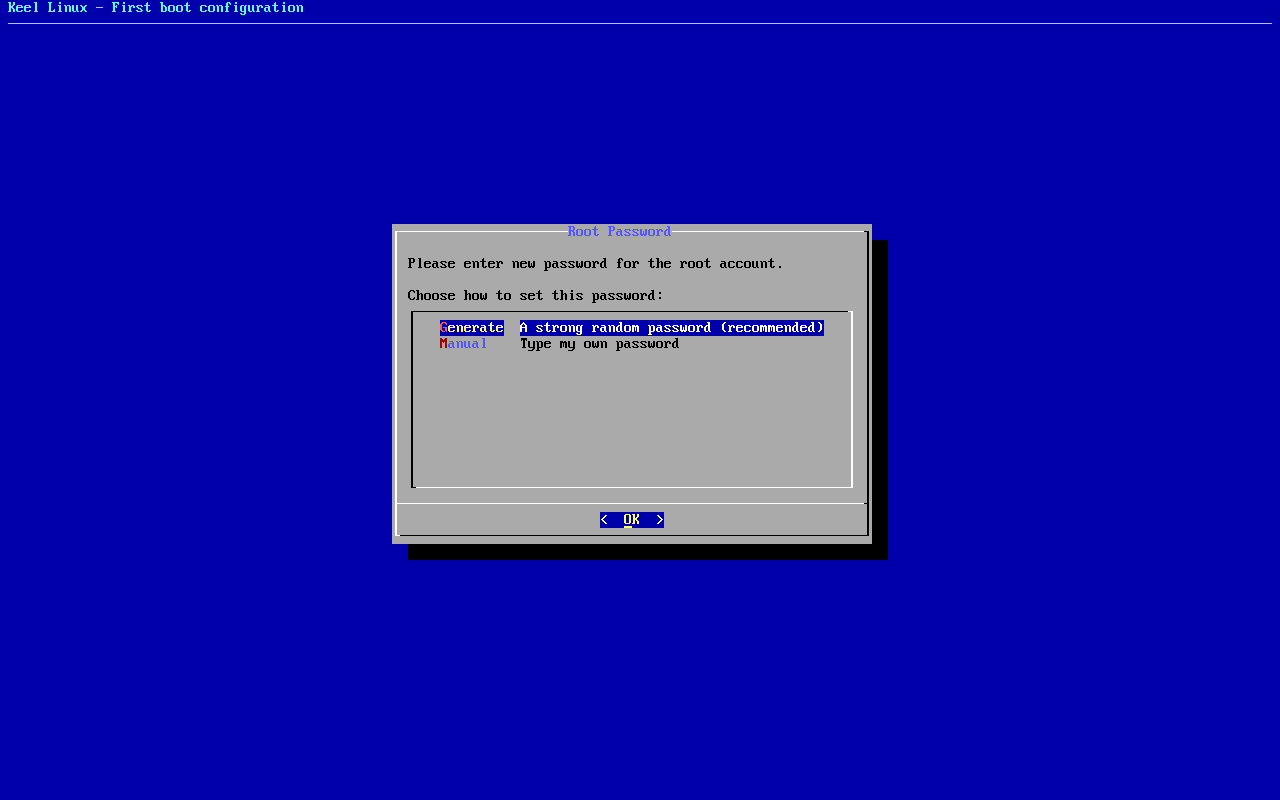
typed:
m<ret> - 11
root password
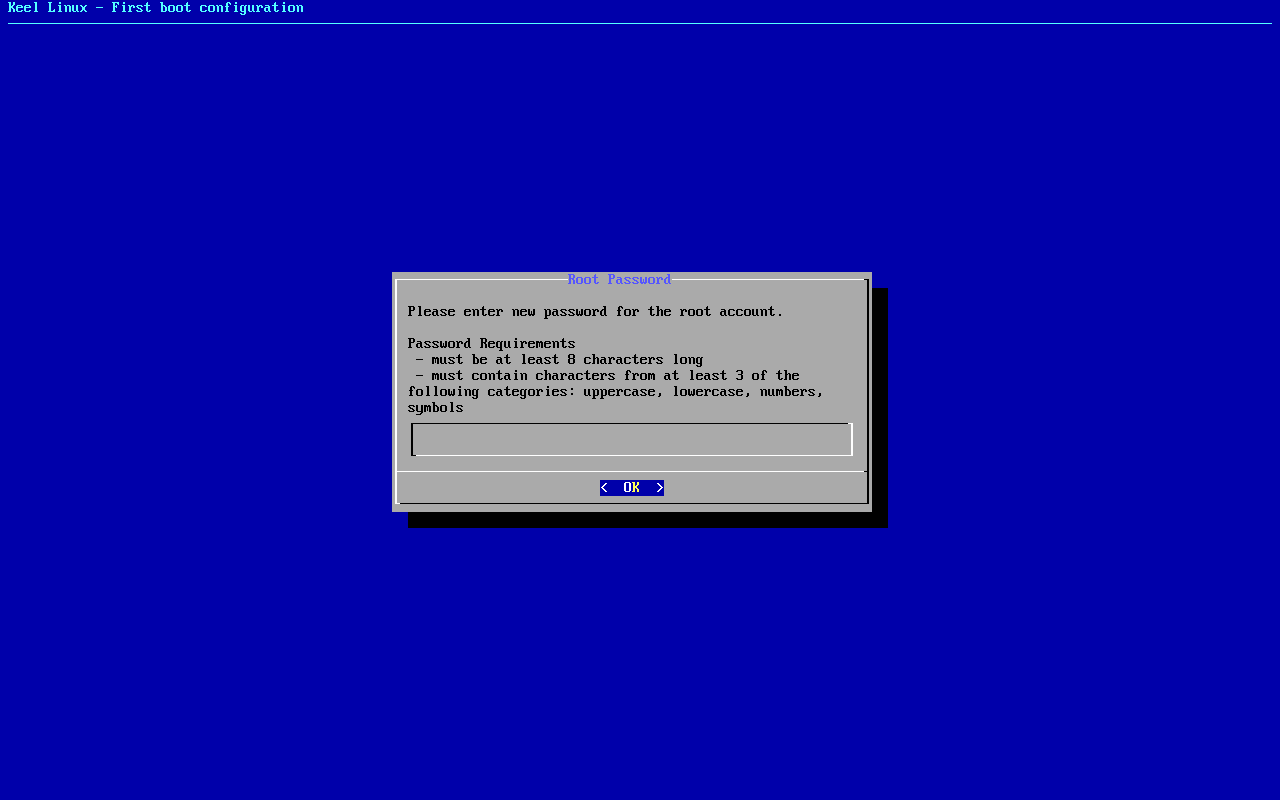
typed:
(the root secret)<ret> - 12
root password
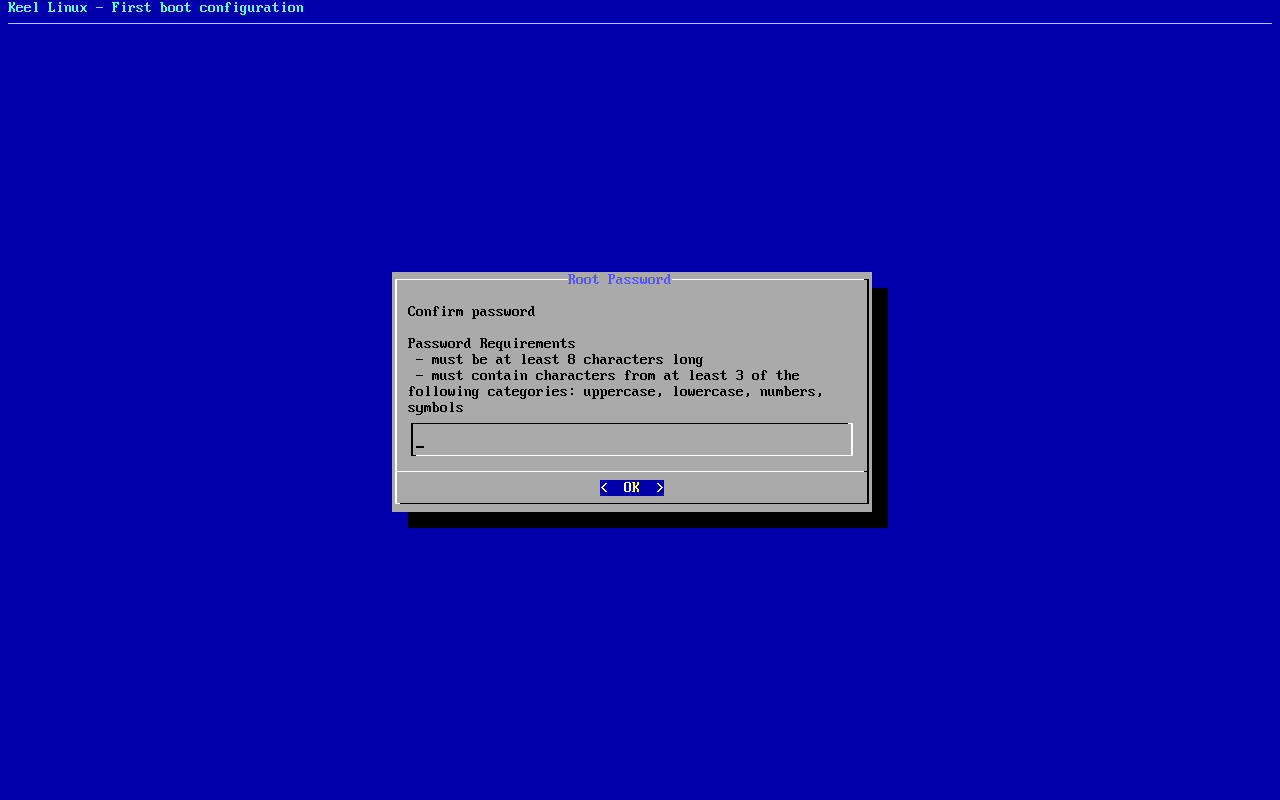
typed:
(the root secret)<ret> - 13
firstboot-screen
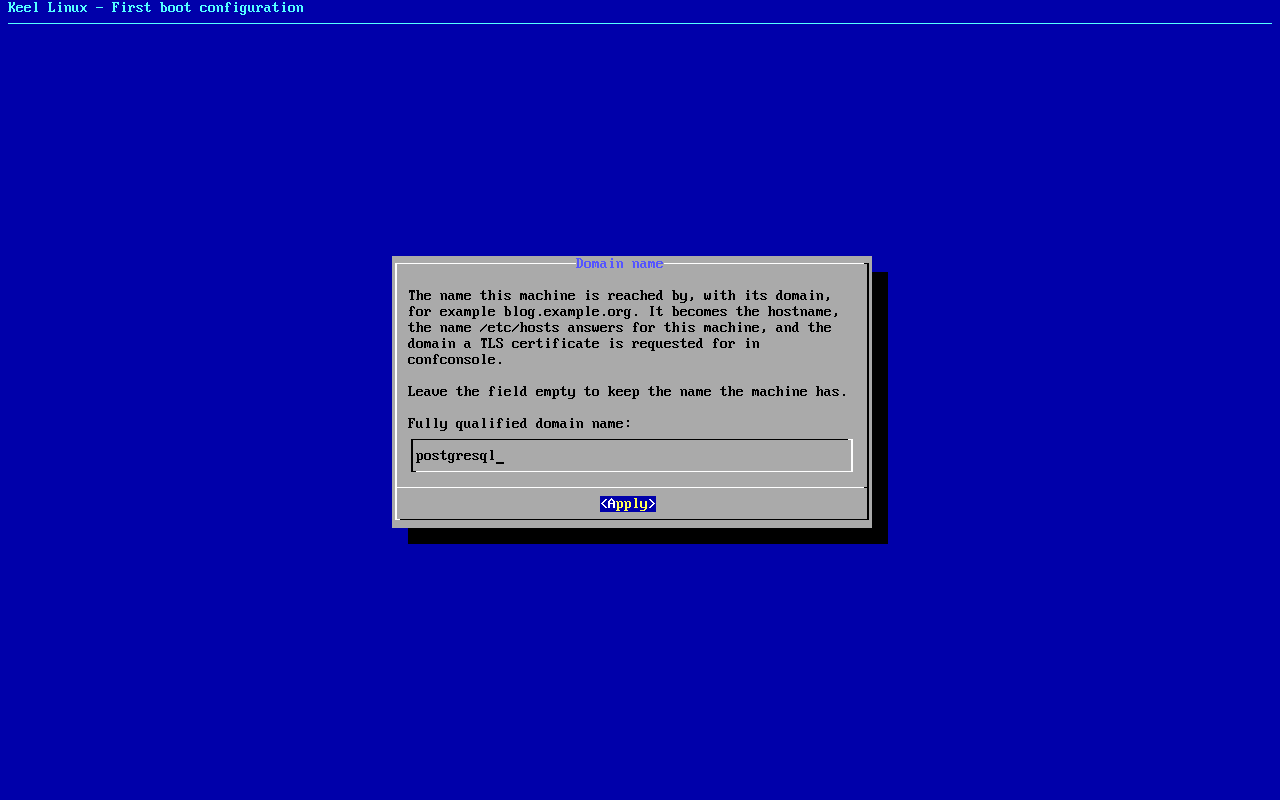
typed:
<ret> - 14
firstboot-screen
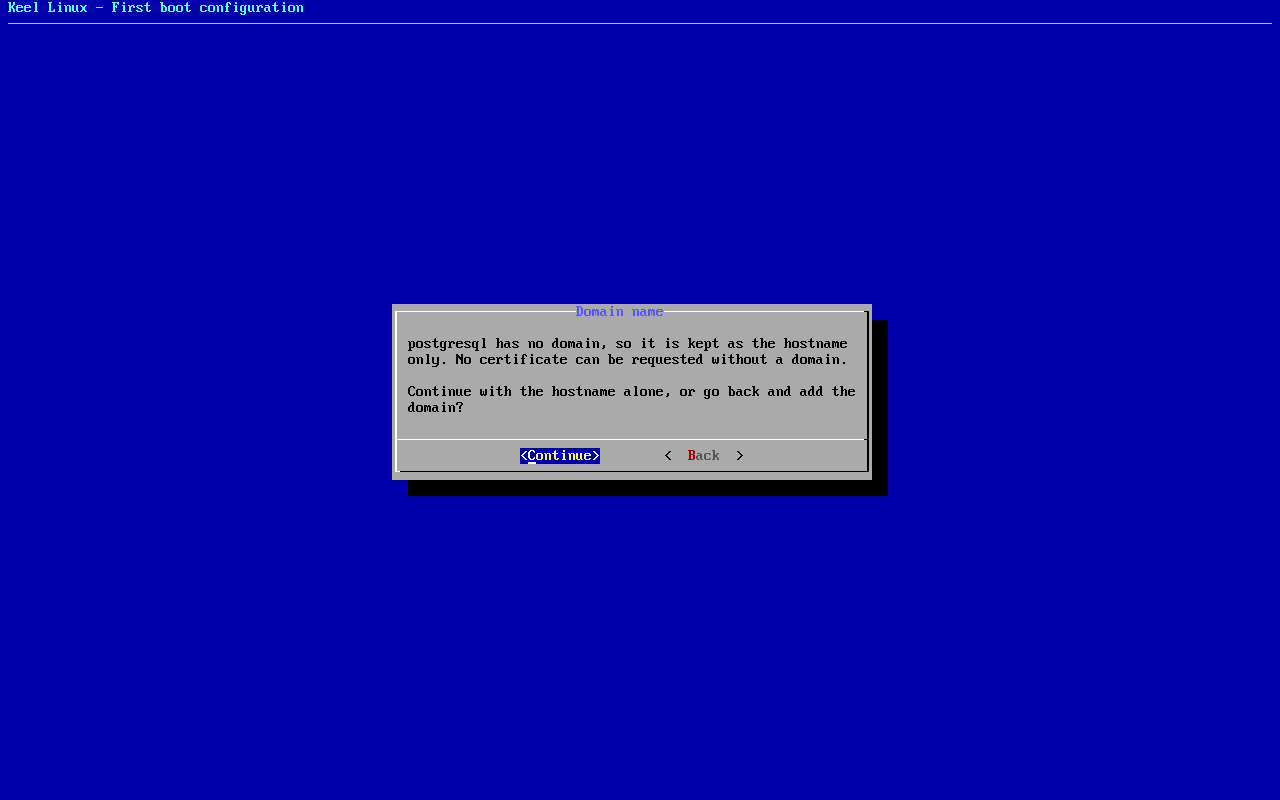
typed:
<ret> - 15
db password-menu
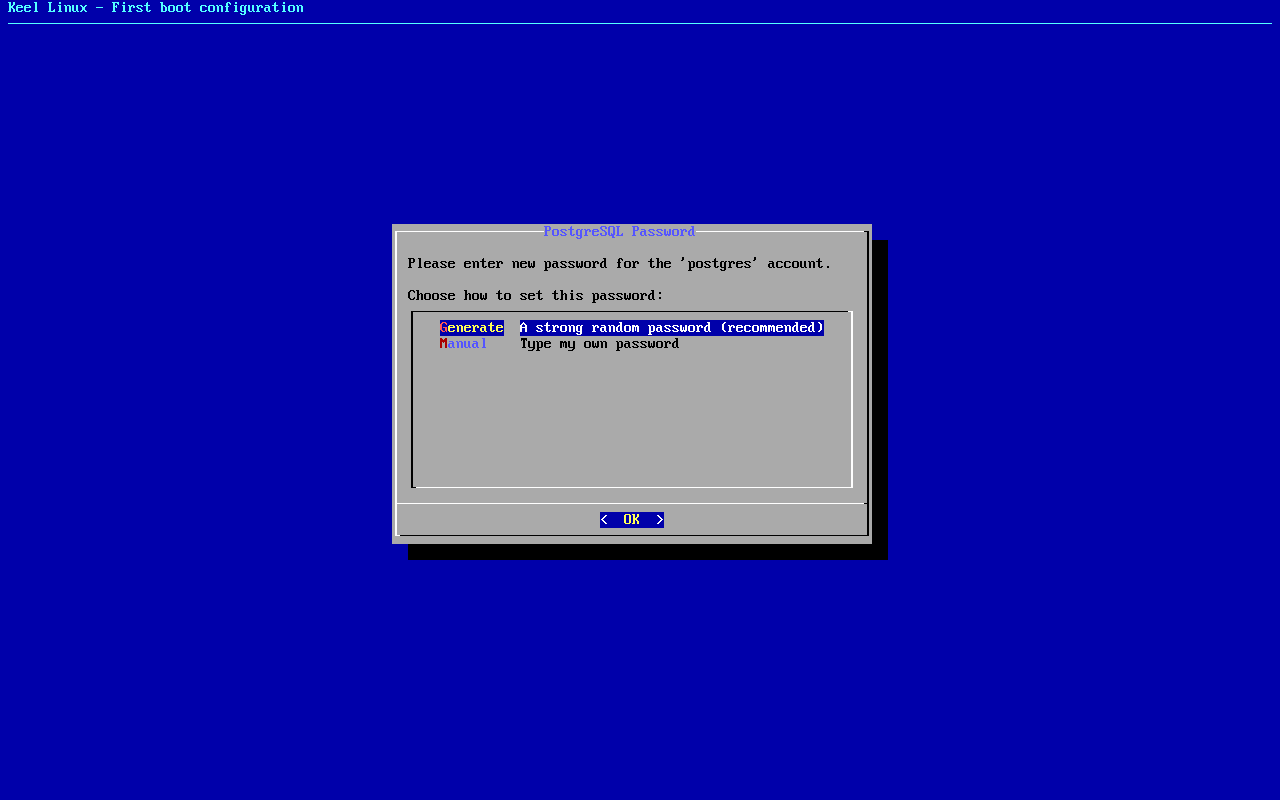
typed:
m<ret> - 16
db password
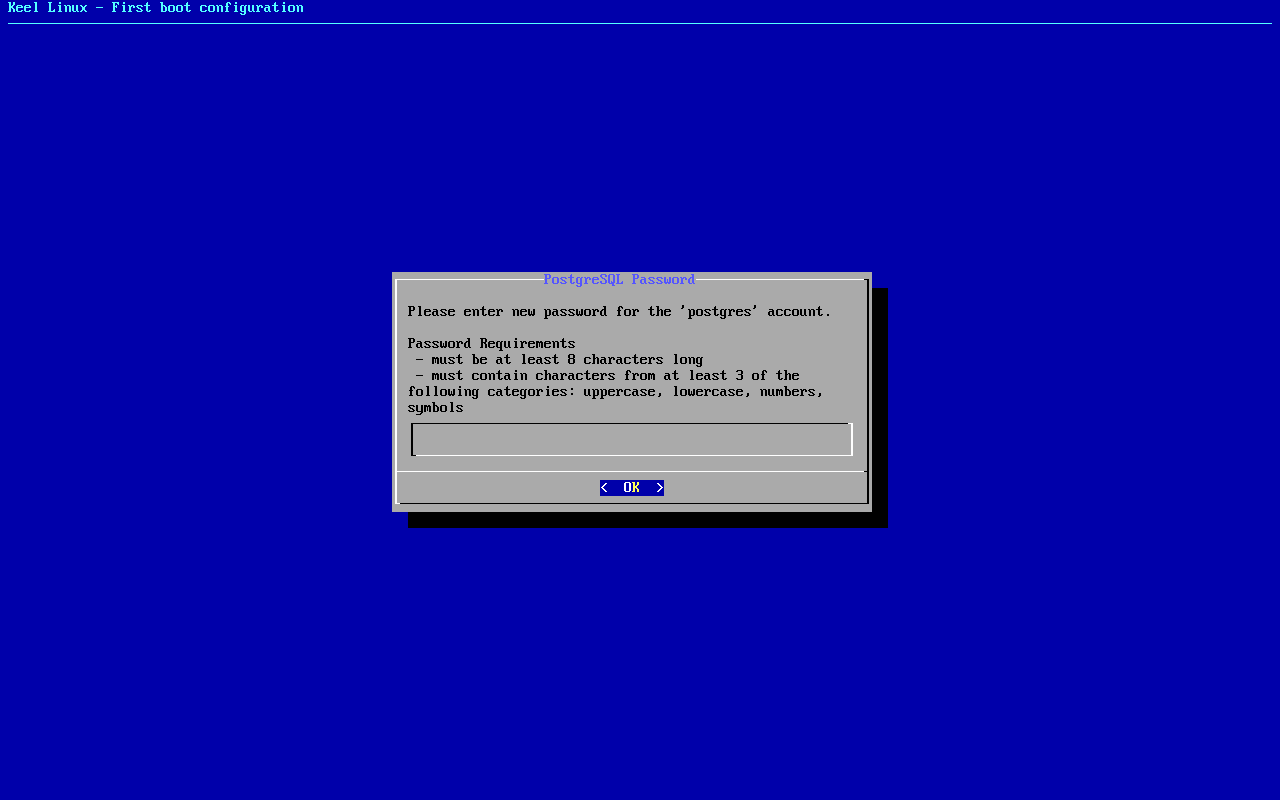
typed:
(the db secret)<ret> - 17
db password
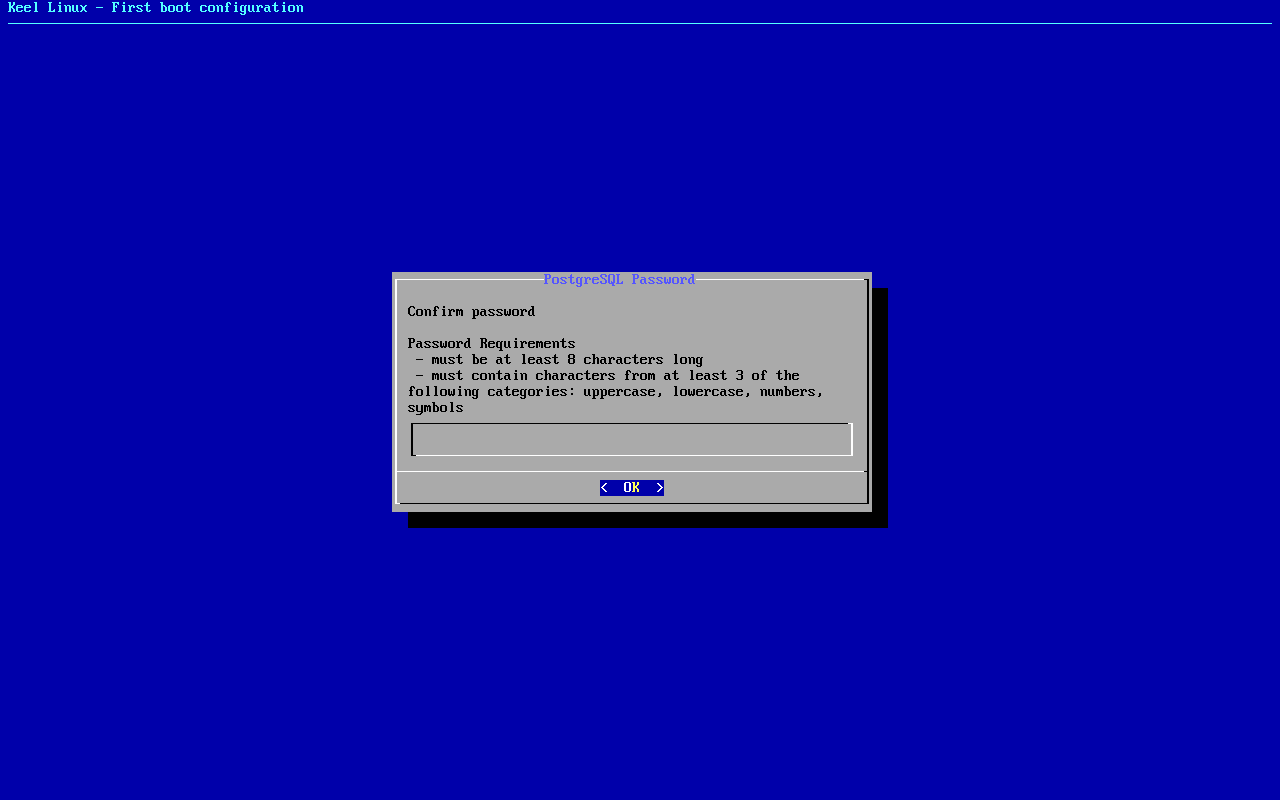
typed:
(the db secret)<ret> - 18
firstboot-screen
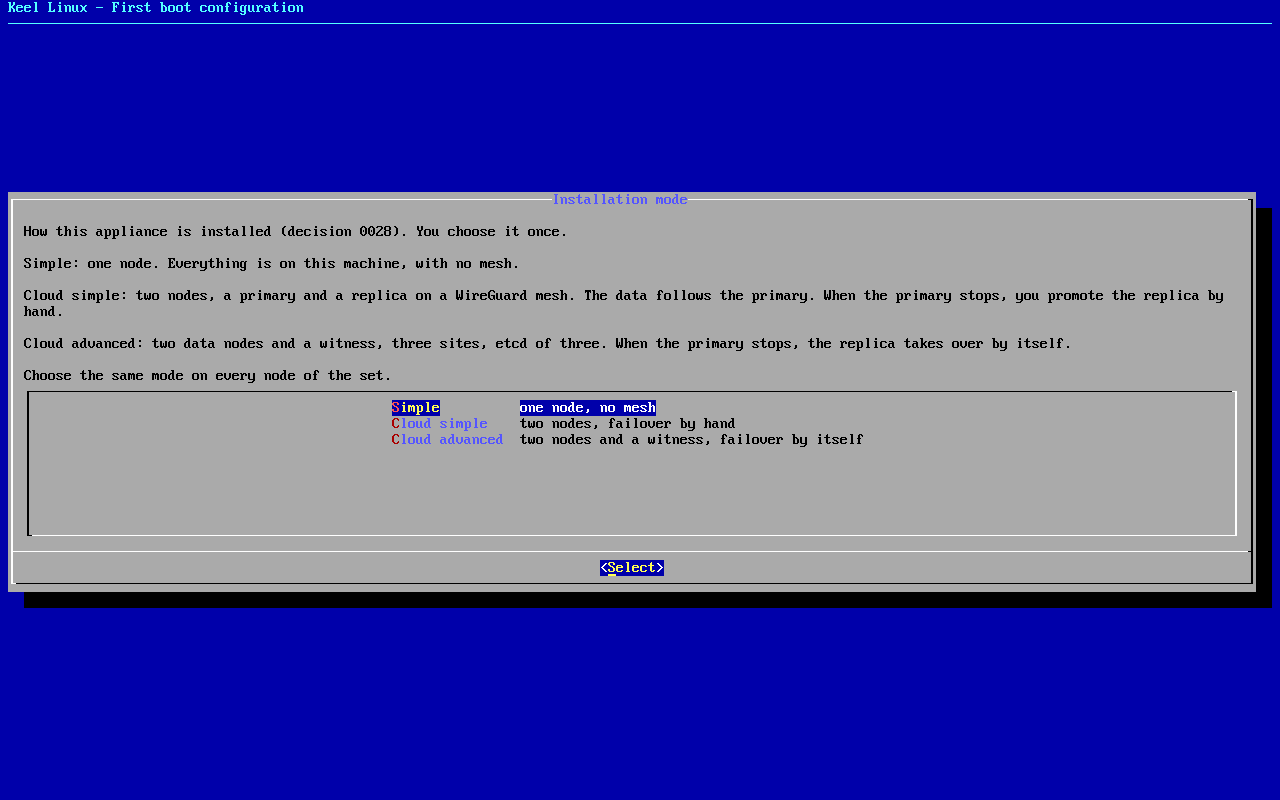
typed:
<ret> - 19
firstboot-screen
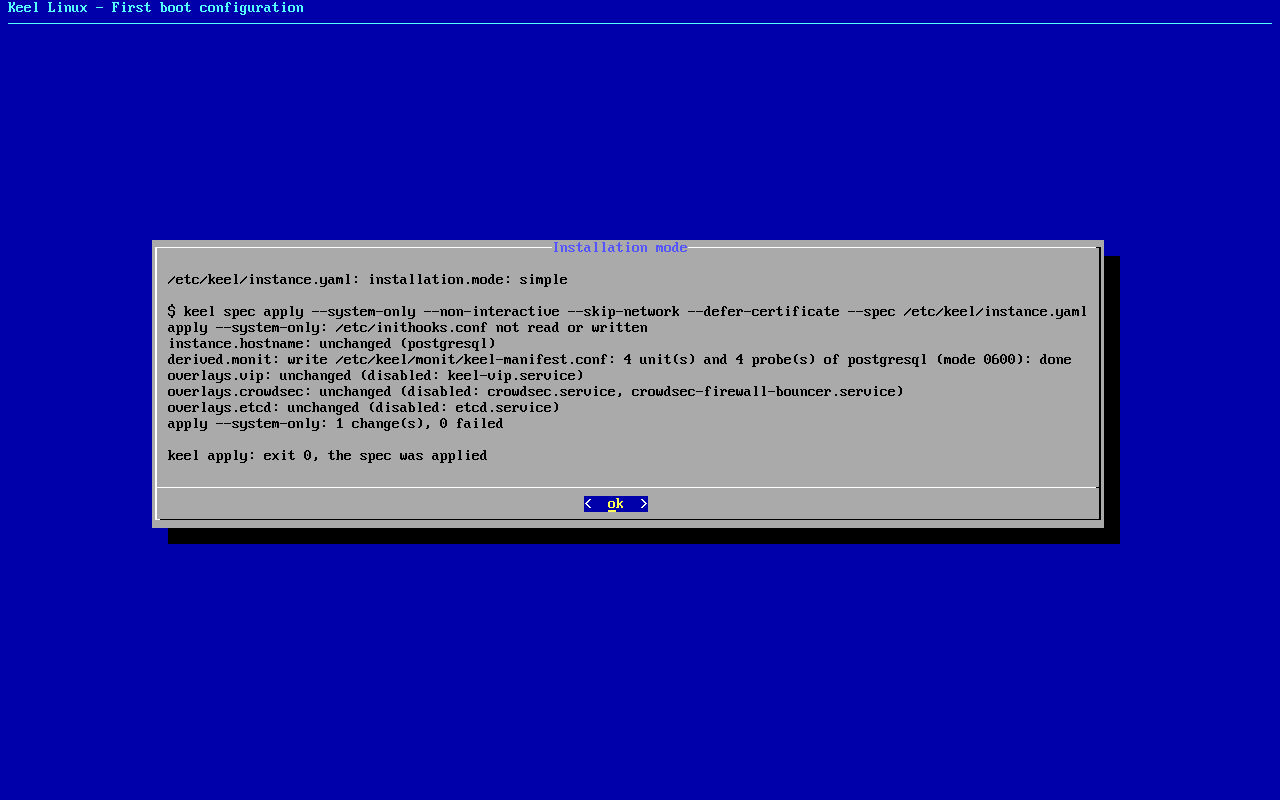
typed:
<ret> - 20
alert email
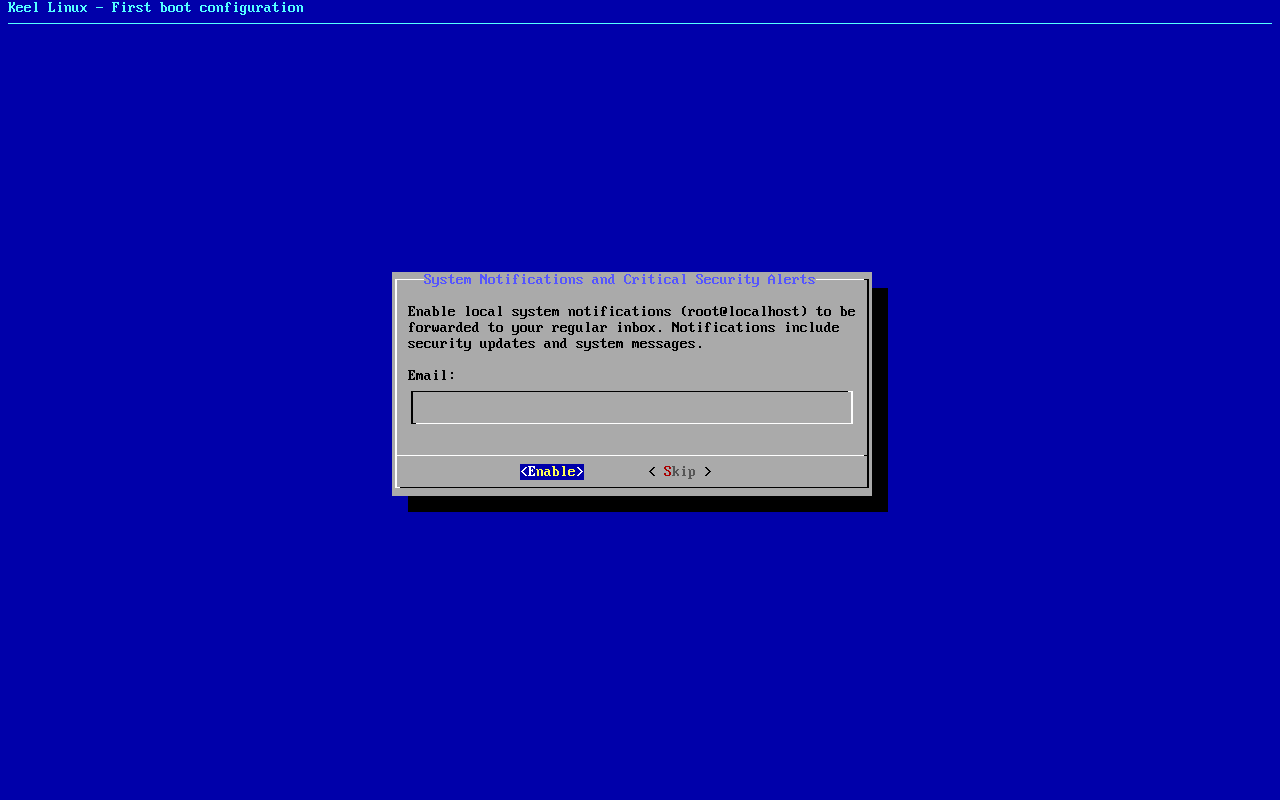
typed:
admin@example.org<ret> - 21
firstboot-screen
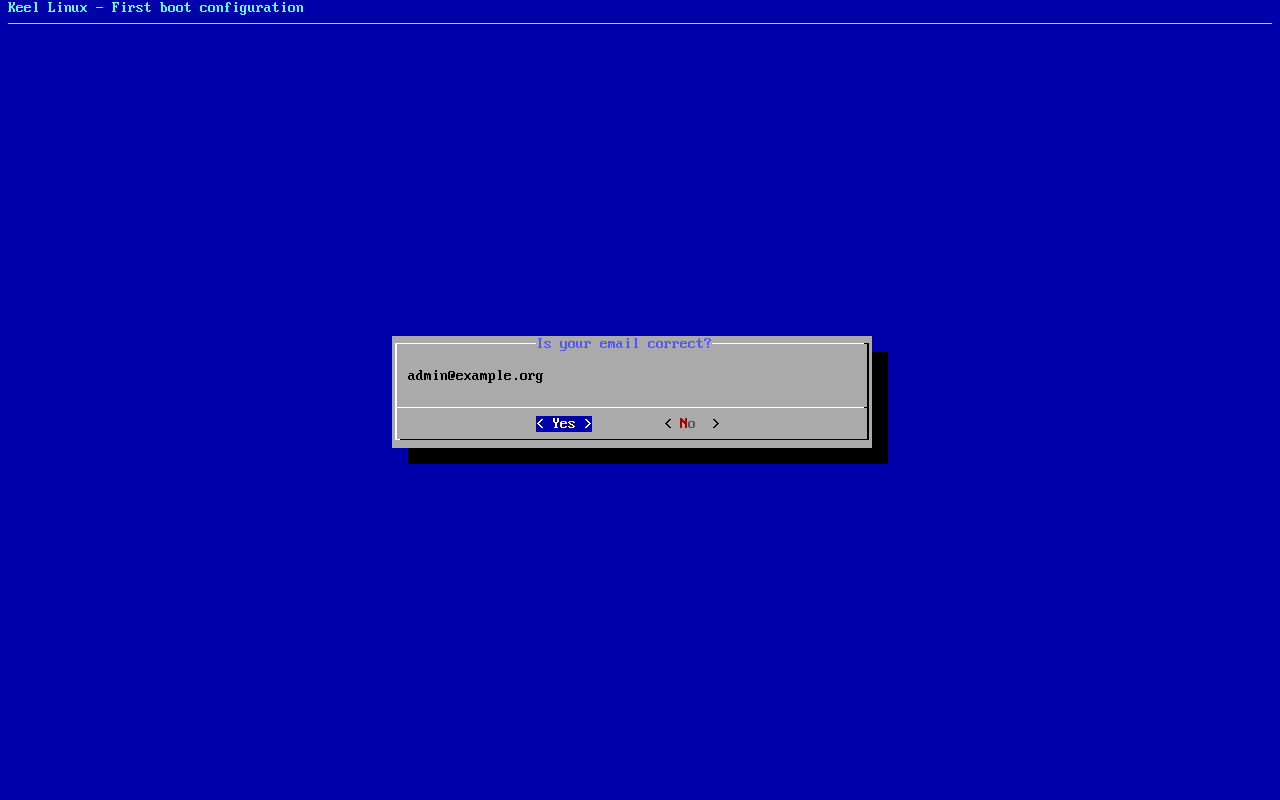
typed:
<ret> - 22
firstboot-screen
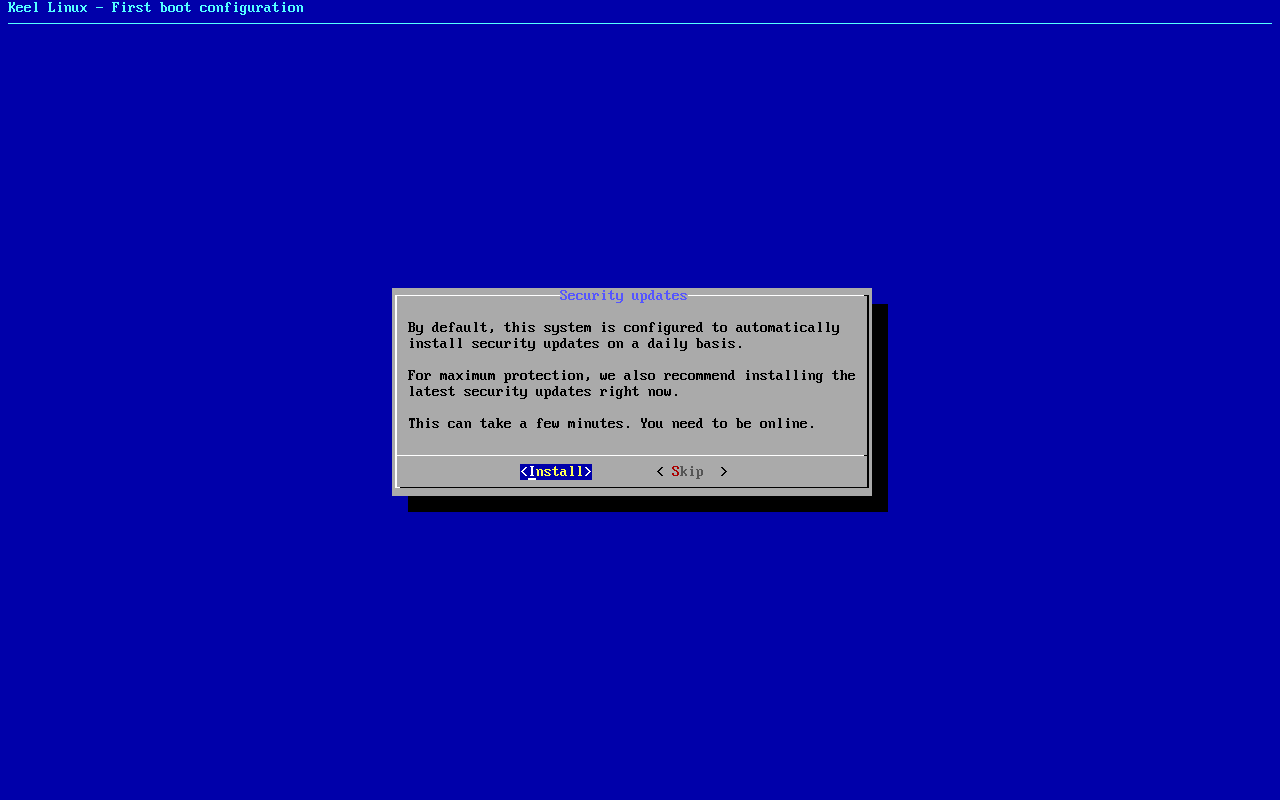
typed:
<ret> - 23
firstboot-end
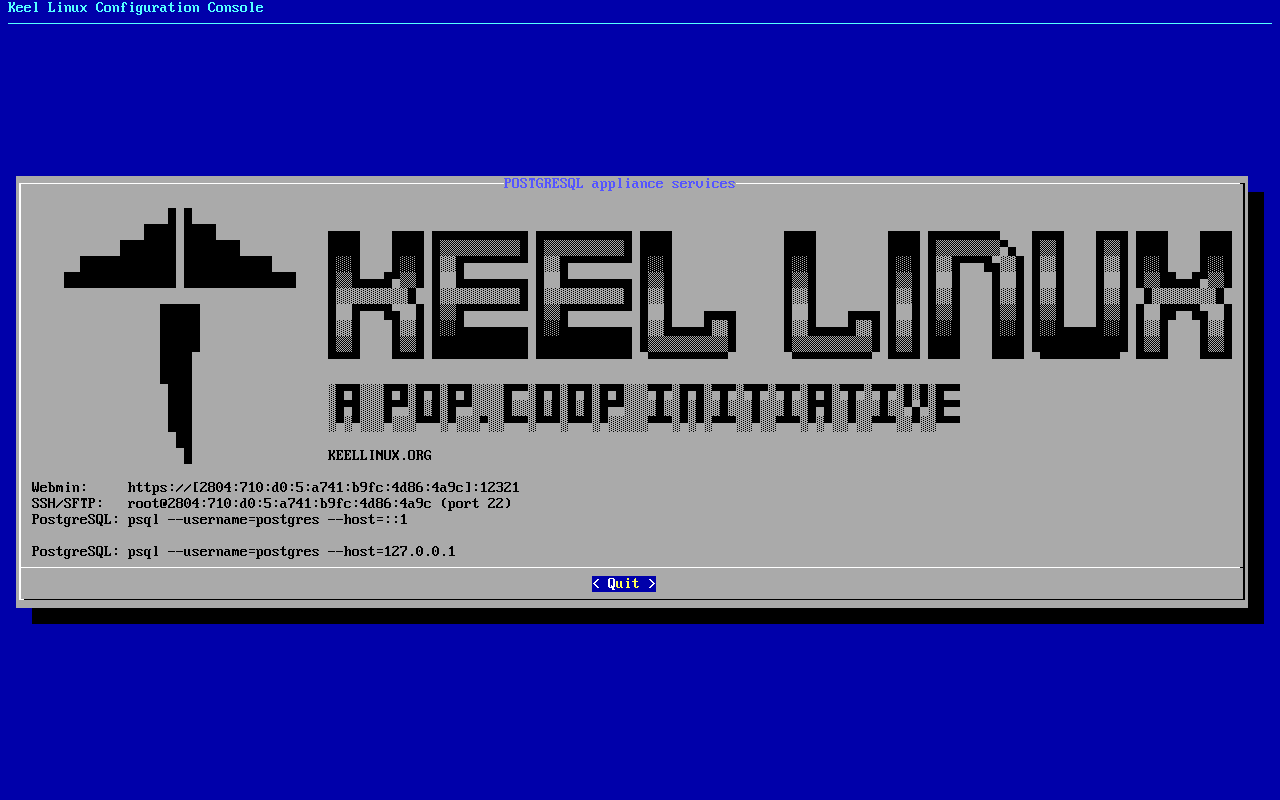
- 24
web: webmin
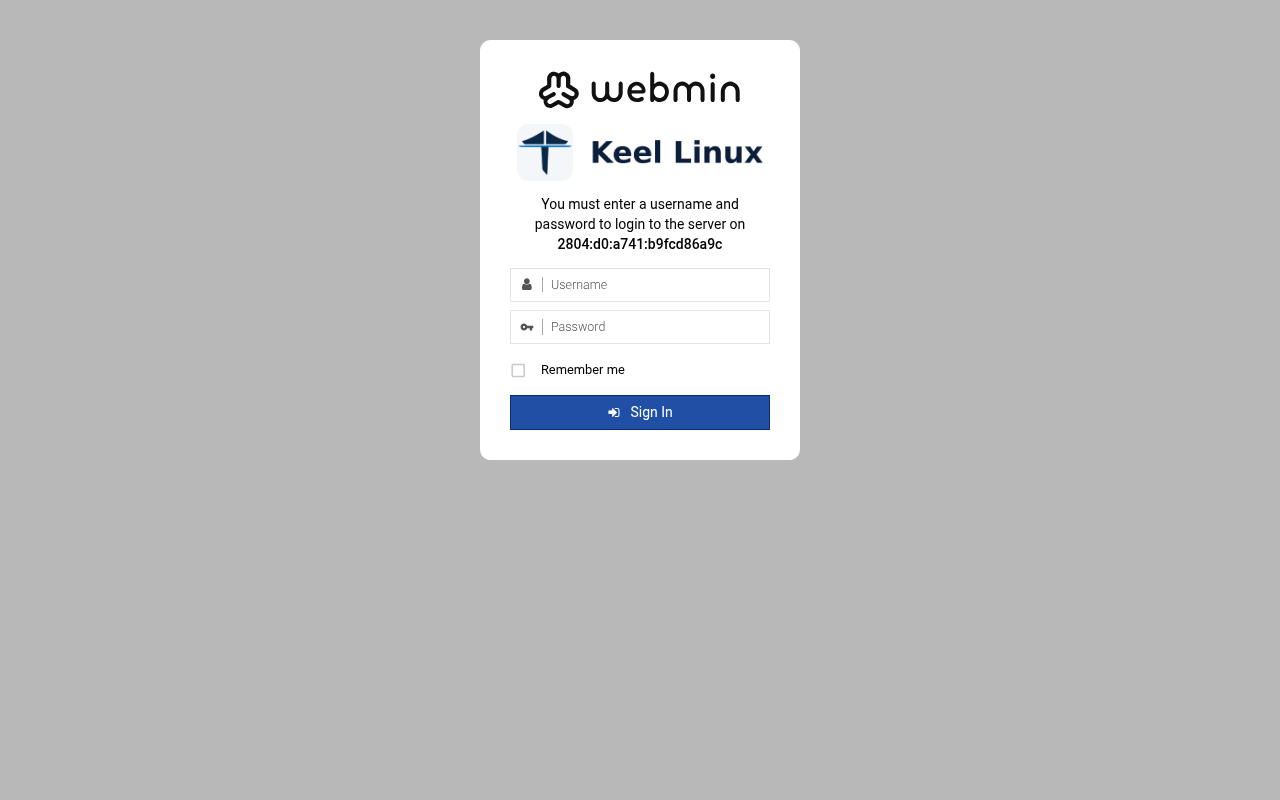
typed:
user root, the root secret - 25
web: webmin-after
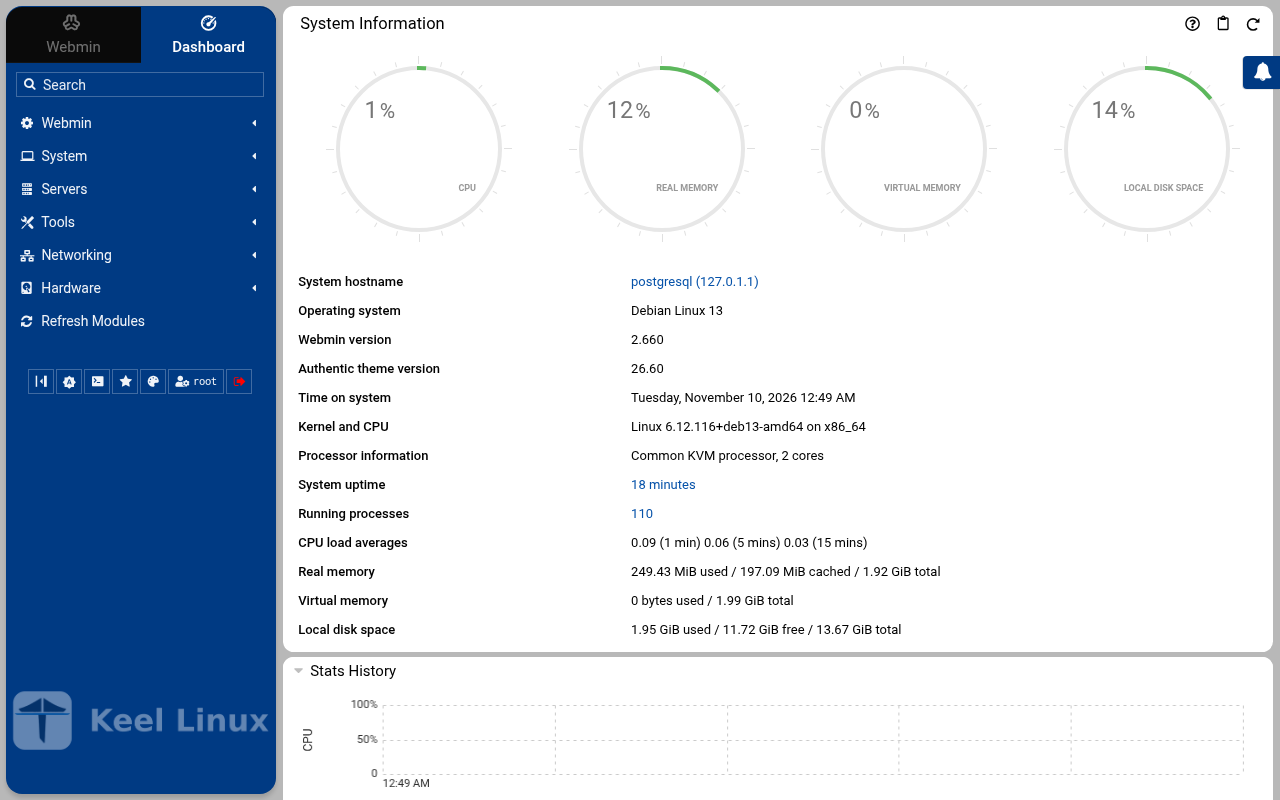
typed:
after the login: the page the login opened - 26
web: webmin-postgresql
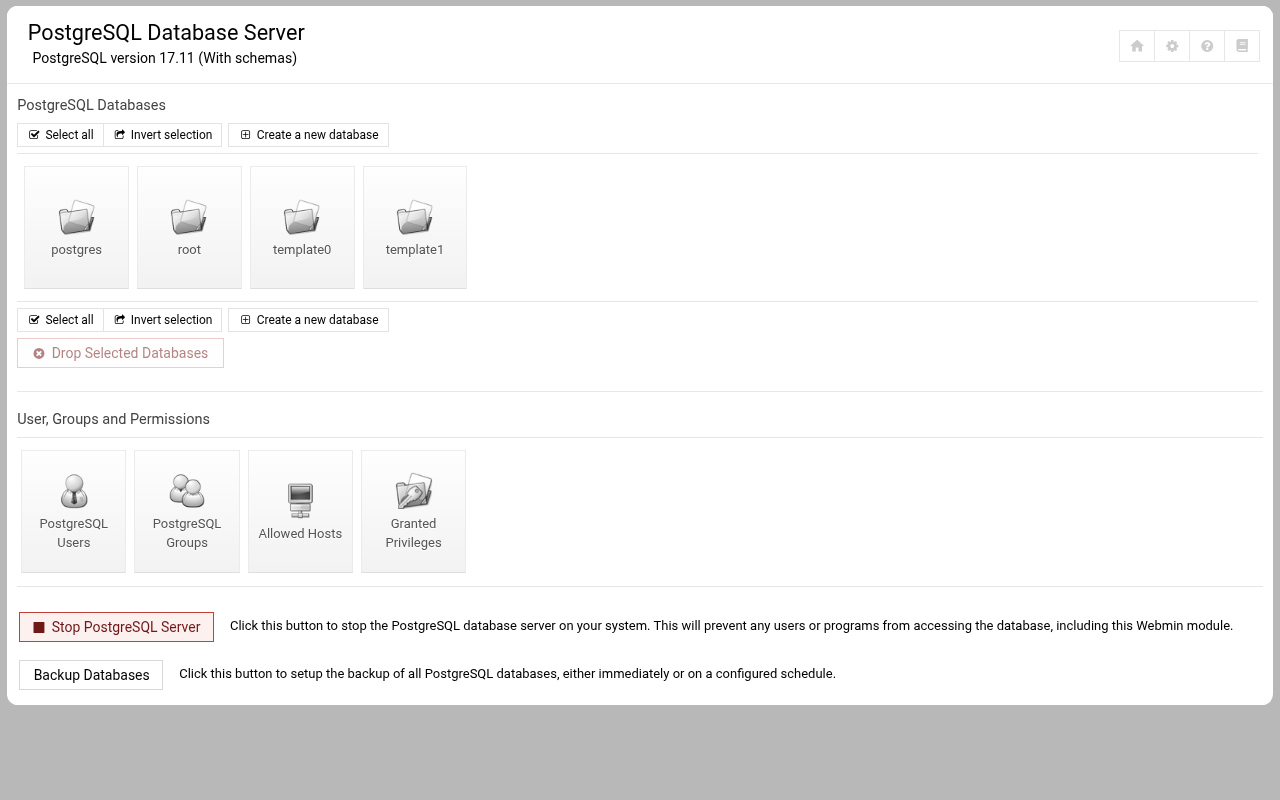
typed:
open /postgresql/
Cloud simple: two nodes, failover by hand
| Step | Primary, BR1 | Replica, BR2 |
|---|---|---|
| 1 | root password the screen, as textConnected to tty 1 Type <Ctrl+a q> to exit the console, <Ctrl+a Ctrl+a> to enter Ctrl+a itself press Enter within 5 s to answer first-boot questions Keel Linux Configuration Console KC9363 appliance services < Quit > Webmin: https://[2804:710:d0:5:be24:11ff:fe29:98a3]:12321SSH/SFTP: root@2804:710:d0:5:be24:11ff:fe29:98a3 (port 22)PostgreSQL: psql --username=postgres --host=::1PostgreSQL: psql --username=postgres --host=127.0.0.1 Keel Linux Configuration Console KC9363 appliance services < Quit > Webmin: https://[2804:710:d0:5:be24:11ff:fe29:98a3]:12321SSH/SFTP: root@2804:710:d0:5:be24:11ff:fe29:98a3 (port 22)PostgreSQL: psql --username=postgres --host=::1PostgreSQL: psql --username=postgres --host=127.0.0.1 Debian GNU/Linux 13 kc9363 tty1 kc9363 login: root Password: Keel Linux postgresql 19.0-trixie-amd64 IPv6 SSH: root@2804:710:d0:5:be24:11ff:fe29:98a3 Welcome to kc9363, Keel Linux 19.0 (Debian 13/Trixie) System information for Tue Nov 10 00:33:48 2026 (UTC+0000) System load: 8.34 Memory usage: 10.6% Processes: 37 Swap usage: 0.0% Usage of /: 13.1% of 7.78GB Networking not configured This system is not initialized yet: run keel-init to set it up. For Advanced commandline config run: confconsole For more info see: https://github.com/Keel-Linux/confconsole Linux kc9363 7.0.14-12-pve #1 SMP PREEMPT_DYNAMIC PMX 7.0.14-12 (2026-08-11T11:05Z) x86_64 === Keel Linux - First boot configuration Root Password Please enter new password for the root account. Choose how to set this password: Generate A strong random password (recommended) Manual Type my own password < OK >Generate A strong random password (recommended)Manual Type my own password Keel Linux - First boot configuration Root Password Please enter new password for the root account. Password Requirements - must be at least 8 characters long - must contain characters from at least 3 of the following categories: uppercase, lowercase, numbers, symbols < OK >x typed: | root password the screen, as textConnected to tty 1 Type <Ctrl+a q> to exit the console, <Ctrl+a Ctrl+a> to enter Ctrl+a itself press Enter within 5 s to answer first-boot questions Keel Linux Configuration Console KC9364 appliance services < Quit > Webmin: https://[fd00:218:88:0:bc82:9310:f77c:d8a2]:12321SSH/SFTP: root@fd00:218:88:0:bc82:9310:f77c:d8a2 (port 22)PostgreSQL: psql --username=postgres --host=::1Webmin: https://10.218.88.73:12321SSH/SFTP: root@10.218.88.73 (port 22)PostgreSQL: psql --username=postgres --host=127.0.0.1 Keel Linux Configuration Console KC9364 appliance services < Quit > Webmin: https://[fd00:218:88:0:bc82:9310:f77c:d8a2]:12321SSH/SFTP: root@fd00:218:88:0:bc82:9310:f77c:d8a2 (port 22)PostgreSQL: psql --username=postgres --host=::1Webmin: https://10.218.88.73:12321SSH/SFTP: root@10.218.88.73 (port 22)PostgreSQL: psql --username=postgres --host=127.0.0.1 Debian GNU/Linux 13 kc9364 tty1 kc9364 login: root Password: Keel Linux postgresql 19.0-trixie-amd64 IPv6 SSH: root@2804:7f0:9880:6c3:e4e5:c835:5f94:9f27 IPv4 SSH: root@10.218.88.73 Welcome to kc9364, Keel Linux 19.0 (Debian 13/Trixie) System information for Tue Nov 10 00:37:01 2026 (UTC+0000) System load: 15.45 Memory usage: 7.7% Processes: 40 Swap usage: 0.0% Usage of /: 9.3% of 8.00GB IP address for eth0: 10.218.88.73 This system is not initialized yet: run keel-init to set it up. For Advanced commandline config run: confconsole For more info see: https://github.com/Keel-Linux/confconsole Linux kc9364 7.0.14-19-pve #1 SMP PREEMPT_DYNAMIC PMX 7.0.14-19 (2026-09-18T07:31Z) x86_64 === Keel Linux - First boot configuration Root Password Please enter new password for the root account. Choose how to set this password: Generate A strong random password (recommended) Manual Type my own password < OK >Generate A strong random password (recommended)Manual Type my own password Keel Linux - First boot configuration Root Password Please enter new password for the root account. Password Requirements - must be at least 8 characters long - must contain characters from at least 3 of the following categories: uppercase, lowercase, numbers, symbols < OK >x typed: |
| 2 | root password the screen, as text******** Keel Linux - First boot configuration Root Password Confirm password Password Requirements - must be at least 8 characters long - must contain characters from at least 3 of the following categories: uppercase, lowercase, numbers, symbols < OK >x typed: | root password the screen, as text******** Keel Linux - First boot configuration Root Password Confirm password Password Requirements - must be at least 8 characters long - must contain characters from at least 3 of the following categories: uppercase, lowercase, numbers, symbols < OK >x typed: |
| 3 | db password the screen, as text******** Keel Linux - First boot configuration kc9363.pop.coop Domain name xxx The name this machine is reached by, with its domain, xx for example blog.example.org. It becomes the hostname, xx the name /etc/hosts answers for this machine, and the xx domain a TLS certificate is requested for in xx confconsole.xxxx Leave the field empty to keep the name the machine has. xxxx Fully qualified domain name:x <Apply>x >fqdn: /etc/keel/instance.yaml already declares the name, not written === Keel Linux - First boot configuration PostgreSQL Password Please enter new password for the 'postgres' account. Choose how to set this password: Generate A strong random password (recommended) Manual Type my own password < OK >Generate A strong random password (recommended)Manual Type my own password Keel Linux - First boot configuration PostgreSQL Password Please enter new password for the 'postgres' account. Password Requirements - must be at least 8 characters long - must contain characters from at least 3 of the following categories: uppercase, lowercase, numbers, symbols < OK >x typed: | db password the screen, as text******** Keel Linux - First boot configuration kc9364.pop.coop Domain name xxx The name this machine is reached by, with its domain, xx for example blog.example.org. It becomes the hostname, xx the name /etc/hosts answers for this machine, and the xx domain a TLS certificate is requested for in xx confconsole.xxxx Leave the field empty to keep the name the machine has. xxxx Fully qualified domain name:x <Apply>x >fqdn: /etc/keel/instance.yaml already declares the name, not written === Keel Linux - First boot configuration PostgreSQL Password Please enter new password for the 'postgres' account. Choose how to set this password: Generate A strong random password (recommended) Manual Type my own password < OK >Generate A strong random password (recommended)Manual Type my own password Keel Linux - First boot configuration PostgreSQL Password Please enter new password for the 'postgres' account. Password Requirements - must be at least 8 characters long - must contain characters from at least 3 of the following categories: uppercase, lowercase, numbers, symbols < OK >x typed: |
| 4 | db password the screen, as text******** Keel Linux - First boot configuration PostgreSQL Password Confirm password Password Requirements - must be at least 8 characters long - must contain characters from at least 3 of the following categories: uppercase, lowercase, numbers, symbols < OK >x typed: | db password the screen, as text******** Keel Linux - First boot configuration PostgreSQL Password Confirm password Password Requirements - must be at least 8 characters long - must contain characters from at least 3 of the following categories: uppercase, lowercase, numbers, symbols < OK >x typed: |
| 5 | mode the screen, as text********>PostgreSQL role 'postgres' has a password, set on the console (35pgsqlpass); no DB_PASS to log in with, so the catalogue is what was checked === Keel Linux - First boot configuration Installation mode How this appliance is installed (decision 0028). You choose it once. Simple: one node. Everything is on this machine, with no mesh. Cloud simple: two nodes, a primary and a replica on a WireGuard mesh. The data follows the primary. When the primary stops, you promote the replica by hand. Cloud advanced: two data nodes and a witness, three sites, etcd of three. When the primary stops, the replica takes over by itself. Choose the same mode on every node of the set. Simple one node, no mesh Cloud simple two nodes, failover by hand Cloud advanced two nodes and a witness, failover by itself <Select> typed: | mode the screen, as text********>PostgreSQL role 'postgres' has a password, set on the console (35pgsqlpass); no DB_PASS to log in with, so the catalogue is what was checked === Keel Linux - First boot configuration Installation mode How this appliance is installed (decision 0028). You choose it once. Simple: one node. Everything is on this machine, with no mesh. Cloud simple: two nodes, a primary and a replica on a WireGuard mesh. The data follows the primary. When the primary stops, you promote the replica by hand. Cloud advanced: two data nodes and a witness, three sites, etcd of three. When the primary stops, the replica takes over by itself. Choose the same mode on every node of the set. Simple one node, no mesh Cloud simple two nodes, failover by hand Cloud advanced two nodes and a witness, failover by itself <Select> typed: |
| 6 | role the screen, as textSimpleone node, no meshCloud simple two nodes, failover by hand> == Keel Linux - First boot configuration Installation mode < ok >x /etc/keel/instance.yaml: installation.mode: cloud_simple$ keel spec apply --system-only --non-interactive --skip-network --defer-certificate --spec/etc/keel/instance.yamlapply --system-only: /etc/inithooks.conf not read or writteninstance.hostname: unchanged (kc9363)instance.fqdn: unchanged (/etc/hosts maps kc9363 to kc9363.pop.coop)derived.monit: crowdsec not watched: crowdsec.service starts only when /etc/crowdsec/local_api_credentials.yamlexists (ConditionPathExists)derived.monit: crowdsec-lapi not watched: its process crowdsec is not watched: crowdsec.service starts only when/etc/crowdsec/local_api_credentials.yaml exists (ConditionPathExists)derived.monit: write /etc/keel/monit/keel-manifest.conf: 5 unit(s) and 4 probe(s) of postgresql (mode 0600):doneoverlays.vip: unchanged (disabled: keel-vip.service)overlays.etcd: unchanged (disabled: etcd.service)overlays.crowdsec: create /etc/crowdsec/online_api_credentials.yaml empty, which CrowdSec's unit needs and whichsays not registered yet (mode 0600): doneoverlays.crowdsec: register this machine with CrowdSec's local API; cscli writes the password to/etc/crowdsec/local_api_credentials.yaml (cscli --error machines add --auto --force): doneoverlays.crowdsec: register with CrowdSec's central API (cscli --error capi register): doneoverlays.crowdsec: register CrowdSec's firewall bouncer (cscli bouncers add) and write its key to/etc/crowdsec/bouncers/crowdsec-firewall-bouncer.yaml.local (mode 0600, never printed) and its name to/etc/crowdsec/bouncers/crowdsec-firewall-bouncer.yaml.id, mode: nftables: doneoverlays.crowdsec: enable crowdsec.service: the overlay is enabled (systemctl enable crowdsec.service): doneoverlays.crowdsec: start crowdsec.service (systemctl start crowdsec.service): doneoverlays.crowdsec: enable crowdsec-firewall-bouncer.service: the overlay is enabled (systemctl enablecrowdsec-firewall-bouncer.service): doneoverlays.crowdsec: start crowdsec-firewall-bouncer.service (systemctl start crowdsec-firewall-bouncer.service):doneapply --system-only: 9 change(s), 0 failed94% Keel Linux - First boot configuration Role of this node What this node is in its set of two (cloud simple). Primary: the first node. It makes the mesh and invites the replica with a line you copy to it. Replica: the second node. It joins with that line, and its data follows the primary. Primary the first node: makes the mesh, invites Replica joins the primary; its data follows it <Select> typed: | role the screen, as textSimpleone node, no meshCloud simple two nodes, failover by hand> == Keel Linux - First boot configuration Installation mode < ok >x /etc/keel/instance.yaml: installation.mode: cloud_simple$ keel spec apply --system-only --non-interactive --skip-network --defer-certificate --spec/etc/keel/instance.yamlapply --system-only: /etc/inithooks.conf not read or writteninstance.hostname: unchanged (kc9364)instance.fqdn: unchanged (/etc/hosts maps kc9364 to kc9364.pop.coop)derived.monit: crowdsec not watched: crowdsec.service starts only when /etc/crowdsec/local_api_credentials.yamlexists (ConditionPathExists)derived.monit: crowdsec-lapi not watched: its process crowdsec is not watched: crowdsec.service starts only when/etc/crowdsec/local_api_credentials.yaml exists (ConditionPathExists)derived.monit: write /etc/keel/monit/keel-manifest.conf: 5 unit(s) and 4 probe(s) of postgresql (mode 0600):doneoverlays.vip: unchanged (disabled: keel-vip.service)overlays.etcd: unchanged (disabled: etcd.service)overlays.crowdsec: create /etc/crowdsec/online_api_credentials.yaml empty, which CrowdSec's unit needs and whichsays not registered yet (mode 0600): doneoverlays.crowdsec: register this machine with CrowdSec's local API; cscli writes the password to/etc/crowdsec/local_api_credentials.yaml (cscli --error machines add --auto --force): doneoverlays.crowdsec: register with CrowdSec's central API (cscli --error capi register): doneoverlays.crowdsec: register CrowdSec's firewall bouncer (cscli bouncers add) and write its key to/etc/crowdsec/bouncers/crowdsec-firewall-bouncer.yaml.local (mode 0600, never printed) and its name to/etc/crowdsec/bouncers/crowdsec-firewall-bouncer.yaml.id, mode: nftables: doneoverlays.crowdsec: enable crowdsec.service: the overlay is enabled (systemctl enable crowdsec.service): doneoverlays.crowdsec: start crowdsec.service (systemctl start crowdsec.service): doneoverlays.crowdsec: enable crowdsec-firewall-bouncer.service: the overlay is enabled (systemctl enablecrowdsec-firewall-bouncer.service): doneoverlays.crowdsec: start crowdsec-firewall-bouncer.service (systemctl start crowdsec-firewall-bouncer.service):doneapply --system-only: 9 change(s), 0 failed94% Keel Linux - First boot configuration Role of this node What this node is in its set of two (cloud simple). Primary: the first node. It makes the mesh and invites the replica with a line you copy to it. Replica: the second node. It joins with that line, and its data follows the primary. Primary the first node: makes the mesh, invites Replica joins the primary; its data follows it <Select> typed: |
| 7 | invite the screen, as textKeel Linux - First boot configuration keel mesh create: making the mesh... Keel Linux - First boot configuration Make the mesh < ok >x $ keel mesh createcreated the mesh: this node is fd53:d01c:390c::1/64 on wg0, WireGuard on UDP 51820keel mesh invite prints the line that joins the next nodeconfirming the new overlayconfirmed from keel mesh createthe overlay has no peer, so nothing can cross it: keel mesh create confirmed it once the routes to the gatewaysand to the operator's session were found to still leave through the uplinkwg-quick@wg0 enabled: the overlay comes back up at bootthe network change stays; the revert is cancelledmesh: this node holds the mesh's root CA, which signs the database certificates of a cloud simple pairkeel mesh: exit 0, done>Invite a node This node invites the replica (node 2) into its mesh. Copy the line below to the replica (node 2): paste it into its Join a mesh screen, or run it there as root. It can be used once, until 2026-11-10T01:35:03Z. The line carries the service address of the pair, shown below: this node writes it as its appliance.vip, and the replica takes it from the join. Nobody types it. Copy this line to the replica (node 2), on one line, as it is. It is a secret: it lets one node join this mesh. keel mesh join - <<< <invite 1> VIP: fd53:d01c:390c::ffff:1 Expires: 2026-11-10T01:35:03Z Press Enter to go on: typed: | join the screen, as textPrimary the first node: makes the mesh, invitesReplica joins the primary; its data follows it Keel Linux - First boot configuration Join a mesh Paste the line that Invite a node shows on the inviting node: keel mesh join - <<< keel2:... The token alone (keel2:...) is accepted too. It goes to keel on its standard input, never on a command line. < OK > <Cancel>x typed: |
| 8 | alert email the screen, as text<Select> < Back >x 4 3 2 1 0 Keel Linux - First boot configuration Waiting for the nodes Waiting for the replica (node 2) to join with the line, checked every 5 s. Back gives a menu: Paste accept line, when the join printed one (keel mesh accept keel1a:...), or the line again. This node: fd53:d01c:390c::1/64 VIP: fd53:d01c:390c::ffff:1, holder none yet 5 <Select> < Back > 4 3 2 1 0 Keel Linux - First boot configuration Take the VIP Waiting for the replica to pair with this node (keel vip pair on the replica). Then this node applies its description and takes the VIP. If the replica says it paired and nothing moves here, choose Back and Take it now. This node: fd53:d01c:390c::1/64 Member: fd53:d01c:390c::826a, reached VIP: fd53:d01c:390c::ffff:1, holder none yet 5 <Select> < Back >x 4 3 2 1> == Keel Linux - First boot configuration Take the VIP < ok >x $ keel vip promotefd53:d01c:390c::826a: appliedthis node holds fd53:d01c:390c::ffff:1 at epoch 1, on wg0, taken by the other member of the pair; the otherpeers are told in the backgroundkeel vip: exit 0, done Keel Linux - First boot configuration Status of this node < ok >x $ keel vip statusvip fd53:d01c:390c::ffff:1: this node's appliance.viprole: primaryepoch 1, held by <public key> at fd53:d01c:390c::1carried here: yesrouted to: no peer$ keel mesh statusthis node: fd53:d01c:390c::1/64 on wg0, WireGuard on UDP 51820mesh identity: 62882c8ab494173528ae9640686405b6public key: <public key>peers: 1<public key> fd53:d01c:390c::826a/128[2804:7f0:9880:6c3:e4e5:c835:5f94:9f27]:51820 handshake 24 s agopending invites: 0etcd: not on this node (installation.mode cloud_simple; etcd runs on cloud advanced members only)vip fd53:d01c:390c::ffff:1: this node's appliance.viprole: primaryepoch 1, held by <public key> at fd53:d01c:390c::1carried here: yesrouted to: no peer$ keel database statuspair: VIP fd53:d01c:390c::ffff:1; role here primaryother member: fd53:d01c:390c::826a (<public key>)the primary's address: fd53:d01c:390c::1dump: none yetserver: primary (runuser -u postgres -- psql --no-psqlrc -At -F-c SELECT type, address, netmask FROM pg_hpg_hba_file_rules WHERE 'replication' = ANY(database): replication is allowed from fd53:d01c:390c::826a/128)timeline: 1synchronous commit: on, synchronous_standby_names 'FIRST 1 (keel)'72% >keelfirstboot cloud: Keel Cloud is not available yet: no key is asked, and this node runs standalone. It is offered once /etc/keel/cloud-endpoint names the service. === Keel Linux - First boot configuration System Notifications and Critical Security Alerts Enable local system notifications (root@localhost) to be forwarded to your regular inbox. Notifications include security updates and system messages. Email: <Enable> < Skip >x typed: | alert email the screen, as textthe network change stays; the revert is cancelled
joined the mesh: this node is fd53:d01c:390c::826a/64 on wg0
peer: <public key> at fd53:d01c:390c::1, through [2804:710:d0:5:be24:11ff:fe29:98a3]:51820
the mesh is up with 2 nodes; etcd starts when a third node joins, because 2 etcd members cannot lose one and keep a majority
vip: fd53:d01c:390c::ffff:1, proposed by the inviter for the pair (appliance.vip on both nodes; keel mesh status --json gives it)
Press Enter to go on:
== Keel Linux - First boot configuration
< Yes >< No >x
Becoming a replica REPLACES the data on this node with a copy of the primary at [fd53:d01c:390c::1].If this server holds any database that is not its own, keel refuses and this console asks once more, namingthem; a Yes there drops them and cannot be undone. Move anything you need elsewhere first.This screen configures THIS node only. It does not create replicas, does not change any other machine, andcannot know what the others are doing. It changes the database server and leaves the network and the TLScertificate alone.Go on and make this node a replica?
Keel Linux - First boot configuration
Pair with the primary
< ok >x
$ keel vip pair fd53:d01c:390c::1fd53:d01c:390c::ffff:1 is the VIP of <public key> and<public key>, signed by bothkeel vip: exit 0, done
Keel Linux - First boot configuration
Pair with the primary
Paired. Waiting for the primary to take the VIP: its screen does it
once this node has paired.
This node: fd53:d01c:390c::826a/64
Member: fd53:d01c:390c::1, reached
VIP: fd53:d01c:390c::ffff:1, holder none yet
5
<Select> < Back >x
4 3 2 1>
== Keel Linux - First boot configuration
Pair with the primary
< ok >x
/etc/keel/instance.yaml: database.server.role: replica$ keel spec apply --system-only --non-interactive --skip-network --defer-certificate --spec/etc/keel/instance.yamlapply --system-only: /etc/inithooks.conf not read or writteninstance.hostname: unchanged (kc9364)instance.fqdn: unchanged (/etc/hosts maps kc9364 to kc9364.pop.coop)database.server: make or renew the database certificate for fd53:d01c:390c::826a and fd53:d01c:390c::ffff:1,signed by the mesh's root CA (here, or asked of its holder over the members' channel), under the engine's TLSdirectory (etc/mysql/keel-tls or etc/postgresql/keel-tls): donedatabase.server: write /etc/sysctl.d/90-keel-database.conf: both nodes bind the VIP (mode 0644): donedatabase.server: let the server bind the VIP before it carries it (sysctl -q -w net.ipv6.ip_nonlocal_bind=1):donedatabase.server: write etc/postgresql/17/main/conf.d/99-keel-database.conf: a paired node, primary-capable, thepair's hba and TLS, the VIP fd53:d01c:390c::ffff:1 bound (mode 0644): donedatabase.server: write etc/postgresql/17/main/conf.d/98-keel-pair.conf: the pair's synchronous commit and theident map it points at (mode 0644): donedatabase.server: write etc/postgresql/17/main/keel-pg_hba.conf: the pair's authorizations, the peer'scertificate pinned (mode 0644): donedatabase.server: write etc/postgresql/17/main/keel-pg_ident.conf: the peer's certificate CN mapped to thereplication role (mode 0644): donedatabase.server: restart the server, which is the only way these take effect (systemctl restart postgresql):donedatabase.server.replication.allowed_from: ensure the replication slot of the pair exists on the primary (runuser-u postgres -- psql --no-psqlrc --tuples-only --no-align '--field-separator= ' --set=ON_ERROR_STOP=1, 2 sta
statement(s) on standard input): donedatabase.server.replication.allowed_from: ensure the replication role holds the pair's password (runuser -upostgres -- psql --no-psqlrc --tuples-only --no-align '--field-separator= ' --set=ON_ERROR_STOP=1, 7 statemstatement(s) on standard input): donedatabase.server.replication.allowed_from: ensure the replication role may read the files that pg_rewind reads(runuser -u postgres -- psql --no-psqlrc --tuples-only --no-align '--field-separator= ' --set=ON_ERROR_STOP=1, 1048%
Keel Linux - First boot configuration
Status of this node
< ok >x
$ keel vip statusvip fd53:d01c:390c::ffff:1: this node's appliance.viprole: replicaepoch 1, held by <public key> at fd53:d01c:390c::1carried here: norouted to: <public key>$ keel mesh statusthis node: fd53:d01c:390c::826a/64 on wg0, WireGuard on UDP 51820mesh identity: 62882c8ab494173528ae9640686405b6public key: <public key>peers: 1<public key> fd53:d01c:390c::1/128 [2804:710:d0:5:be24:11ff:fe29:98a3]:51820handshake 44 s agopending invites: 0etcd: not on this node (installation.mode cloud_simple; etcd runs on cloud advanced members only)vip fd53:d01c:390c::ffff:1: this node's appliance.viprole: replicaepoch 1, held by <public key> at fd53:d01c:390c::1carried here: norouted to: <public key>$ keel database statuspair: VIP fd53:d01c:390c::ffff:1; role here replicaother member: fd53:d01c:390c::1 (<public key>)the primary's address: fd53:d01c:390c::1dump: none yetserver: replica (runuser -u postgres -- psql --no-psqlrc -At -F-c SELECT pg_is_in_recovery(), (SELECT coucount(*) FROM pg_stat_replication WHERE client_addr IS NOT NULL), current_setting('port'): pg_is_in_recovery()is true)timeline: 172%
>keelfirstboot cloud: Keel Cloud is not available yet: no key is asked, and this node runs standalone. It is offered once /etc/keel/cloud-endpoint names the service.
=== Keel Linux - First boot configuration
System Notifications and Critical Security Alerts
Enable local system notifications (root@localhost) to be
forwarded to your regular inbox. Notifications include
security updates and system messages.
Email:
<Enable> < Skip >xtyped: |
| 9 | web: webmin 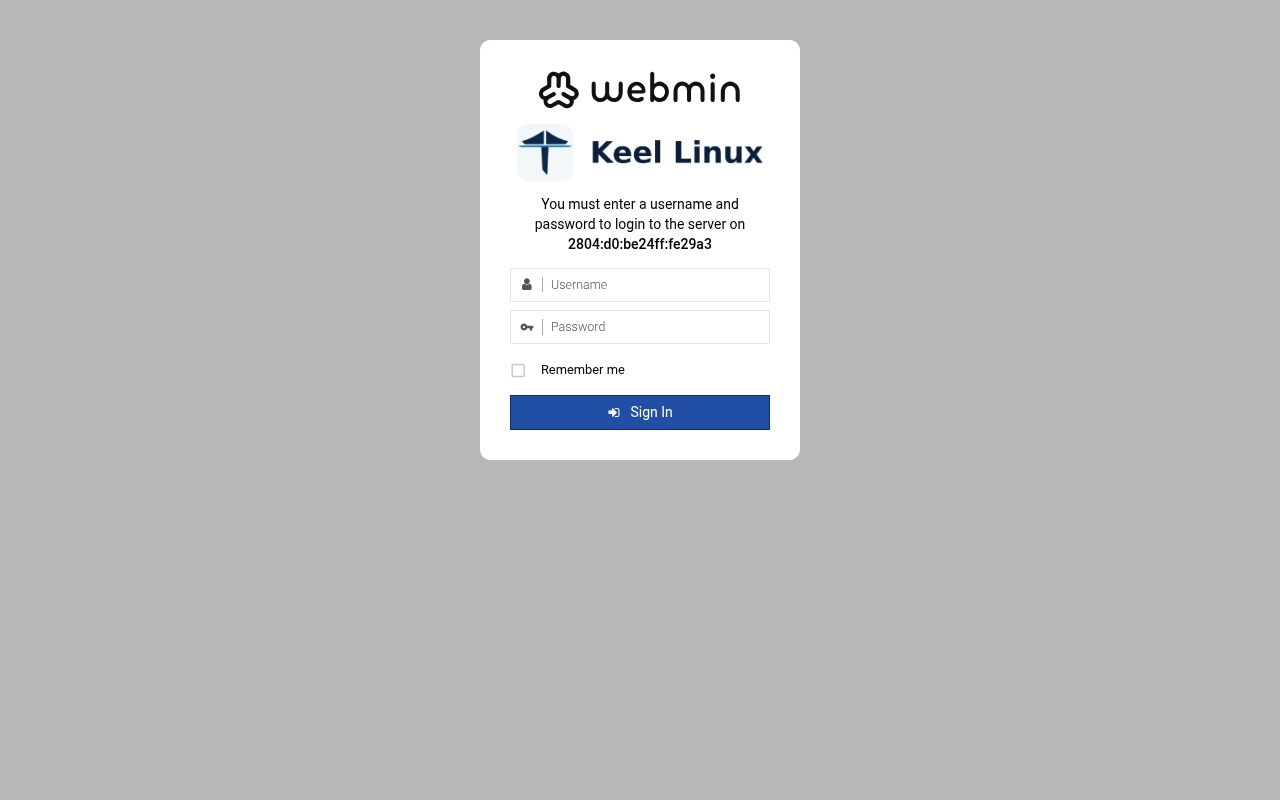 typed: | web: webmin 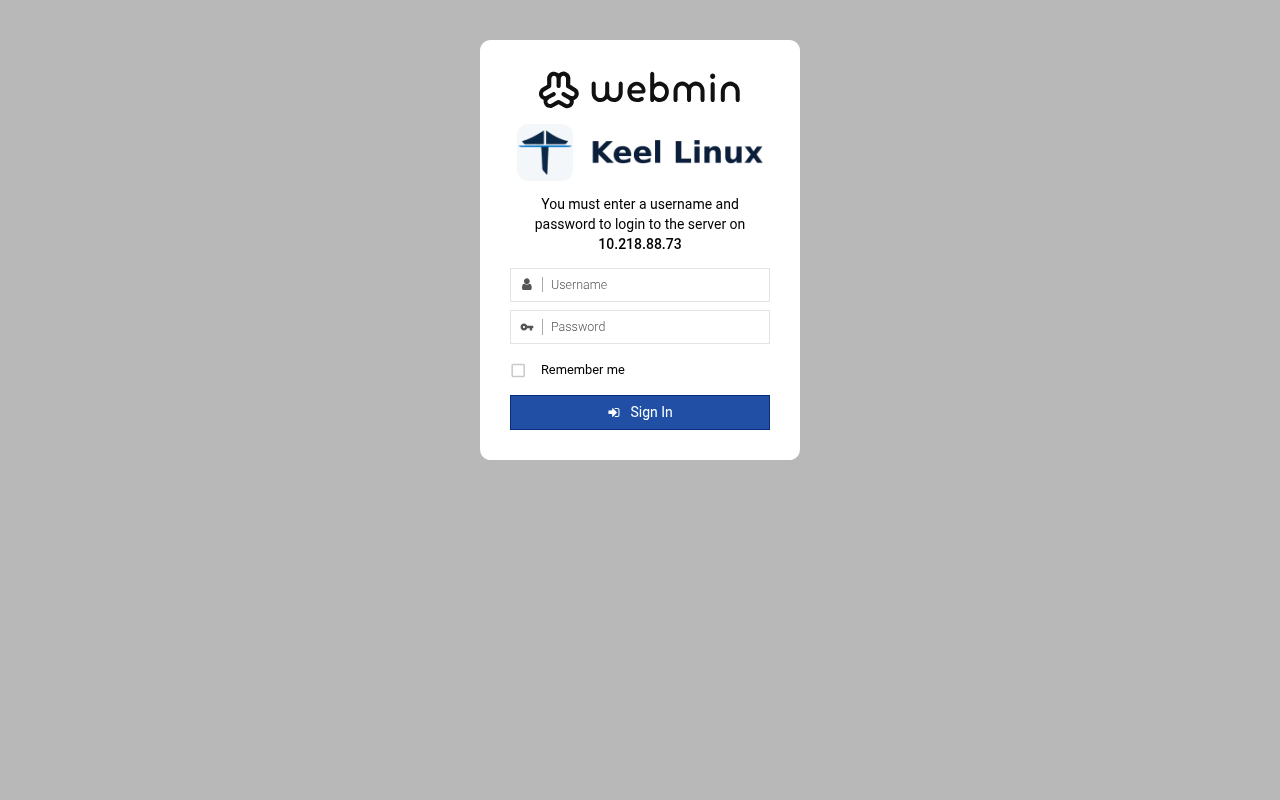 typed: |
| 10 | web: webmin-after 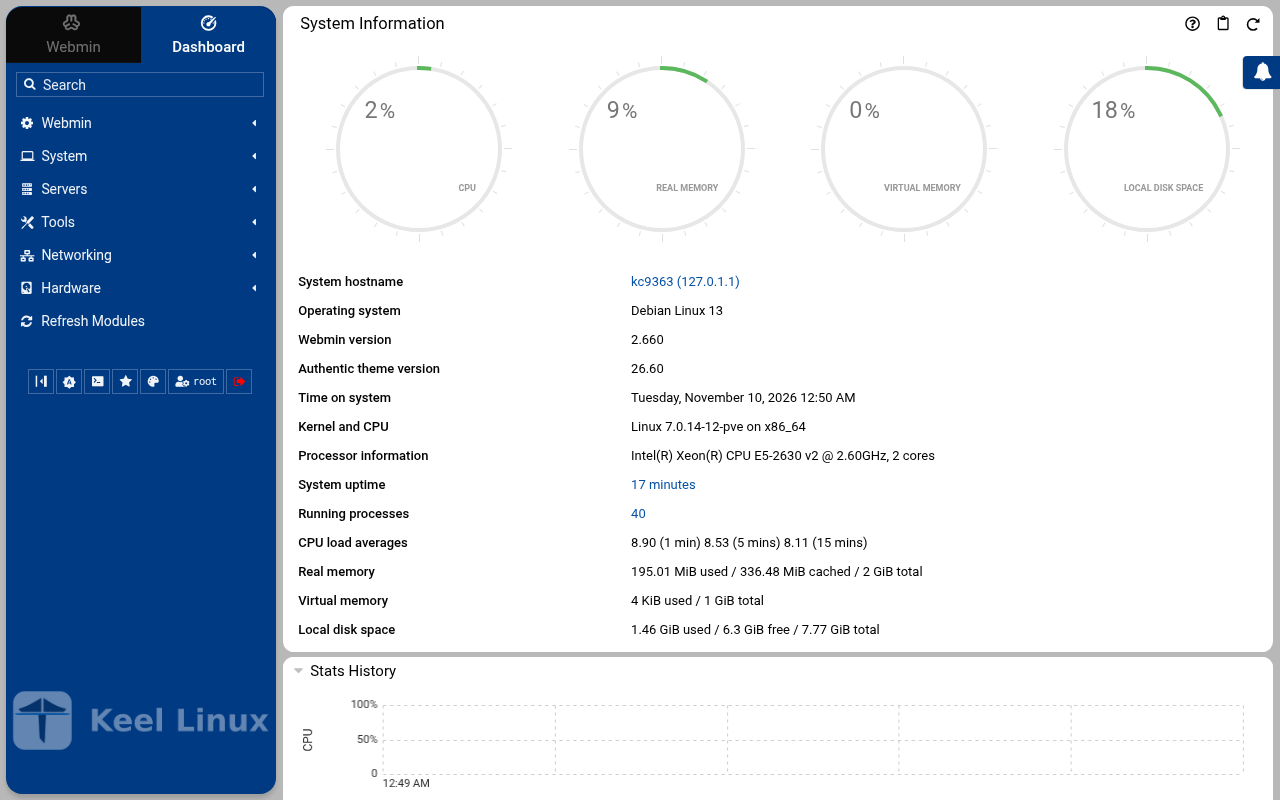 typed: | web: webmin-after 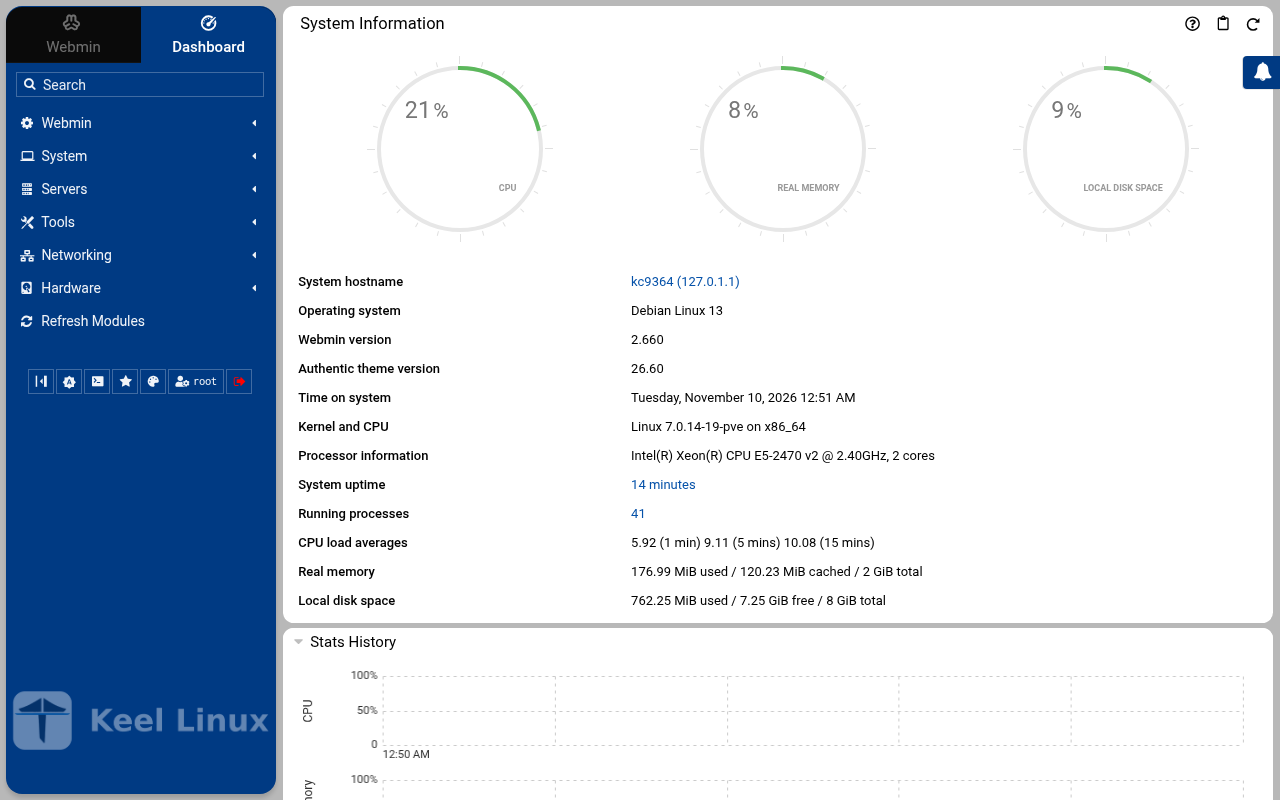 typed: |
| 11 | web: webmin-postgresql 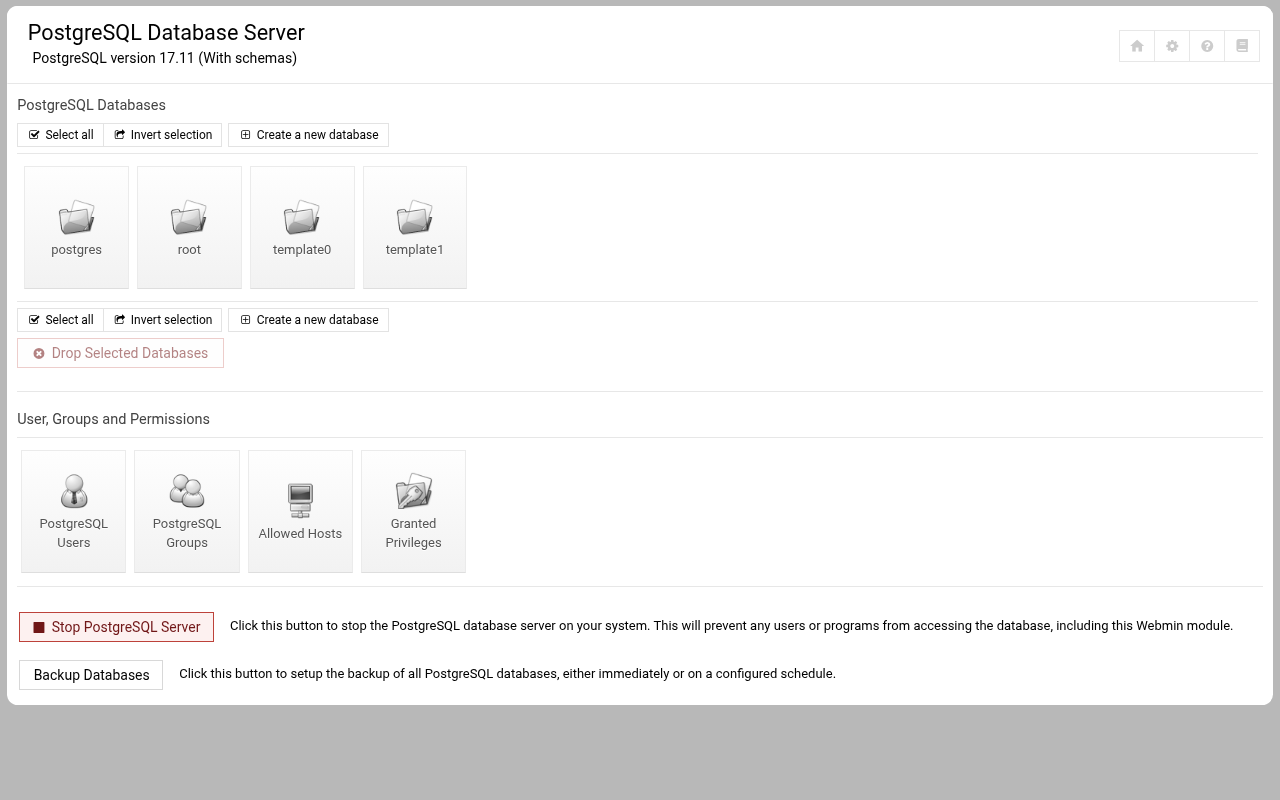 typed: | web: webmin-postgresql 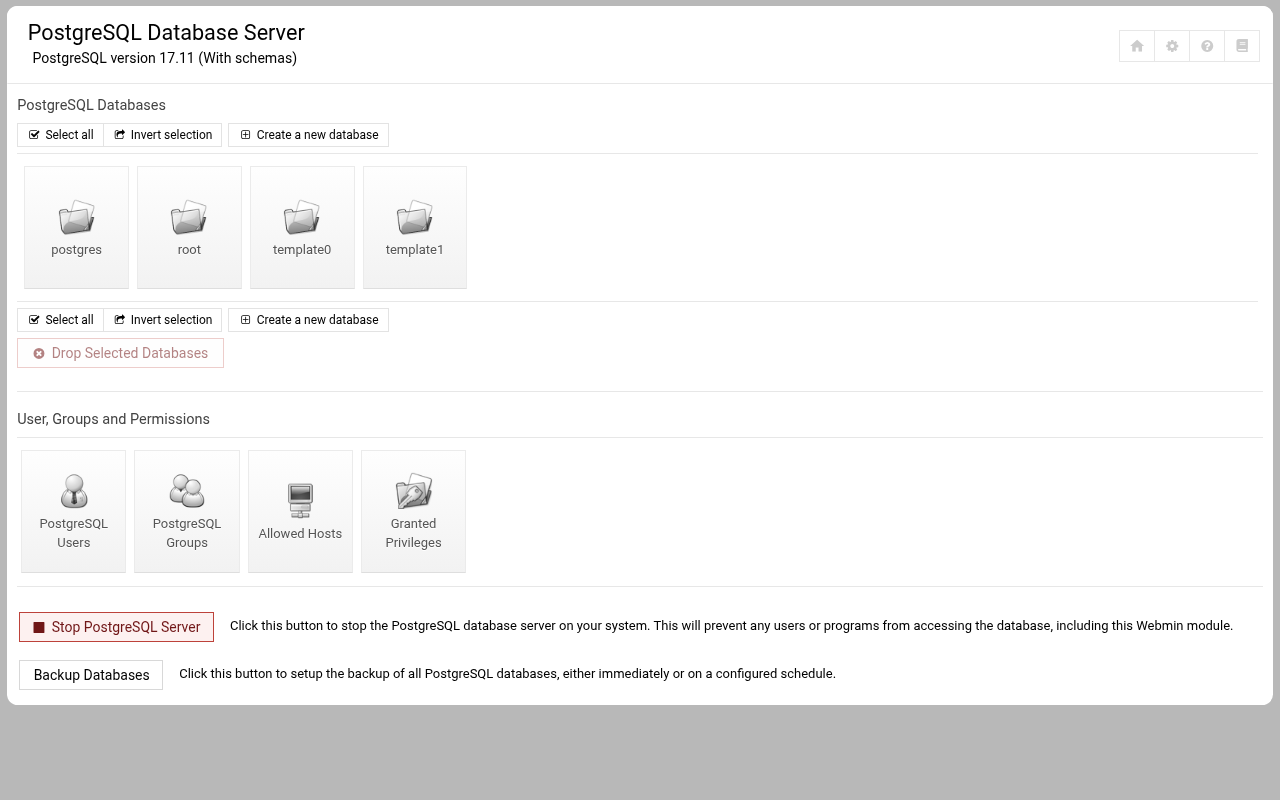 typed: |
Cloud advanced: two data nodes and a witness
| Step | Primary, BR1 | Replica, BR2 | Witness, BR1 |
|---|---|---|---|
| 1 | root password the screen, as textConnected to tty 1 Type <Ctrl+a q> to exit the console, <Ctrl+a Ctrl+a> to enter Ctrl+a itself press Enter within 5 s to answer first-boot questions Keel Linux Configuration Console KC9365 appliance services < Quit > Webmin: https://[2804:710:d0:5:be24:11ff:fe25:3c1b]:12321SSH/SFTP: root@2804:710:d0:5:be24:11ff:fe25:3c1b (port 22)PostgreSQL: psql --username=postgres --host=::1PostgreSQL: psql --username=postgres --host=127.0.0.1 Keel Linux Configuration Console KC9365 appliance services < Quit > Webmin: https://[2804:710:d0:5:be24:11ff:fe25:3c1b]:12321SSH/SFTP: root@2804:710:d0:5:be24:11ff:fe25:3c1b (port 22)PostgreSQL: psql --username=postgres --host=::1PostgreSQL: psql --username=postgres --host=127.0.0.1 Debian GNU/Linux 13 kc9365 tty1 kc9365 login: root Password: Keel Linux postgresql 19.0-trixie-amd64 IPv6 SSH: root@2804:710:d0:5:be24:11ff:fe25:3c1b Welcome to kc9365, Keel Linux 19.0 (Debian 13/Trixie) System information for Tue Nov 10 00:55:34 2026 (UTC+0000) System load: 10.29 Memory usage: 10.5% Processes: 37 Swap usage: 0.0% Usage of /: 13.1% of 7.78GB Networking not configured This system is not initialized yet: run keel-init to set it up. For Advanced commandline config run: confconsole For more info see: https://github.com/Keel-Linux/confconsole Linux kc9365 7.0.14-12-pve #1 SMP PREEMPT_DYNAMIC PMX 7.0.14-12 (2026-08-11T11:05Z) x86_64 === Keel Linux - First boot configuration Root Password Please enter new password for the root account. Choose how to set this password: Generate A strong random password (recommended) Manual Type my own password < OK >Generate A strong random password (recommended)Manual Type my own password Keel Linux - First boot configuration Root Password Please enter new password for the root account. Password Requirements - must be at least 8 characters long - must contain characters from at least 3 of the following categories: uppercase, lowercase, numbers, symbols < OK >x typed: | root password the screen, as textConnected to tty 1 Type <Ctrl+a q> to exit the console, <Ctrl+a Ctrl+a> to enter Ctrl+a itself press Enter within 5 s to answer first-boot questions Keel Linux Configuration Console KC9366 appliance services < Quit > Webmin: https://[fd00:218:88:0:1939:85f3:d899:4f37]:12321SSH/SFTP: root@fd00:218:88:0:1939:85f3:d899:4f37 (port 22)PostgreSQL: psql --username=postgres --host=::1Webmin: https://10.218.88.84:12321SSH/SFTP: root@10.218.88.84 (port 22)PostgreSQL: psql --username=postgres --host=127.0.0.1 Keel Linux Configuration Console KC9366 appliance services < Quit > Webmin: https://[fd00:218:88:0:1939:85f3:d899:4f37]:12321SSH/SFTP: root@fd00:218:88:0:1939:85f3:d899:4f37 (port 22)PostgreSQL: psql --username=postgres --host=::1Webmin: https://10.218.88.84:12321SSH/SFTP: root@10.218.88.84 (port 22)PostgreSQL: psql --username=postgres --host=127.0.0.1 Debian GNU/Linux 13 kc9366 tty1 kc9366 login: root Password: Keel Linux postgresql 19.0-trixie-amd64 IPv6 SSH: root@2804:7f0:9880:6c3:4ae:8a1d:35ff:27e4 IPv4 SSH: root@10.218.88.84 Welcome to kc9366, Keel Linux 19.0 (Debian 13/Trixie) System information for Tue Nov 10 00:58:01 2026 (UTC+0000) System load: 9.72 Memory usage: 7.7% Processes: 40 Swap usage: 0.0% Usage of /: 9.3% of 8.00GB IP address for eth0: 10.218.88.84 This system is not initialized yet: run keel-init to set it up. For Advanced commandline config run: confconsole For more info see: https://github.com/Keel-Linux/confconsole Linux kc9366 7.0.14-19-pve #1 SMP PREEMPT_DYNAMIC PMX 7.0.14-19 (2026-09-18T07:31Z) x86_64 === Keel Linux - First boot configuration Root Password Please enter new password for the root account. Choose how to set this password: Generate A strong random password (recommended) Manual Type my own password < OK >Generate A strong random password (recommended)Manual Type my own password Keel Linux - First boot configuration Root Password Please enter new password for the root account. Password Requirements - must be at least 8 characters long - must contain characters from at least 3 of the following categories: uppercase, lowercase, numbers, symbols < OK >x typed: | root password the screen, as textConnected to tty 1 Type <Ctrl+a q> to exit the console, <Ctrl+a Ctrl+a> to enter Ctrl+a itself press Enter within 5 s to answer first-boot questions Keel Linux Configuration Console KC9367 appliance services < Quit > Webmin: https://[2804:710:d0:5:be24:11ff:fef5:483]:12321SSH/SFTP: root@2804:710:d0:5:be24:11ff:fef5:483 (port 22) Keel Linux Configuration Console KC9367 appliance services < Quit > Webmin: https://[2804:710:d0:5:be24:11ff:fef5:483]:12321SSH/SFTP: root@2804:710:d0:5:be24:11ff:fef5:483 (port 22) Debian GNU/Linux 13 kc9367 tty1 kc9367 login: root Password: Keel Linux core 19.0-trixie-amd64 IPv6 SSH: root@2804:710:d0:5:be24:11ff:fef5:483 Welcome to kc9367, Keel Linux 19.0 (Debian 13/Trixie) System information for Tue Nov 10 01:00:20 2026 (UTC+0000) System load: 9.92 Memory usage: 8.9% Processes: 29 Swap usage: 0.0% Usage of /: 9.9% of 7.78GB Networking not configured This system is not initialized yet: run keel-init to set it up. For Advanced commandline config run: confconsole For more info see: https://github.com/Keel-Linux/confconsole Linux kc9367 7.0.14-12-pve #1 SMP PREEMPT_DYNAMIC PMX 7.0.14-12 (2026-08-11T11:05Z) x86_64 === Keel Linux - First boot configuration Root Password Please enter new password for the root account. Choose how to set this password: Generate A strong random password (recommended) Manual Type my own password < OK >Generate A strong random password (recommended)Manual Type my own password Keel Linux - First boot configuration Root Password Please enter new password for the root account. Password Requirements - must be at least 8 characters long - must contain characters from at least 3 of the following categories: uppercase, lowercase, numbers, symbols < OK >x typed: |
| 2 | root password the screen, as text******** Keel Linux - First boot configuration Root Password Confirm password Password Requirements - must be at least 8 characters long - must contain characters from at least 3 of the following categories: uppercase, lowercase, numbers, symbols < OK >x typed: | root password the screen, as text******** Keel Linux - First boot configuration Root Password Confirm password Password Requirements - must be at least 8 characters long - must contain characters from at least 3 of the following categories: uppercase, lowercase, numbers, symbols < OK >x typed: | root password the screen, as text******** Keel Linux - First boot configuration Root Password Confirm password Password Requirements - must be at least 8 characters long - must contain characters from at least 3 of the following categories: uppercase, lowercase, numbers, symbols < OK >x typed: |
| 3 | db password the screen, as text******** Keel Linux - First boot configuration kc9365.pop.coop Domain name xxx The name this machine is reached by, with its domain, xx for example blog.example.org. It becomes the hostname, xx the name /etc/hosts answers for this machine, and the xx domain a TLS certificate is requested for in xx confconsole.xxxx Leave the field empty to keep the name the machine has. xxxx Fully qualified domain name:x <Apply>x >fqdn: /etc/keel/instance.yaml already declares the name, not written === Keel Linux - First boot configuration PostgreSQL Password Please enter new password for the 'postgres' account. Choose how to set this password: Generate A strong random password (recommended) Manual Type my own password < OK >Generate A strong random password (recommended)Manual Type my own password Keel Linux - First boot configuration PostgreSQL Password Please enter new password for the 'postgres' account. Password Requirements - must be at least 8 characters long - must contain characters from at least 3 of the following categories: uppercase, lowercase, numbers, symbols < OK >x typed: | db password the screen, as text******** Keel Linux - First boot configuration kc9366.pop.coop Domain name xxx The name this machine is reached by, with its domain, xx for example blog.example.org. It becomes the hostname, xx the name /etc/hosts answers for this machine, and the xx domain a TLS certificate is requested for in xx confconsole.xxxx Leave the field empty to keep the name the machine has. xxxx Fully qualified domain name:x <Apply>x >fqdn: /etc/keel/instance.yaml already declares the name, not written === Keel Linux - First boot configuration PostgreSQL Password Please enter new password for the 'postgres' account. Choose how to set this password: Generate A strong random password (recommended) Manual Type my own password < OK >Generate A strong random password (recommended)Manual Type my own password Keel Linux - First boot configuration PostgreSQL Password Please enter new password for the 'postgres' account. Password Requirements - must be at least 8 characters long - must contain characters from at least 3 of the following categories: uppercase, lowercase, numbers, symbols < OK >x typed: | mode the screen, as text******** Keel Linux - First boot configuration kc9367.pop.coop Domain name xxx The name this machine is reached by, with its domain, xx for example blog.example.org. It becomes the hostname, xx the name /etc/hosts answers for this machine, and the xx domain a TLS certificate is requested for in xx confconsole.xxxx Leave the field empty to keep the name the machine has. xxxx Fully qualified domain name:x <Apply>x >fqdn: /etc/keel/instance.yaml already declares the name, not written === Keel Linux - First boot configuration Installation mode How this appliance is installed (decision 0028). You choose it once. Simple: one node. Everything is on this machine, with no mesh. Cloud simple: two nodes, a primary and a replica on a WireGuard mesh. The data follows the primary. When the primary stops, you promote the replica by hand. Cloud advanced: two data nodes and a witness, three sites, etcd of three. When the primary stops, the replica takes over by itself. Choose the same mode on every node of the set. Simple one node, no mesh Cloud simple two nodes, failover by hand Cloud advanced two nodes and a witness, failover by itself <Select> typed: |
| 4 | db password the screen, as text******** Keel Linux - First boot configuration PostgreSQL Password Confirm password Password Requirements - must be at least 8 characters long - must contain characters from at least 3 of the following categories: uppercase, lowercase, numbers, symbols < OK >x typed: | db password the screen, as text******** Keel Linux - First boot configuration PostgreSQL Password Confirm password Password Requirements - must be at least 8 characters long - must contain characters from at least 3 of the following categories: uppercase, lowercase, numbers, symbols < OK >x typed: | role the screen, as textSimpleone node, no meshCloud simple two nodes, failover by handCloud simple two nodes, failover by handCloud advanced two nodes and a witness, failover by itself> == Keel Linux - First boot configuration Installation mode < ok >x /etc/keel/instance.yaml: installation.mode: cloud_advanced$ keel spec apply --system-only --non-interactive --skip-network --defer-certificate --spec/etc/keel/instance.yamlapply --system-only: /etc/inithooks.conf not read or writteninstance.hostname: unchanged (kc9367)instance.fqdn: unchanged (/etc/hosts maps kc9367 to kc9367.pop.coop)derived.monit: crowdsec not watched: crowdsec.service starts only when /etc/crowdsec/local_api_credentials.yamlexists (ConditionPathExists)derived.monit: crowdsec-lapi not watched: its process crowdsec is not watched: crowdsec.service starts only when/etc/crowdsec/local_api_credentials.yaml exists (ConditionPathExists)derived.monit: write /etc/keel/monit/keel-manifest.conf: 5 unit(s) and 4 probe(s) of core (mode 0600): doneoverlays.vip: unchanged (disabled: keel-vip.service)overlays.etcd: etcd waits for its cluster: it forms at the third cloud advanced member's join, or with keel meshetcd form; nothing is started until thenoverlays.crowdsec: create /etc/crowdsec/online_api_credentials.yaml empty, which CrowdSec's unit needs and whichsays not registered yet (mode 0600): doneoverlays.crowdsec: register this machine with CrowdSec's local API; cscli writes the password to/etc/crowdsec/local_api_credentials.yaml (cscli --error machines add --auto --force): doneoverlays.crowdsec: register with CrowdSec's central API (cscli --error capi register): doneoverlays.crowdsec: register CrowdSec's firewall bouncer (cscli bouncers add) and write its key to/etc/crowdsec/bouncers/crowdsec-firewall-bouncer.yaml.local (mode 0600, never printed) and its name to/etc/crowdsec/bouncers/crowdsec-firewall-bouncer.yaml.id, mode: nftables: doneoverlays.crowdsec: enable crowdsec.service: the overlay is enabled (systemctl enable crowdsec.service): doneoverlays.crowdsec: start crowdsec.service (systemctl start crowdsec.service): doneoverlays.crowdsec: enable crowdsec-firewall-bouncer.service: the overlay is enabled (systemctl enablecrowdsec-firewall-bouncer.service): doneoverlays.crowdsec: start crowdsec-firewall-bouncer.service (systemctl start crowdsec-firewall-bouncer.service):doneapply --system-only: 9 change(s), 0 failed94% Keel Linux - First boot configuration Role of this node What this node is in its set of three (cloud advanced). Primary: the first node. It makes the mesh and invites the replica, then the witness, each with a line you copy to it. Replica: the second node. It joins with the first line, and its data follows the primary. Witness: the third node, Keel Core on a third site. It joins with the second line and gives etcd its third vote. It holds no data. Primary the first node: makes the mesh, invites Replica joins the primary; its data follows it Witness Keel Core on a third site: a vote, no data <Select> typed: |
| 5 | mode the screen, as text********>PostgreSQL role 'postgres' has a password, set on the console (35pgsqlpass); no DB_PASS to log in with, so the catalogue is what was checked === Keel Linux - First boot configuration Installation mode How this appliance is installed (decision 0028). You choose it once. Simple: one node. Everything is on this machine, with no mesh. Cloud simple: two nodes, a primary and a replica on a WireGuard mesh. The data follows the primary. When the primary stops, you promote the replica by hand. Cloud advanced: two data nodes and a witness, three sites, etcd of three. When the primary stops, the replica takes over by itself. Choose the same mode on every node of the set. Simple one node, no mesh Cloud simple two nodes, failover by hand Cloud advanced two nodes and a witness, failover by itself <Select> typed: | mode the screen, as text********>PostgreSQL role 'postgres' has a password, set on the console (35pgsqlpass); no DB_PASS to log in with, so the catalogue is what was checked === Keel Linux - First boot configuration Installation mode How this appliance is installed (decision 0028). You choose it once. Simple: one node. Everything is on this machine, with no mesh. Cloud simple: two nodes, a primary and a replica on a WireGuard mesh. The data follows the primary. When the primary stops, you promote the replica by hand. Cloud advanced: two data nodes and a witness, three sites, etcd of three. When the primary stops, the replica takes over by itself. Choose the same mode on every node of the set. Simple one node, no mesh Cloud simple two nodes, failover by hand Cloud advanced two nodes and a witness, failover by itself <Select> typed: | join the screen, as textPrimary the first node: makes the mesh, invitesWitness Keel Core on a third site: a vote, no data Keel Linux - First boot configuration Join a mesh Paste the line that Invite a node shows on the inviting node: keel mesh join - <<< keel2:... The token alone (keel2:...) is accepted too. It goes to keel on its standard input, never on a command line. < OK > <Cancel>x typed: |
| 6 | role the screen, as textSimpleone node, no meshCloud simple two nodes, failover by handCloud simple two nodes, failover by handCloud advanced two nodes and a witness, failover by itself> == Keel Linux - First boot configuration Installation mode < ok >x /etc/keel/instance.yaml: installation.mode: cloud_advanced$ keel spec apply --system-only --non-interactive --skip-network --defer-certificate --spec/etc/keel/instance.yamlapply --system-only: /etc/inithooks.conf not read or writteninstance.hostname: unchanged (kc9365)instance.fqdn: unchanged (/etc/hosts maps kc9365 to kc9365.pop.coop)derived.monit: crowdsec not watched: crowdsec.service starts only when /etc/crowdsec/local_api_credentials.yamlexists (ConditionPathExists)derived.monit: crowdsec-lapi not watched: its process crowdsec is not watched: crowdsec.service starts only when/etc/crowdsec/local_api_credentials.yaml exists (ConditionPathExists)derived.monit: write /etc/keel/monit/keel-manifest.conf: 6 unit(s) and 5 probe(s) of postgresql (mode 0600):doneoverlays.vip: unchanged (disabled: keel-vip.service)overlays.etcd: etcd waits for its cluster: it forms at the third cloud advanced member's join, or with keel meshetcd form; nothing is started until thenoverlays.crowdsec: create /etc/crowdsec/online_api_credentials.yaml empty, which CrowdSec's unit needs and whichsays not registered yet (mode 0600): doneoverlays.crowdsec: register this machine with CrowdSec's local API; cscli writes the password to/etc/crowdsec/local_api_credentials.yaml (cscli --error machines add --auto --force): doneoverlays.crowdsec: register with CrowdSec's central API (cscli --error capi register): doneoverlays.crowdsec: register CrowdSec's firewall bouncer (cscli bouncers add) and write its key to/etc/crowdsec/bouncers/crowdsec-firewall-bouncer.yaml.local (mode 0600, never printed) and its name to/etc/crowdsec/bouncers/crowdsec-firewall-bouncer.yaml.id, mode: nftables: doneoverlays.crowdsec: enable crowdsec.service: the overlay is enabled (systemctl enable crowdsec.service): doneoverlays.crowdsec: start crowdsec.service (systemctl start crowdsec.service): doneoverlays.crowdsec: enable crowdsec-firewall-bouncer.service: the overlay is enabled (systemctl enablecrowdsec-firewall-bouncer.service): doneoverlays.crowdsec: start crowdsec-firewall-bouncer.service (systemctl start crowdsec-firewall-bouncer.service):doneapply --system-only: 9 change(s), 0 failed91% Keel Linux - First boot configuration Role of this node What this node is in its set of three (cloud advanced). Primary: the first node. It makes the mesh and invites the replica, then the witness, each with a line you copy to it. Replica: the second node. It joins with the first line, and its data follows the primary. Witness: the third node, Keel Core on a third site. It joins with the second line and gives etcd its third vote. It holds no data. Primary the first node: makes the mesh, invites Replica joins the primary; its data follows it <Select> typed: | role the screen, as textSimpleone node, no meshCloud simple two nodes, failover by handCloud simple two nodes, failover by handCloud advanced two nodes and a witness, failover by itself> == Keel Linux - First boot configuration Installation mode < ok >x /etc/keel/instance.yaml: installation.mode: cloud_advanced$ keel spec apply --system-only --non-interactive --skip-network --defer-certificate --spec/etc/keel/instance.yamlapply --system-only: /etc/inithooks.conf not read or writteninstance.hostname: unchanged (kc9366)instance.fqdn: unchanged (/etc/hosts maps kc9366 to kc9366.pop.coop)derived.monit: crowdsec not watched: crowdsec.service starts only when /etc/crowdsec/local_api_credentials.yamlexists (ConditionPathExists)derived.monit: crowdsec-lapi not watched: its process crowdsec is not watched: crowdsec.service starts only when/etc/crowdsec/local_api_credentials.yaml exists (ConditionPathExists)derived.monit: write /etc/keel/monit/keel-manifest.conf: 6 unit(s) and 5 probe(s) of postgresql (mode 0600):doneoverlays.vip: unchanged (disabled: keel-vip.service)overlays.etcd: etcd waits for its cluster: it forms at the third cloud advanced member's join, or with keel meshetcd form; nothing is started until thenoverlays.crowdsec: create /etc/crowdsec/online_api_credentials.yaml empty, which CrowdSec's unit needs and whichsays not registered yet (mode 0600): doneoverlays.crowdsec: register this machine with CrowdSec's local API; cscli writes the password to/etc/crowdsec/local_api_credentials.yaml (cscli --error machines add --auto --force): doneoverlays.crowdsec: register with CrowdSec's central API (cscli --error capi register): doneoverlays.crowdsec: register CrowdSec's firewall bouncer (cscli bouncers add) and write its key to/etc/crowdsec/bouncers/crowdsec-firewall-bouncer.yaml.local (mode 0600, never printed) and its name to/etc/crowdsec/bouncers/crowdsec-firewall-bouncer.yaml.id, mode: nftables: doneoverlays.crowdsec: enable crowdsec.service: the overlay is enabled (systemctl enable crowdsec.service): doneoverlays.crowdsec: start crowdsec.service (systemctl start crowdsec.service): doneoverlays.crowdsec: enable crowdsec-firewall-bouncer.service: the overlay is enabled (systemctl enablecrowdsec-firewall-bouncer.service): doneoverlays.crowdsec: start crowdsec-firewall-bouncer.service (systemctl start crowdsec-firewall-bouncer.service):doneapply --system-only: 9 change(s), 0 failed91% Keel Linux - First boot configuration Role of this node What this node is in its set of three (cloud advanced). Primary: the first node. It makes the mesh and invites the replica, then the witness, each with a line you copy to it. Replica: the second node. It joins with the first line, and its data follows the primary. Witness: the third node, Keel Core on a third site. It joins with the second line and gives etcd its third vote. It holds no data. Primary the first node: makes the mesh, invites Replica joins the primary; its data follows it <Select> typed: | alert email the screen, as textetcd: formed, voters 3 VIP: fdf9:948f:a0dc::ffff:1, holder none yet 5 <Select> < Back >x 4 3 2 1 0 Keel Linux - First boot configuration Waiting for the nodes Waiting for etcd to have 3 voters: the primary, the replica and the witness. etcd forms when the third node joins. This node: fdf9:948f:a0dc::9c23/64 Member: fdf9:948f:a0dc::1, reached Member: fdf9:948f:a0dc::4102, not reached etcd: formed, voters 3 VIP: fdf9:948f:a0dc::ffff:1, holder none yet 5 <Select> < Back >x 4 3 2 1 0 Keel Linux - First boot configuration Waiting for the nodes Waiting for etcd to have 3 voters: the primary, the replica and the witness. etcd forms when the third node joins. This node: fdf9:948f:a0dc::9c23/64 Member: fdf9:948f:a0dc::1, reached Member: fdf9:948f:a0dc::4102, reached etcd: formed, voters 3 VIP: fdf9:948f:a0dc::ffff:1, holder none yet 5 <Select> < Back >x 4 3 2 1 0 Keel Linux - First boot configuration Status of this node < ok >x $ keel mesh statusthis node: fdf9:948f:a0dc::9c23/64 on wg0, WireGuard on UDP 51820mesh identity: 93313dcafff84697bd0e9840589acceapublic key: <public key>peers: 2<public key> fdf9:948f:a0dc::1/128 [2804:710:d0:5:be24:11ff:fe25:3c1b]:51820handshake 53 s ago<public key> fdf9:948f:a0dc::4102/128[2804:7f0:9880:6c3:4ae:8a1d:35ff:27e4]:51820 handshake 17 s agopending invites: 0etcd: 3 voter(s), 0 learner(s)keel-fdf9-948f-a0dc--1 fdf9:948f:a0dc::1 voter healthykeel-fdf9-948f-a0dc--9c23 fdf9:948f:a0dc::9c23 voter healthykeel-fdf9-948f-a0dc--4102 fdf9:948f:a0dc::4102 voter healthyleader: keel-fdf9-948f-a0dc--9c23etcd: this member's certificate expires 2026-12-10 01:00 UTCvip: none (this node declares no appliance.vip and routes no other pair's)>keelfirstboot cloud: Keel Cloud is not available yet: no key is asked, and this node runs standalone. It is offered once /etc/keel/cloud-endpoint names the service. === Keel Linux - First boot configuration System Notifications and Critical Security Alerts Enable local system notifications (root@localhost) to be forwarded to your regular inbox. Notifications include security updates and system messages. Email: <Enable> < Skip >x typed: |
| 7 | invite the screen, as textKeel Linux - First boot configuration keel mesh create: making the mesh... Keel Linux - First boot configuration Make the mesh < ok >x $ keel mesh createcreated the mesh: this node is fdf9:948f:a0dc::1/64 on wg0, WireGuard on UDP 51820keel mesh invite prints the line that joins the next nodeconfirming the new overlayconfirmed from keel mesh createthe overlay has no peer, so nothing can cross it: keel mesh create confirmed it once the routes to the gatewaysand to the operator's session were found to still leave through the uplinkwg-quick@wg0 enabled: the overlay comes back up at bootthe network change stays; the revert is cancelledetcd: this node holds the mesh's root CA; etcd forms when the third cloud advanced member joinskeel mesh: exit 0, done>Invite a node This node invites the replica (node 2) into its mesh. Copy the line below to the replica (node 2): paste it into its Join a mesh screen, or run it there as root. It can be used once, until 2026-11-10T01:56:32Z. The line carries the service address of the pair, shown below: this node writes it as its appliance.vip, and the replica takes it from the join. Nobody types it. Copy this line to the replica (node 2), on one line, as it is. It is a secret: it lets one node join this mesh. keel mesh join - <<< <invite 1> VIP: fdf9:948f:a0dc::ffff:1 Expires: 2026-11-10T01:56:32Z Press Enter to go on: typed: | join the screen, as textPrimary the first node: makes the mesh, invitesReplica joins the primary; its data follows it Keel Linux - First boot configuration Join a mesh Paste the line that Invite a node shows on the inviting node: keel mesh join - <<< keel2:... The token alone (keel2:...) is accepted too. It goes to keel on its standard input, never on a command line. < OK > <Cancel>x typed: | web: webmin  typed: |
| 8 | invite2 the screen, as textKeel Linux - First boot configuration Waiting for the nodes Waiting for the replica (node 2) to join with the line, checked every 5 s. Back gives a menu: Paste accept line, when the join printed one (keel mesh accept keel1a:...), or the line again. This node: fdf9:948f:a0dc::1/64 etcd: not_formed, voters 0 VIP: fdf9:948f:a0dc::ffff:1, holder none yet 5 <Select> < Back >x 4 3 2 1 0 Keel Linux - First boot configuration Waiting for the nodes Waiting for the replica (node 2) to join with the line, checked every 5 s. Back gives a menu: Paste accept line, when the join printed one (keel mesh accept keel1a:...), or the line again. This node: fdf9:948f:a0dc::1/64 etcd: not_formed, voters 0 VIP: fdf9:948f:a0dc::ffff:1, holder none yet 5 <Select> < Back >x 4 3 2 1 0 Keel Linux - First boot configuration Waiting for the nodes Waiting for the replica (node 2) to join with the line, checked every 5 s. Back gives a menu: Paste accept line, when the join printed one (keel mesh accept keel1a:...), or the line again. This node: fdf9:948f:a0dc::1/64 Member: fdf9:948f:a0dc::4102, not reached etcd: not_formed, voters 0 VIP: fdf9:948f:a0dc::ffff:1, holder none yet 5 <Select> < Back >x 4 3 2 1 0>Invite a node This node invites the witness (node 3, Keel Core) into its mesh. Copy the line below to the witness (node 3, Keel Core): paste it into its Join a mesh screen, or run it there as root. It can be used once, until 2026-11-10T01:58:48Z. The line carries the service address of the pair, shown below: this node writes it as its appliance.vip, and the replica takes it from the join. Nobody types it. Copy this line to the witness (node 3, Keel Core), on one line, as it is. It is a secret: it lets one node join this mesh. keel mesh join - <<< <invite 1><invite 2><invite 1><invite 1><invite 2><invite 1> VIP: fdf9:948f:a0dc::ffff:1 Expires: 2026-11-10T01:58:48Z Press Enter to go on: typed: | alert email the screen, as textetcd: unreachable, voters 0 VIP: fdf9:948f:a0dc::ffff:1, holder none yet 5 <Select> < Back >x 4 3 2 1 0> == Keel Linux - First boot configuration Waiting for the nodes Waiting for etcd to have 3 voters: the primary, the replica and the witness. etcd forms when the third node joins. This node: fdf9:948f:a0dc::4102/64 Member: fdf9:948f:a0dc::1, reached Member: fdf9:948f:a0dc::9c23, reached etcd: formed, voters 3 VIP: fdf9:948f:a0dc::ffff:1, holder none yet 5 <Select> < Back >x 4 3 2 1 0> == Keel Linux - First boot configuration < Yes >< No >x Becoming a replica REPLACES the data on this node with a copy of the primary at [fdf9:948f:a0dc::1].If this server holds any database that is not its own, keel refuses and this console asks once more, namingthem; a Yes there drops them and cannot be undone. Move anything you need elsewhere first.This screen configures THIS node only. It does not create replicas, does not change any other machine, andcannot know what the others are doing. It changes the database server and leaves the network and the TLScertificate alone.Go on and make this node a replica?> == Keel Linux - First boot configuration Pair with the primary < ok >x $ keel vip pair fdf9:948f:a0dc::1fdf9:948f:a0dc::ffff:1 is the VIP of <public key> and<public key>, signed by bothetcd: fdf9:948f:a0dc::ffff:1: its pair's role is grantedkeel vip: exit 0, done> == Keel Linux - First boot configuration Pair with the primary < ok >x /etc/keel/instance.yaml: database.server.role: replica$ keel spec apply --system-only --non-interactive --skip-network --defer-certificate --spec/etc/keel/instance.yamlapply --system-only: /etc/inithooks.conf not read or writteninstance.hostname: unchanged (kc9366)instance.fqdn: unchanged (/etc/hosts maps kc9366 to kc9366.pop.coop)database.server: make or renew the database certificate for fdf9:948f:a0dc::4102 and fdf9:948f:a0dc::ffff:1,signed by the mesh's root CA (here, or asked of its holder over the members' channel), under the engine's TLSdirectory (etc/mysql/keel-tls or etc/postgresql/keel-tls): donedatabase.server: write /etc/sysctl.d/90-keel-database.conf: both nodes bind the VIP (mode 0644): donedatabase.server: let the server bind the VIP before it carries it (sysctl -q -w net.ipv6.ip_nonlocal_bind=1):donedatabase.server: write etc/postgresql/17/main/conf.d/99-keel-database.conf: a paired node, primary-capable, thepair's hba and TLS, the VIP fdf9:948f:a0dc::ffff:1 bound (mode 0644): donedatabase.server: write etc/postgresql/17/main/conf.d/98-keel-pair.conf: the pair's synchronous commit and theident map it points at (mode 0644): donedatabase.server: write etc/postgresql/17/main/keel-pg_hba.conf: the pair's authorizations, the peer'scertificate pinned (mode 0644): donedatabase.server: write etc/postgresql/17/main/keel-pg_ident.conf: the peer's certificate CN mapped to thereplication role (mode 0644): donedatabase.server: restart the server, which is the only way these take effect (systemctl restart postgresql):donedatabase.server.replication.allowed_from: ensure the replication slot of the pair exists on the primary (runuser-u postgres -- psql --no-psqlrc --tuples-only --no-align '--field-separator= ' --set=ON_ERROR_STOP=1, 2 stastatement(s) on standard input): donedatabase.server.replication.allowed_from: ensure the replication role holds the pair's password (runuser -upostgres -- psql --no-psqlrc --tuples-only --no-align '--field-separator= ' --set=ON_ERROR_STOP=1, 7 statemstatement(s) on standard input): donedatabase.server.replication.allowed_from: ensure the replication role may read the files that pg_rewind reads(runuser -u postgres -- psql --no-psqlrc --tuples-only --no-align '--field-separator= ' --set=ON_ERROR_STOP=1, 1050% Keel Linux - First boot configuration Status of this node < ok >x $ keel vip statusvip fdf9:948f:a0dc::ffff:1: this node's appliance.viprole: replicaepoch 1, held by <public key> at fdf9:948f:a0dc::1carried here: norouted to: <public key>$ keel mesh statusthis node: fdf9:948f:a0dc::4102/64 on wg0, WireGuard on UDP 51820mesh identity: 93313dcafff84697bd0e9840589acceapublic key: <public key>peers: 2<public key> fdf9:948f:a0dc::1/128 [2804:710:d0:5:be24:11ff:fe25:3c1b]:51820handshake 17 s ago<public key> fdf9:948f:a0dc::9c23/128[2804:710:d0:5:be24:11ff:fef5:483]:51820 handshake 103 s agopending invites: 0etcd: 3 voter(s), 0 learner(s)keel-fdf9-948f-a0dc--1 fdf9:948f:a0dc::1 voter healthykeel-fdf9-948f-a0dc--9c23 fdf9:948f:a0dc::9c23 voter healthykeel-fdf9-948f-a0dc--4102 fdf9:948f:a0dc::4102 voter healthyleader: keel-fdf9-948f-a0dc--9c23etcd: this member's certificate expires 2026-12-10 00:58 UTCvip fdf9:948f:a0dc::ffff:1: this node's appliance.viprole: replicaepoch 1, held by <public key> at fdf9:948f:a0dc::1carried here: norouted to: <public key>$ keel database statuspair: VIP fdf9:948f:a0dc::ffff:1; role here replica61% >keelfirstboot cloud: Keel Cloud is not available yet: no key is asked, and this node runs standalone. It is offered once /etc/keel/cloud-endpoint names the service. === Keel Linux - First boot configuration System Notifications and Critical Security Alerts Enable local system notifications (root@localhost) to be forwarded to your regular inbox. Notifications include security updates and system messages. Email: <Enable> < Skip >x typed: | web: webmin-after 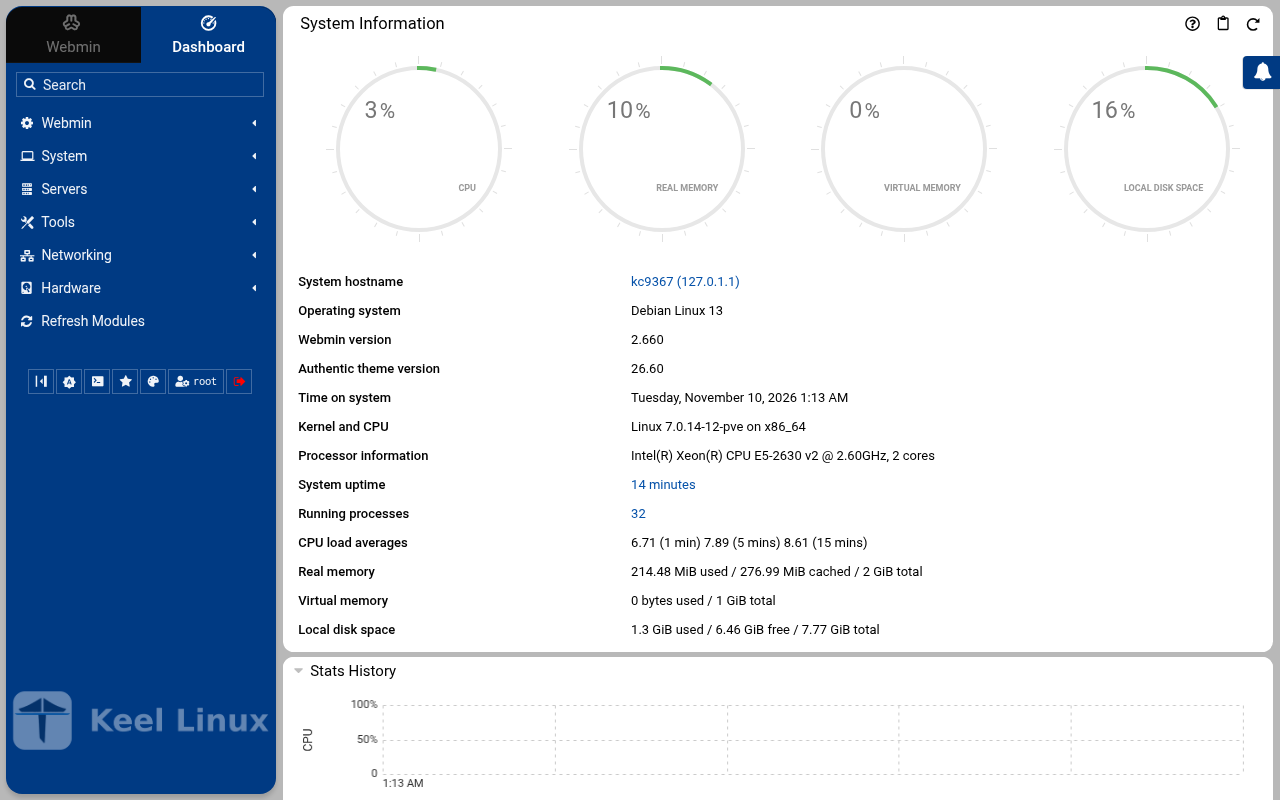 typed: |
| 9 | alert email the screen, as textKeel Linux - First boot configuration Take the VIP Waiting for the replica to pair with this node (keel vip pair on the replica). Then this node applies its description and takes the VIP. If the replica says it paired and nothing moves here, choose Back and Take it now. This node: fdf9:948f:a0dc::1/64 Member: fdf9:948f:a0dc::4102, reached Member: fdf9:948f:a0dc::9c23, reached e Vx 5 <Select> < Back >x Keel Linux - First boot configuration Take the VIP Waiting for the replica to pair with this node (keel vip pair on the replica). Then this node applies its description and takes the VIP. If the replica says it paired and nothing moves here, choose Back and Take it now. This node: fdf9:948f:a0dc::1/64 Member: fdf9:948f:a0dc::4102, reached Member: fdf9:948f:a0dc::9c23, reached e Vx 5 <Select> < Back >x 4 3 2 > == Keel Linux - First boot configuration Take the VIP < ok >x $ keel vip promotethis node holds fdf9:948f:a0dc::ffff:1 at epoch 1, by etcd's lease 6099177654140123809the peers are told in the backgroundvip fdf9:948f:a0dc::ffff:1: fdf9:948f:a0dc::4102: appliedvip fdf9:948f:a0dc::ffff:1: fdf9:948f:a0dc::9c23: appliedkeel vip: exit 0, done Keel Linux - First boot configuration Status of this node < ok >x $ keel vip statusvip fdf9:948f:a0dc::ffff:1: this node's appliance.viprole: primaryepoch 1, held by <public key> at fdf9:948f:a0dc::1etcd lease 6099177654140123809carried here: yesrouted to: no peer$ keel mesh statusthis node: fdf9:948f:a0dc::1/64 on wg0, WireGuard on UDP 51820mesh identity: 93313dcafff84697bd0e9840589acceapublic key: <public key>peers: 2<public key> fdf9:948f:a0dc::4102/128[2804:7f0:9880:6c3:4ae:8a1d:35ff:27e4]:51820 handshake 101 s ago<public key> fdf9:948f:a0dc::9c23/128[2804:710:d0:5:be24:11ff:fef5:483]:51820 handshake 103 s agopending invites: 0etcd: 3 voter(s), 0 learner(s)keel-fdf9-948f-a0dc--1 fdf9:948f:a0dc::1 voter healthykeel-fdf9-948f-a0dc--9c23 fdf9:948f:a0dc::9c23 voter healthykeel-fdf9-948f-a0dc--4102 fdf9:948f:a0dc::4102 voter healthyleader: keel-fdf9-948f-a0dc--9c23etcd: this member's certificate expires 2026-12-10 00:56 UTCvip fdf9:948f:a0dc::ffff:1: this node's appliance.viprole: primaryepoch 1, held by <public key> at fdf9:948f:a0dc::1etcd lease 6099177654140123809carried here: yesrouted to: no peer59%>keelfirstboot cloud: Keel Cloud is not available yet: no key is asked, and this node runs standalone. It is offered once /etc/keel/cloud-endpoint names the service. === Keel Linux - First boot configuration System Notifications and Critical Security Alerts Enable local system notifications (root@localhost) to be forwarded to your regular inbox. Notifications include security updates and system messages. Email: <Enable> < Skip >x typed: | web: webmin 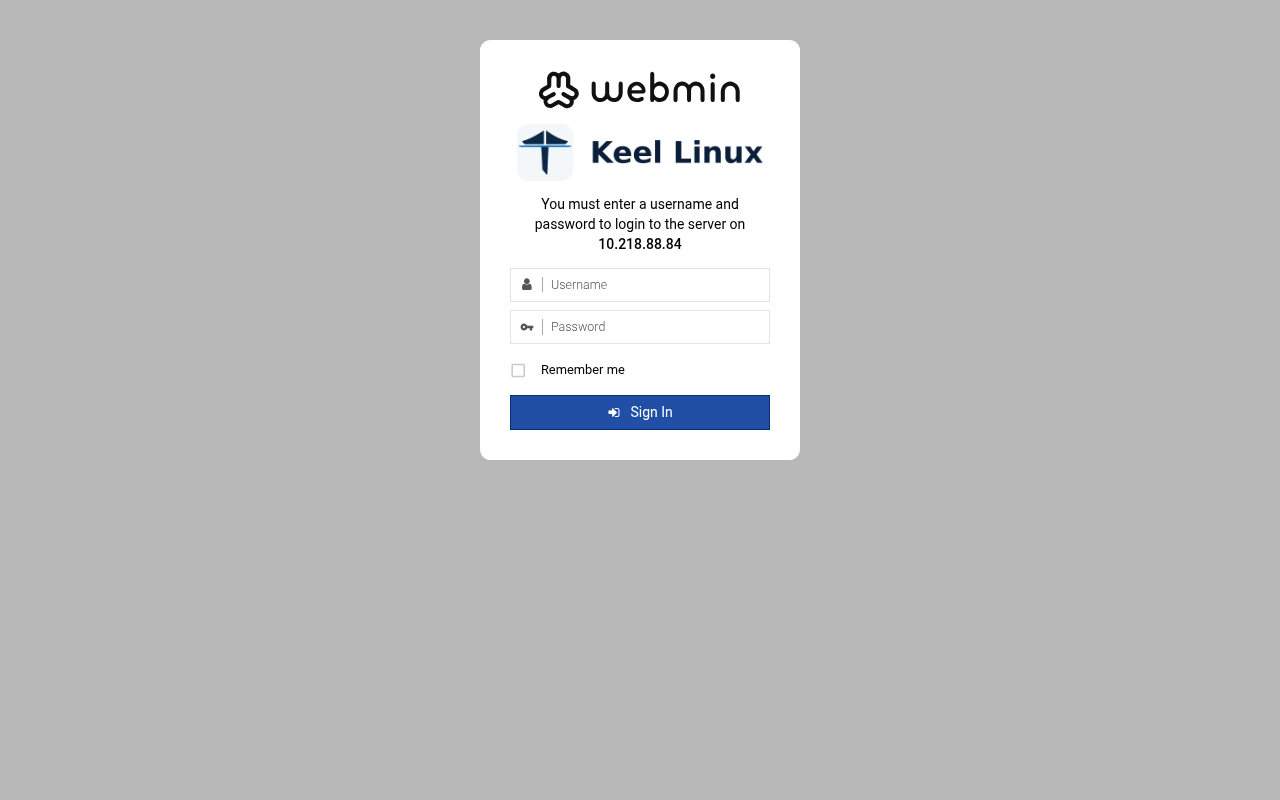 typed: | |
| 10 | web: webmin 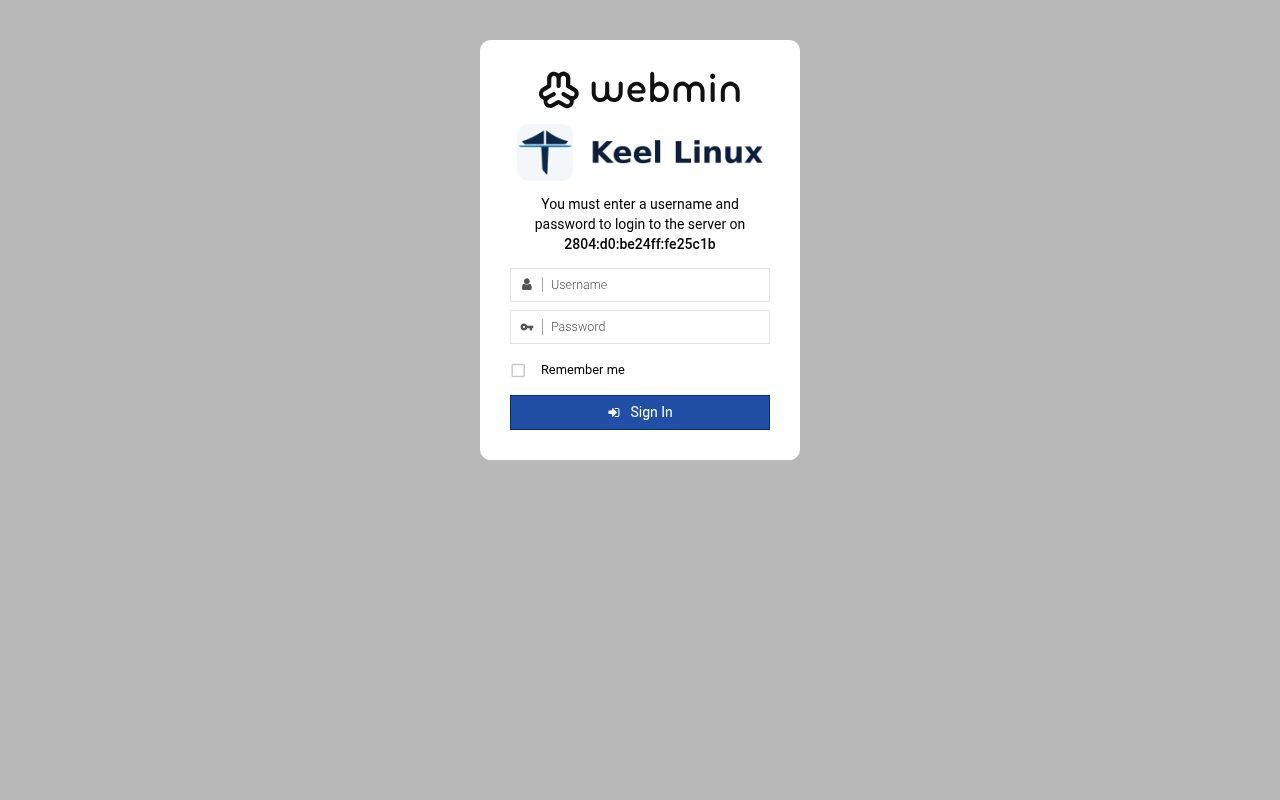 typed: | web: webmin-after 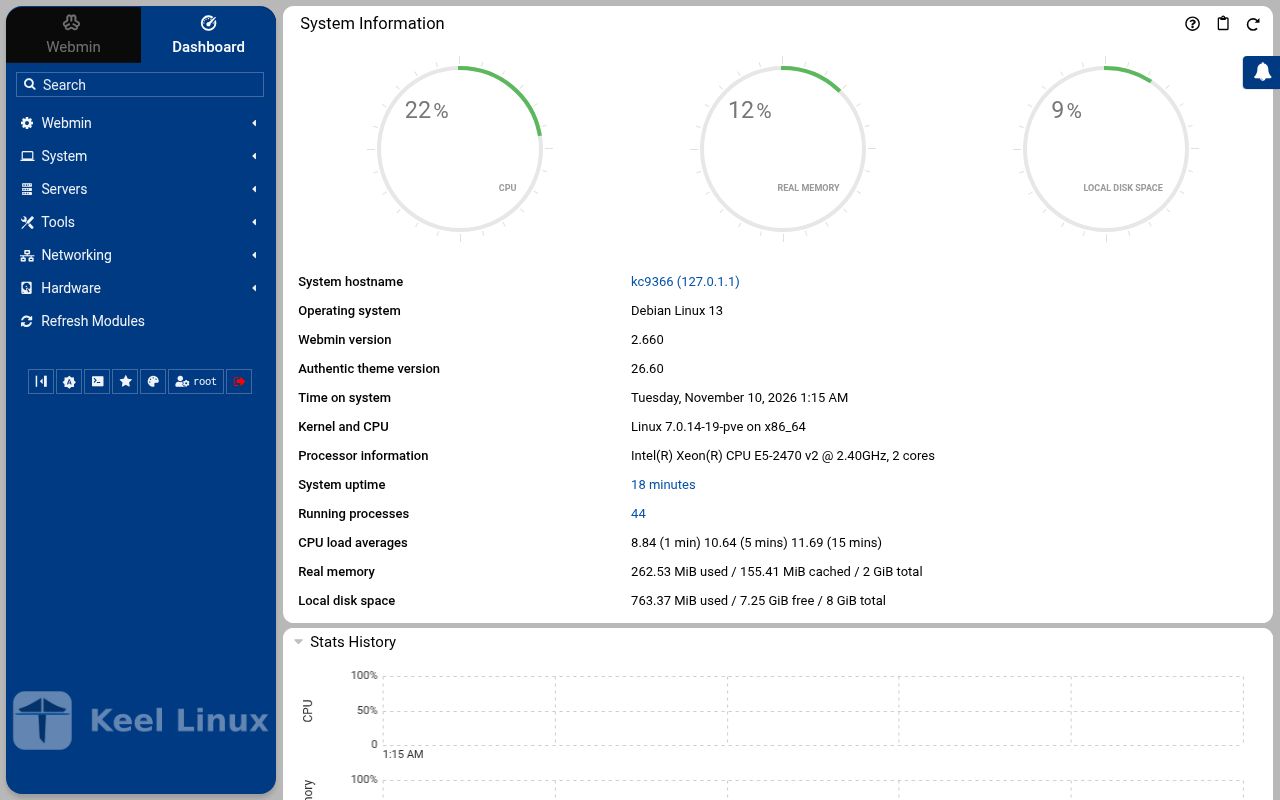 typed: | |
| 11 | web: webmin-after 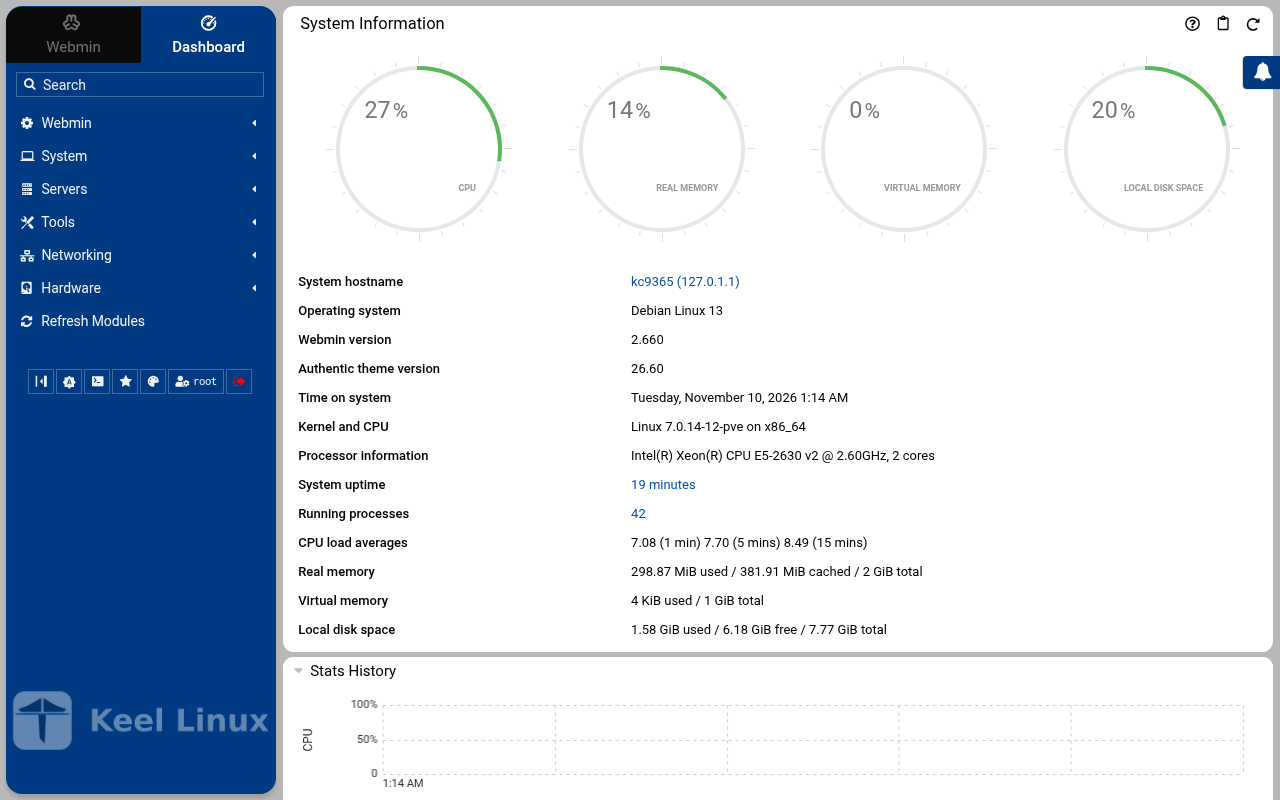 typed: | web: webmin-postgresql 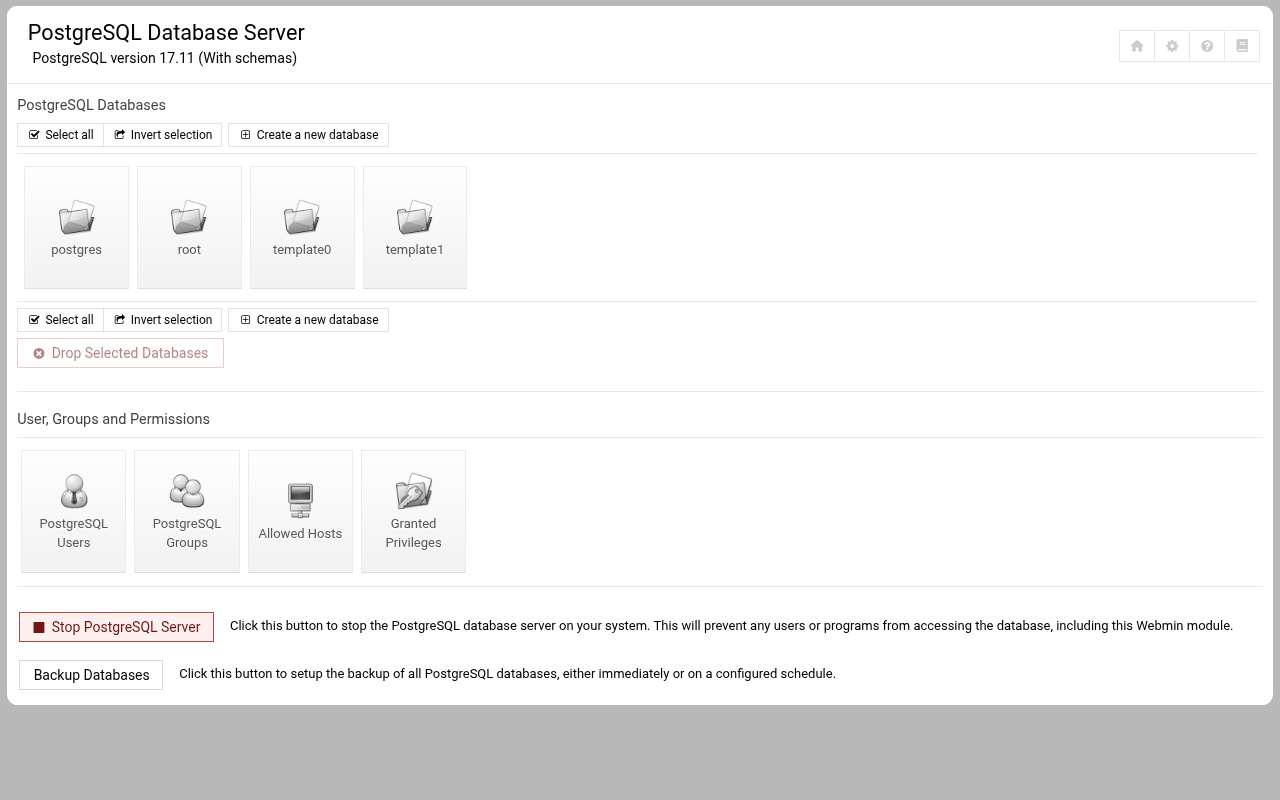 typed: | |
| 12 | web: webmin-postgresql 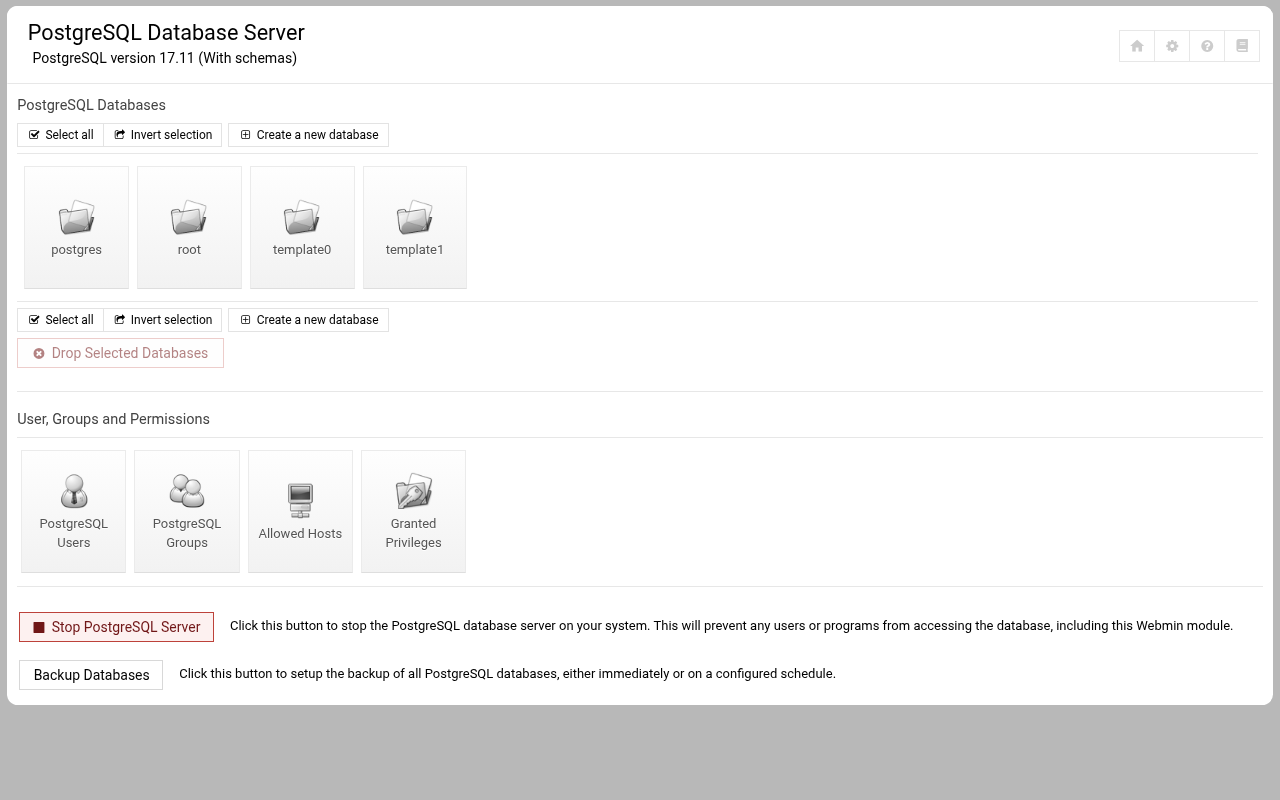 typed: |
Commissioning
8 passes on the sites BR1, BR2, 2026-11-10: 437 checks, all passed.
Every pass below passed every check (decision 0075). A page never shows an image that did not pass.
| Pass | Nodes | Date | Checks passed |
|---|---|---|---|
| the LXC template, answered on the console | br1 | 2026-11-10T00:14:41Z | 23 of 23 |
| the LXC template, described before the boot | br1 | 2026-11-10T00:28:43Z | 20 of 20 |
| the ISO in a virtual machine | br1 | 2026-11-10T00:26:21Z | 27 of 27 |
| the LXC template, answered on the console | br2 | 2026-11-10T00:15:25Z | 23 of 23 |
| the LXC template, described before the boot | br2 | 2026-11-10T00:31:13Z | 20 of 20 |
| the ISO in a virtual machine | br2 | 2026-11-10T00:30:03Z | 27 of 27 |
| Cloud simple: two nodes, failover by hand | primary br1, replica br2 | 2026-11-10T00:32:09Z | 126 of 126 |
| Cloud advanced: two data nodes and a witness | primary br1, replica br2, witness br1 | 2026-11-10T00:53:45Z | 171 of 171 |